




COLOR LASERJET 178NW
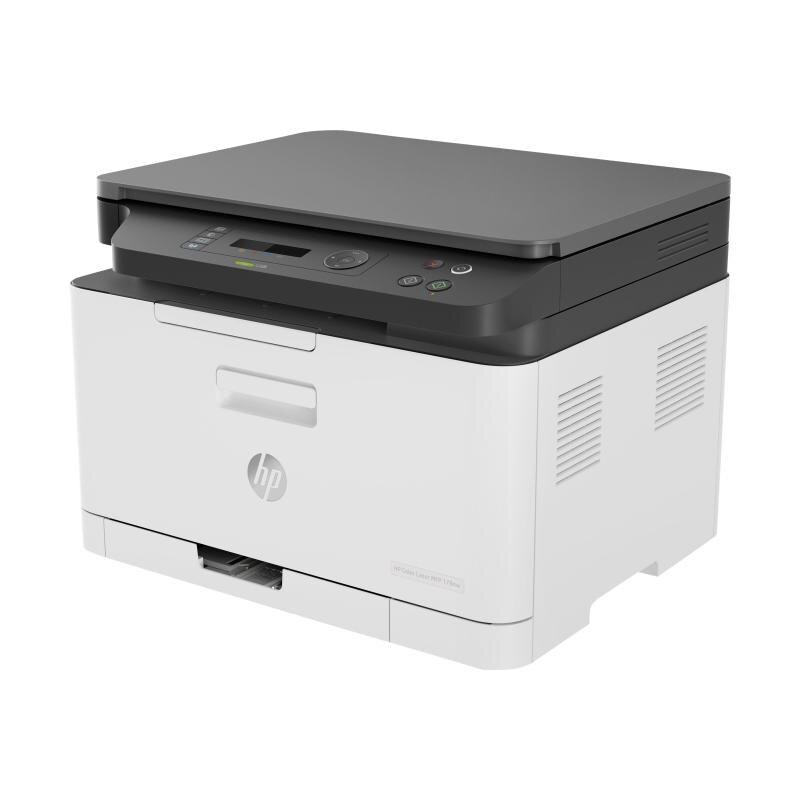
Multiple users, one small printer: the Color LaserJet 178NW was HP's early-2020s answer for shared household color, with network and wireless built in and color output in a compact box — set it up once and let everyone print. It draws from HP's 116A color set: a black W2060A plus W2061A cyan, W2062A yellow and W2063A magenta. Four cartridges, four colors, and none of them shared.
Sharing changes the toner math. One person's color project drains the magenta that another person's black-and-white homework never touches, so the levels drift apart inside a shared machine. This printer's answer is independence: each cartridge reports its own level and swaps on its own schedule, which keeps a household from replacing three healthy colors just to cure one empty one.
Toner Cartridges for Color LaserJet 178NW
- Black single — W2060A
- Black two-pack — W2060A
- Cyan single — W2061A
- Yellow single — W2062A
- Magenta single — W2063A
- Four-color set — the complete 116A bay
The identical cartridges are also stocked under the 179Fnw listing names:
- 179Fnw-named black single (W2060A)
- 179Fnw-named black two-pack (W2060A)
- 179Fnw-named cyan single (W2061A)
- 179Fnw-named yellow single (W2062A)
- 179Fnw-named magenta single (W2063A)
- 179Fnw-named four-color set
Which cartridge should you buy?
Watch which color your household actually burns. Photo and school-project homes go through the colors; document homes go through black. Replace singles as they empty — that is the design. The black two-pack is the quiet money-saver for a printer that mostly handles text, and the four-color set is the reset button for the day the whole bay runs low together. The compatibles here carry a one-year warranty and one-year returns.
Chip, toner and everyday use
When a cartridge goes in, the printer reads its chip to register the change and refresh the level it reports to every user on the network. A cartridge that will not register usually just needs to be reseated with the printer restarted. Keep spares flat, sealed and away from sunny shelves; heat ages toner faster than time does. Before installing a cartridge that has been stored for months, tilt it slowly from side to side so the powder inside settles evenly again.
Frequently Asked Questions
Does the Color LaserJet 178NW take W2070A cartridges?
No. The cartridges stocked for this printer are the 116A family — W2060A black, W2061A cyan, W2062A yellow and W2063A magenta. If an old note or a stray listing points you to a different code, trust the code printed on the cartridge you pull out of the machine.
Can I replace just one cartridge in the 178NW?
Yes — each slot is independent. Swap the empty color and leave the other three in place; the printer tracks and reports each level separately, so you always know which one is next.
My prints look light — is the cartridge the problem?
Usually, yes: a nearly empty cartridge is the most common cause of pale output. Rocking it gently can coax out a few more pages, but if the pages stay light, a replacement is the real fix rather than another shake.
More printers that use the same cartridges
The same cartridge family also serves these HP models:
Color LaserJet 150A; Color LaserJet 179FNW; HP 116A; COLOR LASERJET 150NW; COLOR LASERJET 178NWG; Color LaserJet 150NW; Color LaserJet 178NW; Color LaserJet 178NWG.
SELECT YOUR PRINTER FAMILY TO SHOP COLOR LASERJET 178NW PRODUCTS
There are no products listed under this category.