




Color Laser Laser 1110
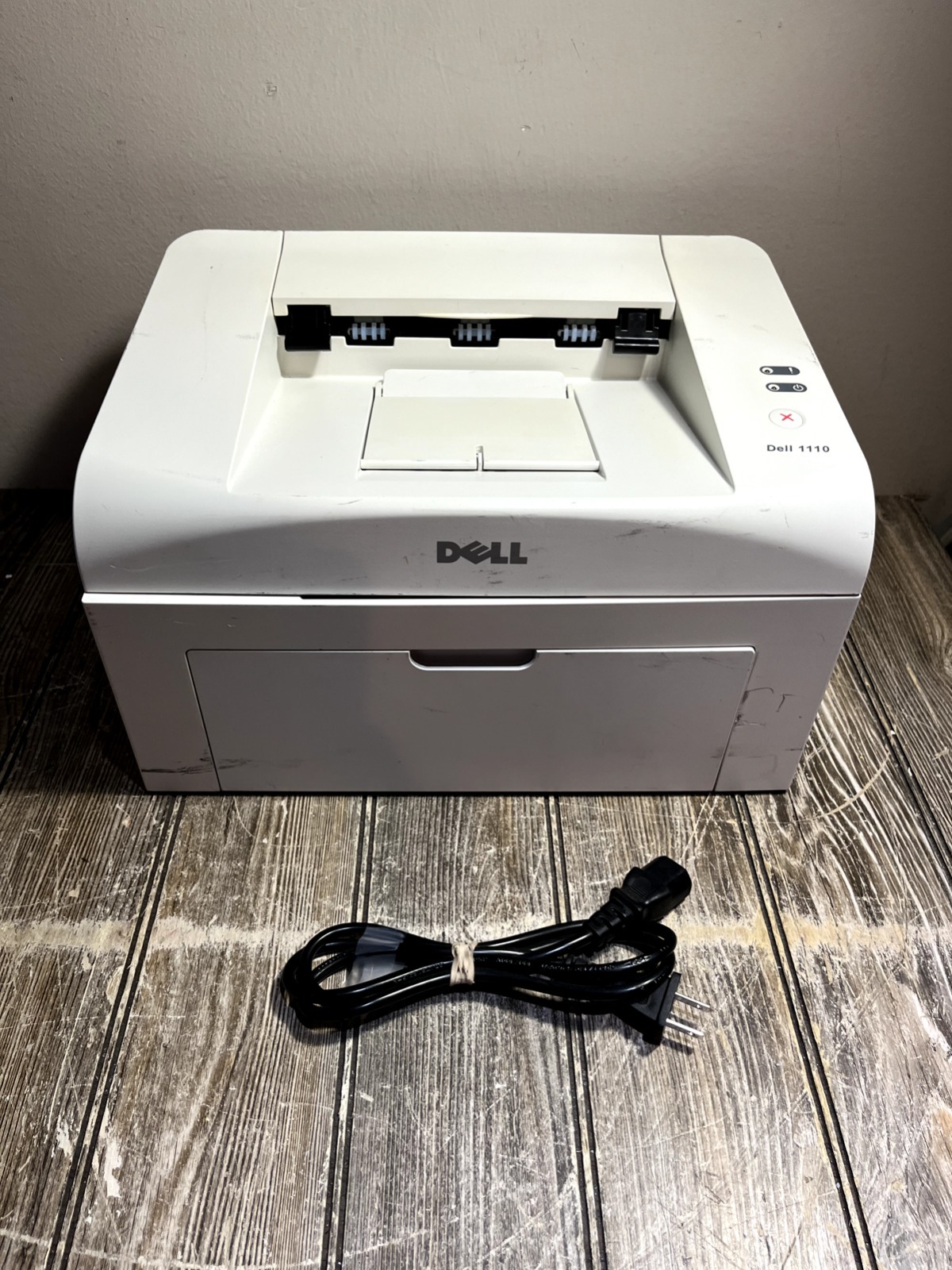
The Dell 1110 refined the budget-laser formula: up to 16 pages per minute, an 8,000-page monthly duty cycle, and a footprint small enough to disappear on a desk. Like its sibling, it runs on one black cartridge only — the 310-6640 — and that single consumable is the whole supply story for this printer.
What sets the 1110 apart is what it feeds on. The driver offers manual duplex guidance for two-sided printing, and the media handling stretches to labels, envelopes and card stock, so this little mono laser ends up doing the odd jobs a basic printer cannot: a sheet of address labels, a run of wedding envelopes, a stack of place cards. Jobs like those are short but frequent, and they reward an owner who keeps a spare cartridge within reach.
Toner Cartridges for 1110
| Cartridge | Color | Page Yield |
|---|---|---|
| 310-6640 — single cartridge | Black | See product page |
| 310-6640 — pack of 2 | Black | See product page |
| 310-6640 — pack of 3 | Black | See product page |
| 310-6640 — pack of 5 | Black | See product page |
| 310-6640 — pack of 10 | Black | See product page |
Which cartridge should you buy?
Every option on this page is the same 310-6640 cartridge; you are choosing depth of stock, not a different product. Buy the single if the 1110 is a secondary printer that wakes up a few times a month. The 2 pack suits most desks — one in the machine, one in a drawer — and it is the cheapest insurance against a cartridge dying mid-label-run. Step up to the 3 or 5 pack if this printer handles weekly paperwork for a small business, and consider the 10 pack only if you genuinely print in volume or run more than one machine on this cartridge, since it also fits the 1100. Larger packs bring the cost per cartridge down, and each one is backed by a 1-year warranty and 1-year returns.
Chip, toner and everyday use
Installation is the familiar routine: open the front, lift the old cartridge out by its handle, drop the new one in until it seats, and print a test page. The cartridge chip lets the printer track toner status, so a low warning is worth acting on rather than ignoring. Special media deserves one extra step — set the paper type in the driver to match labels, envelopes or card stock, because the printer adjusts how it feeds and fuses for each. Rated cartridge yields assume about 5% coverage; heavy, dark pages use toner faster. A gentle side-to-side rock of a fading cartridge redistributes what is left and can carry you to the end of a job.
Frequently Asked Questions
Is the 1110 cartridge the same as the 1100 cartridge?
Yes — both printers take the 310-6640 black cartridge, and the packs listed here fit either machine. The 1100 and 1110 differ as printers, not in their toner.
Can the 1110 print on labels, envelopes and card stock?
Yes, its media support covers all three, which is unusual at this size and price. Use the paper-type setting in the driver for the media you loaded so pages feed cleanly and the toner fuses properly.
My prints have a gray background — is the cartridge finished?
A gray wash across the page usually appears when a cartridge is nearly empty or its drum surface is worn. Try a fresh cartridge first; if the background stays gray with a new one installed, the problem sits deeper in the printer rather than in the toner.
How does the manual duplex feature work?
The driver prints the first sides, then walks you through turning the stack and reinserting it to print the backs. It saves paper on long documents, and since toner use is counted per printed side, it neither saves nor wastes toner.
More printers that use the same cartridges
These Dell pages share the same cartridge:
Color Laser Laser 1100, Dell 310-6640, Laser 1100, Laser 1110