






 See Compatible Printers
 Read more about our ink!
Dell
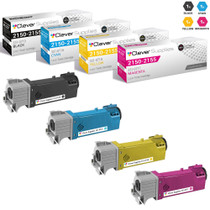
Compatible Dell 1355cnw Premium Quality High Yield Toner Cartridges 4 Color Set
- Page Yield:
- Black: 2,000, Colors: 1,400 Each
- Availability:
- In Stock
- Shipping:
- Calculated at Checkout

Amazon Price:

- Page Yield:
- Black: 2,000, Colors: 1,400 Each
- Availability:
- In Stock
- Shipping:
- Calculated at Checkout
- Compatible Printers
- Specifications
- SKU:
- Dell-1355CNW-Premium
- Printer Brand:
- Dell
- OEM Number:
- 331-0778, 331-0777, 331-0780, 331-0779
- Ink Color:
- Black, Cyan, Magenta, Yellow
- Page Yield:
- Black: 2,000, Colors: 1,400 Each
- Printer Type:
- Laser Cartridge Set
- Condition:
- New Compatible
- Description
- Yields up to Black: 2000 Colors: 1400 Each
- Compatible Dell 1355cnw High Yield Toner Cartridges 4 Color Set consistently produces high-resolution printouts with enhanced graphics and sharp text
- Unlike bargain brand toners Dell 1355cnw High Yield Toner Cartridges 4 Color Set is specifically engineered to work in Dell printers for optimum quality and performance
- Packaging: Each
- Compatible with: Dell 1250 1250c 1350 1355 1355cn 1350cnw C1760 and C1760nw etc. laser printer
- Print technology: Laser
- Replaces the Following Manufacturer Numbers: 331-0722 3K9XM DV16F DX7YG 331-0778 4R4G5 331-0723 58P6Y PDVTW XPXY8 331-0777 FYFKF 331-0724 5GDTC H89YG JYX82 331-0780 CMR3C 331-0725 5M1VR DG1TR VKYJT 331-0779 89KJM
- Reviews

/> 

Compatible Dell 1355cnw High Yield Toner Cartridges 4 Color Set produces high-resolution printouts sharper images and text.
Dell 1355cnw High Yield Toner Cartridges 4 Color Set yields up to Black: 2000 Colors: 1400 Each. Cartridge is specifically designed to work in Dell printers for optimum quality and performance.
Features:
Frequently Asked Questions
Our 1355cnw is shared over Wi-Fi by five people — how do we stop toner running out mid-job?
Shared wireless printers have a classic problem: everyone prints, nobody owns the supplies. With this set in the machine — black 331-0778 rated at up to 2,000 pages and cyan 331-0777, magenta 331-0780 and yellow 331-0779 at up to 1,400 pages each — the practical fix is a named owner and a simple rule: when the first low-toner warning appears, that person orders the next set the same day. Because all four cartridges arrive together, there is no second or third surprise a week later when another color gives up.
This listing says "Premium Quality" — what does that mean here, honestly?
It is the wording on this particular listing, and we will not pretend it changes the arithmetic: this Premium set is $46.23, exactly the same price as the standard listing for the same four cartridges, with the same rated yields — 2,000 pages from the black and 1,400 from each color. There is no different specification hiding behind the word. What you can hold us to is the same either way: these are compatible cartridges backed by a 1-year warranty and 1-year free returns.
Why does the black cartridge outlast the colors by 600 pages?
Because most office printing is mostly text. The black 331-0778 is rated at up to 2,000 pages while the three colors are rated at up to 1,400 each, and that gap mirrors real use — a typical page draws far more black than cyan, magenta or yellow. In a document-heavy office the colors may still be going when the black finishes; in a graphics-heavy one the order can flip. Either way, the set format means the replacement for whichever runs out is already matched to the other three.
What should we check before blaming the cartridges for pale color output?
Three quick things. First, print the printer's own test or demo page — if that looks strong, the issue is in a file or driver setting, not the toner. Second, check the toner-save or eco mode setting, which deliberately prints lighter. Third, look at the levels: one nearly empty color drags the whole balance down and makes everything look washed out even though the other three cartridges are fine. If a cartridge really is at fault, it is covered — see our shipping and returns page for how the 1-year warranty and free returns work.
Can we install just one cartridge from the set and keep the rest boxed?
Yes. Nothing about a set obliges you to swap all four at once. Many shared offices replace only the empty color and shelve the rest — keep them sealed, stored flat in a cool dry spot, and install oldest stock first. The only discipline that matters is keeping the remaining three where you can find them when their turn comes.
Who do we talk to if a cartridge misbehaves?
Us, Monday to Friday, 9 AM to 5 PM CST. Tell us which color and what the pages look like — streaks, fading, a color missing entirely — and we will work through it with you. Every cartridge in this set carries the same 1-year warranty and 1-year free returns whether it was installed on day one or month six.
How do we confirm this is the right set before ordering?
Match numbers, not names. Read the four part numbers off the cartridges already in the machine, or off its supplies screen, and set them against this set: black 331-0778, cyan 331-0777, magenta 331-0780 and yellow 331-0779. Take care with the last two — magenta carries the higher number, 331-0780, while yellow is 331-0779, which is the reverse of the order most people guess. If all four numbers line up, the set is right for the machine, whichever listing you order it from.
The first pages from a cartridge we just fitted look uneven. Is that a fault?
Usually not. A fresh cartridge needs a few pages for its toner to distribute evenly, and the first prints can look light or patchy while that settles. Print a handful of ordinary pages and judge the cartridge from about the fifth page onward, not the first. If one color is still weak after that, take that cartridge out and reseat it firmly in its slot. A cartridge that stays weak beyond that point is a warranty conversation — every unit in the set carries a 1-year warranty and 1-year free returns.
We print photos and full-color flyers. How far will the rated pages really go?
Expect noticeably fewer than the box figures. The ratings — up to 2,000 pages from the black 331-0778 and up to 1,400 from each color — are measured at 5% page coverage, roughly a page of text. A photograph or a flyer with solid color backgrounds can cover half the page or more, spending toner at many times the test rate. Text work will land close to the ratings; photo-heavy work will not. For a graphics-heavy desk, the practical approach is to watch the levels and reorder on your own observed pace.
If the 1355cnw is replaced, does a spare set on the shelf go to waste?
Not if the replacement stays in the same family. These four cartridges — 331-0778, 331-0777, 331-0780 and 331-0779 — are the shared platform across Dell's compact color line, also serving the 1250c, 1350cnw, 1355cn, 1755nf, 1755nfw, C1760nw and C1765nf. A sealed spare set bought for the 1355cnw transfers to any of those machines. Before assuming, check the supply list of the machine you are moving to: if it shows the same four numbers, the shelf stock still has a home.
About This Set
This is the four-cartridge compatible high-yield set for the Dell Color Laser 1355cnw in its Premium Quality listing: black 331-0778 (up to 2,000 pages) plus cyan 331-0777, magenta 331-0780 and yellow 331-0779 (up to 1,400 pages each). The same set also serves the wider family — the 1250c, 1350cnw, 1355cn, 1755nf, 1755nfw, C1760nw and C1765nf. It ships from one of our four US warehouses in Illinois, Pennsylvania, Georgia or California. You can browse the rest of the range on our Dell toner page.
Related Items

Dell
Compatible Dell 1355cnw High Yield Toner Cartridges 4 Color Set
/>


Dell
Compatible Dell 1250c Premium Quality High Yield Toner Cartridges 4 Color Set
/>

Dell
Compatible Dell C1760nw Premium Quality High Yield Toner Cartridges 4 Color Set
/>
Dell
Compatible Dell 2150 Premium Quality Toner Cartridge High Yield 4 Color Set
/>