






 See Compatible Printers
 Read more about our ink!
Xerox
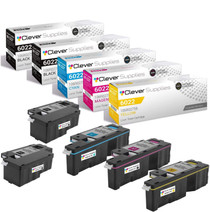
Compatible Xerox 6022 Toner Cartridges 5 Color Set (106R02759, 106R02756, 106R02757, 106R02758)
- Page Yield:
- Black: 2000, Color: 1000
- Availability:
- In Stock
- Shipping:
- Calculated at Checkout

Amazon Price:

- Page Yield:
- Black: 2000, Color: 1000
- Availability:
- In Stock
- Shipping:
- Calculated at Checkout
- Compatible Printers
- Phaser 6022
- WorkCentre 6027
- WorkCentre 6027nii>
- Specifications
- SKU:
- CS-Xerox-6022-5Set
- Printer Brand:
- Xerox
- OEM Number:
- 106R02759, 106R02756, 106R02757, 106R02758
- Ink Color:
- Black, Cyan, Magenta, Yellow
- Page Yield:
- Black: 2000, Color: 1000
- Printer Type:
- Laser Cartridge
- Condition:
- New Compatible
- Description
- Reviews

/> 

Clever Supplies brand products are made in the USA! Why pay more for cheaper product with a high defective rate? You will end up having to send it back to the manufacturer. Your time is valuable. Get a quality product that you KNOW will work. Purchase the Clever Supplies Compatible for Xerox 6022 (106R02759, 106R02756, 106R02757, 106R02758) 5 Color Toner Cartridge Set and experience the difference! All Clever Supplies brand products are backed by '100% Quality Satisfaction' 1 year warranty against defects in materials and workmanship for all toner products. Free tech support for any problems for all Clever Supplies brand products. The use of Clever Supplies brand replacement laser toner cartridges and supplies does not void printer warranty. Premium Quality Replacement Toner Cartridge is made by ISO9001 Certified Factory to Meet or Exceed OEM Standards. These units are manufactured 100% brand new with all new parts including OPC drums, wiper blades, a smart chip and other internal parts, they are an economical alternative to expensive OEM 106R02759, 106R02756, 106R02757, 106R02758 Compatible Toner Cartridges. The Compatible Toner Cartridges will produce the same amount of page yield as an OEM cartridge would. This is a Compatible for Xerox 6022 5 Color Toner Cartridge Set Black, Cyan, Magenta, Yellow guaranteed to perform with Xerox Laser Printers. It replaces the original Xerox 6022 5 Color Toner Cartridge Set Black, Cyan, Magenta, Yellow. The compatible replacement for 106R02759, 106R02756, 106R02757, 106R02758. The use of compatible replacement Cartridges and supplies does not void Printer Warranty. Our Xerox Compatible Cartridge is a replacement for OEM Xerox. We offer a 100% Quality Satisfaction Guarantee on our Compatible for 106R02759, 106R02756, 106R02757, 106R02758 Laser Toner Cartridges and supplies. For use in the following printers: Phaser 6022, WorkCentre 6027
Frequently Asked Questions
Why would a set hold five cartridges when the printer only has four slots?
Because the fifth one is not meant to be installed today — it is a shelf spare drawn from the same four part numbers. Four cartridges go into the machine as a complete refresh, and the extra one waits in the cupboard so the first slot to run dry, whenever that happens, is a quick swap instead of the start of a delivery wait.
Which part numbers does this five-cartridge set cover?
The set is built from black 106R02759, cyan 106R02756, magenta 106R02757 and yellow 106R02758 — every position in the printer is covered, with one additional cartridge from those same numbers as the spare. Each cartridge is sealed individually, so the spare stays factory-sealed on the shelf until the day it is needed.
What page counts do the cartridges carry?
Each black 106R02759 is rated at about 2,000 pages and each color — the 106R02756 cyan, 106R02757 magenta and 106R02758 yellow — at about 1,000 pages, measured at the standard 5% coverage. Dense color pages will pull the color figures down in real use, which is precisely the situation a ready spare softens.
Which machines is this set made for?
The Phaser 6022 and the WorkCentre 6027 share this exact cartridge family, so the five-pack suits either machine — handy if a small office runs one of each and wants one spare policy for both. Every box built on this cartridge set — the 4 Color Set, the singles and the black packs — is compared side by side in our Xerox 106R02759 buying guide.
When does keeping a spare actually pay off?
When the printer cannot sit idle: a shared machine before a deadline, a front desk that prints all day, or any setup where a two-day wait for a single cartridge is a genuine problem. Installing the spare the moment a slot empties also turns that day into your reorder signal — you always order from a position of having a full machine, never an empty one.
What protection comes with the set?
A 1-year warranty and 1-year free returns cover it, including the spare sitting unopened on the shelf. Orders ship from the nearest of our IL, PA, GA and CA warehouses, with the full picture on our shipping and returns page, and support runs Mon–Fri, 9 AM–5 PM CST.
When refresh day comes, does the order I fit the four cartridges in matter?
No strict order is required, because each cartridge only seats in its own position and the machine reads them independently. The calm way to do it is one bay at a time: swap a cartridge, close the machine up, and let it settle before moving to the next, finishing with a test page that exercises all four colors. Working that way means that if one page looks off afterward, you know exactly which swap to look at first, instead of wondering which of four simultaneous changes is responsible.
The spare has sat on the shelf for a while — how do I confirm it is the right one when a slot finally empties?
Read the code off the cartridge you pull out and match it against the spare's label before you break its seal. The four numbers in this family — 106R02759 black, 106R02756 cyan, 106R02757 magenta and 106R02758 yellow — differ by a single digit, and the colors are not interchangeable, so the label check is the whole safeguard. If the spare's number matches the empty bay's number, fit it; if it belongs to a different position, leave it sealed and order the one you actually need.
How can I predict roughly when each position will call for attention again?
Start from the ratings and adjust for your own pages. The black 106R02759 is rated around 2,000 pages and each color around 1,000 at 5% coverage, so on a typical mixed workload the colors will usually ask first, and photo- or chart-heavy printing pulls them earlier still. Jotting the install date and the machine's page counter on each box turns the next change from a surprise into a date you can see coming, and tells you which color your office genuinely burns fastest.
What should I do with the four cartridges that come out during a refresh?
Keep them together, out of the way, until the new set has proven itself over the first days of printing — they are your evidence if a question comes up, and your fallback in a pinch. Once the fresh cartridges are clearly performing, send the spent ones out through your usual toner recycling or disposal route in one batch rather than one at a time. Just store them apart from the sealed spare, so nobody ever mistakes an empty for the ready replacement.
About This Phaser 6022 5 Color Set
A four-slot refresh plus one shelf spare for the Phaser 6022 family, at $52.68: built from black 106R02759 (about 2,000 pages) and cyan 106R02756, magenta 106R02757 and yellow 106R02758 (about 1,000 pages each). Four go in now; the fifth means the next empty slot never becomes an urgent order. The plain four-cartridge set and single replacements are on our Xerox toner page.
Related Items

Xerox
Compatible Xerox 6022 (106R02759 106R02758 106R02757 106R02756) Toner Cartridge 5 Color Set
/>



Xerox
Compatible Xerox 6022 (106R02759 106R02758 106R02757 106R02756) Toner Cartridge 8 Color Set
/>

Xerox
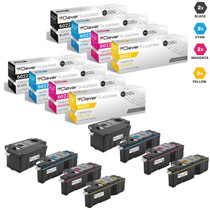
Compatible Xerox 6022 Toner Cartridges 8 Color set (106R02759, 106R02756, 106R02757, 106R02758)
/>


Xerox
Compatible Xerox 6022 Toner Cartridges 4 Color Set (106R02759, 106R02756, 106R02757, 106R02758)
/>