






 See Compatible Printers
 Read more about our ink!
Hewlett Packard
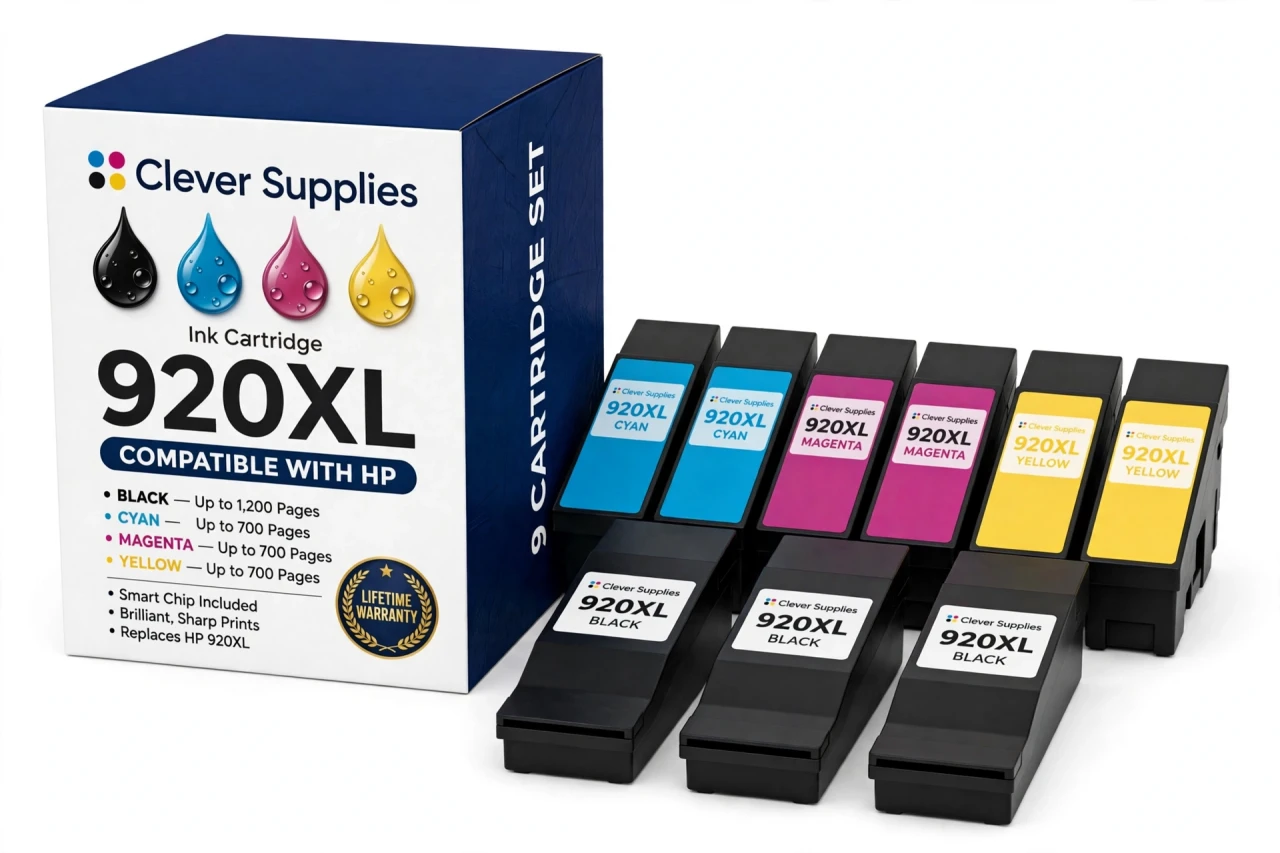
Compatible HP 920XL Set of 9 3 Black 2 Cyan 2 Magenta 2 Yellow Ink Cartridges
- Page Yield:
- 1,200 pages (CD975AN) / 700 pages (CD972AN) / 700 pages (CD973AN) / 700 pages (CD974AN)
- Shipping:
- Calculated at Checkout

Amazon Price:

- Page Yield:
- 1,200 pages (CD975AN) / 700 pages (CD972AN) / 700 pages (CD973AN) / 700 pages (CD974AN)
- Shipping:
- Calculated at Checkout
- Compatible Printers
- Specifications
- SKU:
- CS-HP-920-SET9
- Condition:
- New (compatible)
- OEM Part #:
- CD975AN, CD972AN, CD973AN, CD974AN
- Color:
- Black / Cyan / Magenta / Yellow
- Ink Type:
- Pigment
- Page Yield:
- 1,200 pages (CD975AN) / 700 pages (CD972AN) / 700 pages (CD973AN) / 700 pages (CD974AN)
- Chip:
- Yes — new compatible chip
- Warranty:
- Lifetime Warranty
- Returns:
- 1 Year
- Description
Why does this box hold three black cartridges but only two of each color?
The mix mirrors the way a 920 printer actually uses ink: black runs down fastest, so the box carries three CD975AN cartridges rated at 1,200 pages apiece, against two each of the CD972AN, CD973AN and CD974AN at 700 pages apiece. Nine XL cartridges in total, and every one of them arrives separately wrapped.
Is a nine-pack actually cheaper than ordering singles as I need them?
Yes. Buying the nine together costs less than picking up the identical cartridges one at a time, and a single delivery refills all four slots while leaving spares sitting on the shelf for the next change. Weigh the rated yield of each cartridge against the volume you print to see how far the box will take you.
My printer is an OfficeJet 6500 Wireless — will this box work in it?
It will: that model is one of the eight this family serves. The same box also runs in the OfficeJet 6500 Wireless, the OfficeJet 6500, the OfficeJet 6000 Wireless and the OfficeJet 6000, with four further models besides. Every supported machine is named in the Compatible Printers section further down this page. Every configuration this family is sold in — for the OfficeJet 6000, 6500, 7000 and 7500 printers: the XL sets of four and nine, the four XL singles and the standard black single — is compared side by side in our Best HP 920 & 920XL (CD971–CD975) Ink Cartridges guide.
The label inside my cartridge door says 932 — can I use this 920 box instead?
Please do not. HP built the 932 line for a neighboring generation of OfficeJet machines, and although the shells resemble each other, a cartridge from one family will not run in a printer made for the other. Buy whichever family is printed inside the access door of your own machine.
With nine cartridges rotating through the printer, how do I keep track of ink levels?
You do not have to count pages yourself. Each cartridge leaves us fitted with a fresh compatible chip, and that chip passes the remaining ink figure for its own cartridge back to the printer, so the on-screen levels always describe the cartridge currently installed.
A notice about a non-original cartridge appeared on screen — is something wrong?
Almost certainly not. Press OK to dismiss it, then pop the cartridge out and push it back in until you hear the click, and switch the machine off and on once more. In nearly every case the alert is simply the printer registering a cartridge that did not come from HP, and it does not return afterwards.
There is no HP branding on these — what exactly am I buying?
A compatible set from Clever Supplies, produced to the original HP specifications and backed by our lifetime warranty. HP itself had no part in making it, and the cartridges are sold as the compatible alternative that they are.
What other pack sizes exist for the 920 family?
LD Products, whose range we follow here, lists single cartridges and a set of 4 for this family, and no larger bulk pack is offered for the 920 line. This nine-cartridge box is assembled for buyers who would rather stock up in one order.
One cartridge out of the nine is faulty — does the whole box have to go back?
No. Coverage runs cartridge by cartridge rather than box by box, so tell us which unit misbehaved and what it did, and that single cartridge is exchanged on its own under the lifetime warranty while the other eight stay with you.
Which of the nine is likely to need replacing first?
That follows your workload rather than the box. A month of letters and reports empties a black cartridge ahead of the rest, while photo-heavy and graphics-heavy printing pulls the color cartridges down faster. Each installed cartridge reports its own level, so the printer tells you which slot is due next.
Only the yellow is empty today — do the other eight have to go in now?
They do not. Fit the one cartridge the printer is asking for and leave the remaining eight in their wrapping; unopened cartridges keep perfectly well until their own turn arrives.
The spares may sit in a cupboard for months — how should they be stored?
Keep the wrapping on, stand each cartridge upright, and choose a spot at ordinary room temperature that stays out of direct sunlight. A cartridge comes out of its packaging only at the moment it is about to be installed.
- Reviews
One box restocks every slot: this Clever Supplies compatible set replaces the HP 920XL cartridges for the 8 printers listed below. In the box: CD975AN (1,200 pages), CD972AN (700 pages), CD973AN (700 pages), CD974AN (700 pages). Each cartridge is individually sealed, filled to the original specification and chipped to report its own ink level.
The cartridge carries a new compatible chip that reports ink levels to the printer. If a firmware update ever causes a recognition warning, reseating the cartridge and restarting the printer clears most false alarms; anything that still refuses to print is covered by the lifetime warranty. The set is priced below the same cartridges bought one by one.
Shop the HP 920 family: 920XL Black (CD975AN), 920XL Cyan (CD972AN), 920XL Magenta (CD973AN), 920XL Yellow (CD974AN), 920 Black (CD971AN), 920XL Set of 4.
Printer series: Browse printers — every model in the Compatible Printers list below takes this cartridge.
CLEVER SUPPLIES · HP 920 INK
Compatible HP 920XL Set of 9 3 Black 2 Cyan 2 Magenta 2 Yellow Ink Cartridges
Replaces HP CD975AN, CD972AN, CD973AN, CD974AN
1,200 pages (CD975AN) / 700 pages (CD972AN) / 700 pages (CD973AN) / 700 pages (CD974AN) · Pigment ink
Fits: OfficeJet 6000, OfficeJet 6000 Wireless, OfficeJet 6500, OfficeJet 6500 Wireless, OfficeJet 6500A and more
Covered by the Clever Supplies Lifetime Warranty
Frequently Asked Questions
Related Items

Hewlett Packard
Compatible HP 962XL Set of 9 3 Black 2 Cyan 2 Magenta 2 Yellow Ink Cartridges
One box restocks every slot: this Clever Supplies compatible set replaces the HP 962XL cartridges for the 9 printers listed below. In the box: 3JA03AN (2,000 pages),


Hewlett Packard
Compatible HP 923e Set of 9 3 Black 2 Cyan 2 Magenta 2 Yellow Ink Cartridges
One box restocks every slot: this Clever Supplies compatible set replaces the HP 923e cartridges for the 3 printers listed below. In the box: 4K0T7LN (1,000 pages),
Hewlett Packard
Compatible HP 952XL Set of 9 3 Black 2 Cyan 2 Magenta 2 Yellow Ink Cartridges
One box restocks every slot: this Clever Supplies compatible set replaces the HP 952XL cartridges for the 14 printers listed below. In the box: F6U19AN (2,000 pages),
Hewlett Packard
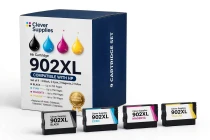
Compatible HP 902XL Set of 9 3 Black 2 Cyan 2 Magenta 2 Yellow Ink Cartridges
One box restocks every slot: this Clever Supplies compatible set replaces the HP 902XL cartridges for the 10 printers listed below. In the box: T6M14AN (750 pages),