




OfficeJet 6500A
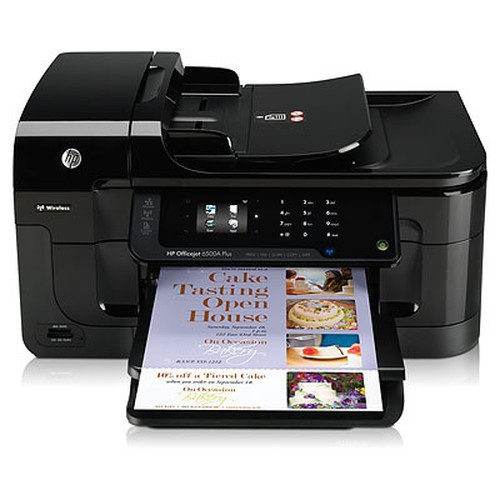
The HP OfficeJet 6500A prints with the HP 920 ink family. Original HP codes for this family: CD975AN, CD972AN, CD973AN, CD974AN, CD971AN, with rated yields from about 420 to about 1,200 pages. Every Clever Supplies cartridge below is a compatible built to the original specification — same fit, same rated yield, lifetime warranty — and this page lists exactly which ones the OfficeJet 6500A takes.
| Cartridge | Color | Approx. yield |
|---|---|---|
| CD975AN | Black | 1,200 pages |
| CD972AN | Cyan | 700 pages |
| CD973AN | Magenta | 700 pages |
| CD974AN | Yellow | 700 pages |
| CD971AN | Black | 420 pages |
The OfficeJet 6500A sits in the workhorse class of its series: a printer bought to run every day, not to sit in a cupboard. Its running cost is decided almost entirely by which yield tier you feed it — the standard cartridges for occasional use, the high-yield versions below for anything resembling a weekly print load.
Which HP 920 ink should you buy?
- 920XL Black (CD975AN) — $11.99 — the everyday text workhorse — high yield, lowest cost per page
- 920XL Cyan (CD972AN) — $10.49 — color slot — high yield, lowest cost per page
- 920XL Magenta (CD973AN) — $10.49 — color slot — high yield, lowest cost per page
- 920XL Yellow (CD974AN) — $10.49 — color slot — high yield, lowest cost per page
- 920 Black (CD971AN) — $8.99 — the everyday text workhorse
- 920XL Set of 4 — $29.94 — full restock in one box — best total value
- 920XL Set of 9 — $59.94 — full restock in one box — best total value
If your OfficeJet 6500A ever flashes a cartridge-recognition warning after a firmware update, the fix is usually simple: take the cartridge out, click it back in and restart the printer, which clears most false alarms. Day to day, the new compatible chip fitted to every 920XL cartridge here — from the CD975AN black to the CD974AN yellow — reports ink levels to the printer just as an original would, and should a cartridge still refuse to print, the lifetime warranty covers it.
More printers that use HP 920
OfficeJet 6000 · OfficeJet 6000 Wireless · OfficeJet 6500 · OfficeJet 6500 Wireless · OfficeJet 6500A Plus · OfficeJet 7000 · OfficeJet 7500A