





 See Compatible Printers
 Read more about our ink!
Epson
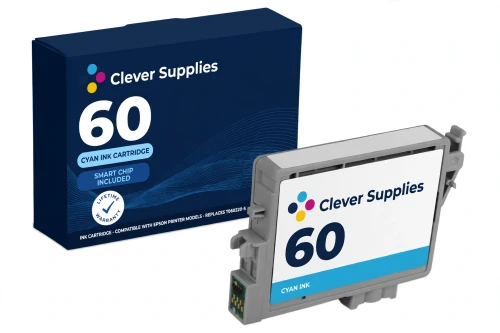
Compatible Epson 60 T060220 Cyan Ink Cartridge
- Shipping:
- Calculated at Checkout

Amazon Price:

- Shipping:
- Calculated at Checkout
- Compatible Printers
- Specifications
- SKU:
- CS-EP-060-C
- Condition:
- New Compatible
- OEM Part #:
- T060220-S
- Color:
- Cyan
- Ink Type:
- Pigment
- Chip:
- New compatible chip
- Warranty:
- Lifetime Warranty
- Returns:
- 1-Year Free Returns
- Description
- Reviews
The cyan slot on a 60-family printer runs the graphics, the charts and the blue half of every photo — and because this platform uses four separate cartridges, a low cyan never forces you to replace ink you still have. Our compatible T060220 (label code T0602) carries DURABrite Ultra pigment cyan ink for the family's nine printers: the Stylus C68, C88 and C88+ and the CX3800, CX3810, CX4200, CX4800, CX5800F and CX7800 all-in-ones. Epson America's product information sheet for this exact code — the T060220 sheet — is the document that verifies both the cartridge and the nine-model fit list, so the compatibility on this page rests on the manufacturer's own paper, not on a marketplace listing.


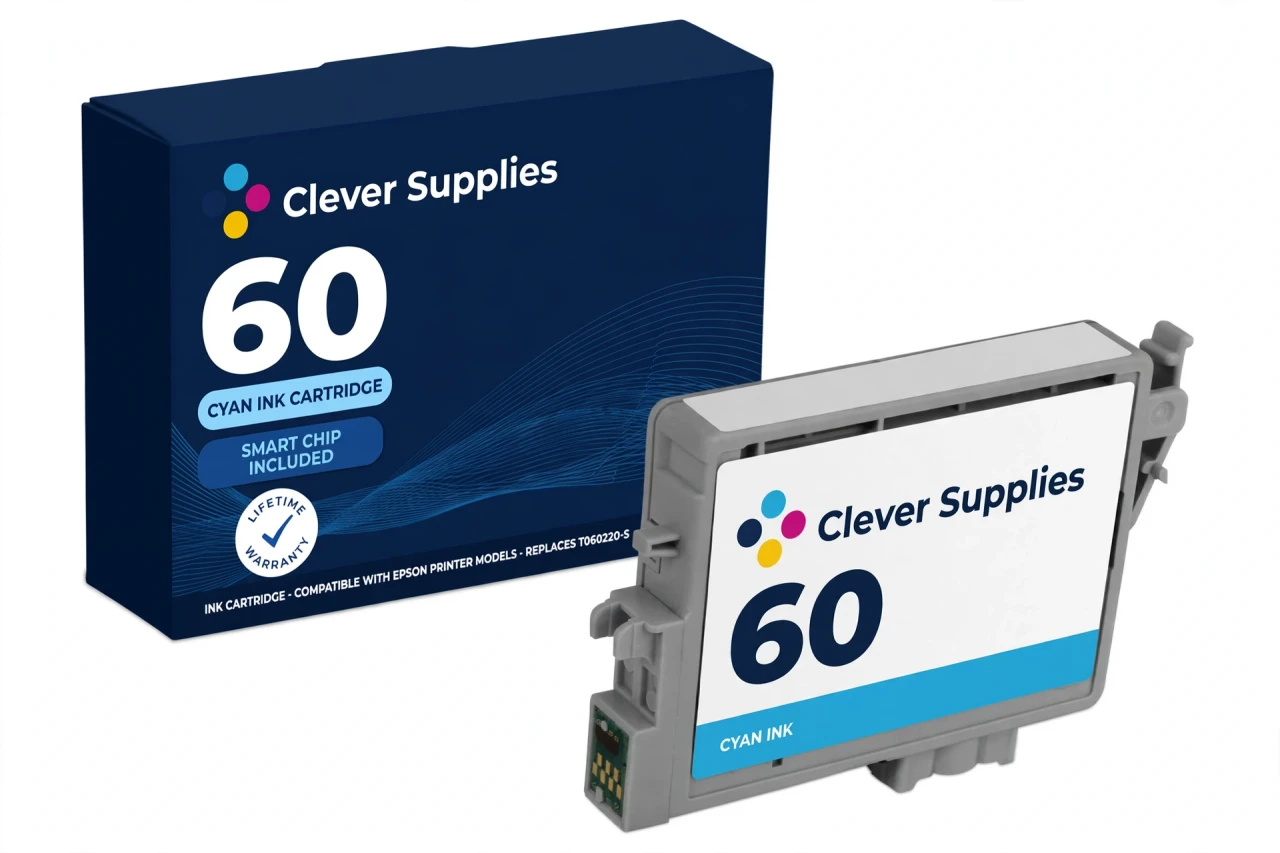
Like every 60 cartridge, this one is chipped for ink-level reporting, and ours carries a new compatible chip. This cartridge carries a new compatible chip. If your printer's firmware has been updated, recognition issues can occasionally occur with compatible cartridges of this generation — reseat the cartridge firmly first, and lean on the warranty if the message persists. One family-wide honesty note: no official Epson yield figure for the 60 cartridges could be verified from a manufacturer source, so this page prints no page count for the cyan rather than borrow a reseller's number.
Its siblings are the T060120 black, T060320 magenta and T060420 yellow singles, plus the Set of 4 and the black-weighted Set of 10 for a full reset. The 60 platform is a closed world: these cartridges fit the nine models listed here and nothing newer — the 68 and 69 cartridges of the following platform do not fit any of them. Covered by our lifetime warranty, with free returns for the first year.
Shop the Epson 60 family: T060120 Black Ink Cartridge · T060320 Magenta Ink Cartridge · T060420 Yellow Ink Cartridge · Set of 4 BCMY Ink Cartridge · Set of 10 BCMY Ink Cartridge
Browse by series: Stylus · WorkForce
Frequently Asked Questions
Which printers take the T060220 cyan?
The nine verified 60-family models: Stylus C68, C88, C88+, CX3800, CX3810, CX4200, CX4800, CX5800F and CX7800. Epson America's product information sheet for the T060220 itself carries the fit list.
Can I replace just the cyan?
Yes — that is the point of this platform's design. The 60 family uses four individual cartridges, not a combined color cartridge, so each color is replaced on its own schedule.
Does it have a chip?
Yes. This cartridge carries a new compatible chip. If your printer's firmware has been updated, recognition issues can occasionally occur with compatible cartridges of this generation — reseating the cartridge resolves most cases, and if it doesn't, contact us: the cartridge is covered by our lifetime warranty and 1-year free returns. We don't claim guaranteed recognition; we stand behind the cartridge instead.
Is the cyan ink pigment or dye?
Pigment. DURABrite Ultra is a pigment ink line across all four 60 colors — cyan included — which is why these prints resist water and smudging on plain paper once dry.
How many pages does the cyan print?
We don't print a figure: no official Epson yield rating for the 60 family could be verified from a manufacturer source, and reseller numbers are not manufacturer ratings. Real output depends heavily on coverage — graphics and photos use far more cyan than text documents do.
My printer says cyan is not recognized after I installed it. What now?
Turn the printer off, lift the cartridge out, check the chip contacts are clean and untouched, reseat it until it clicks, and restart. If the warning followed a firmware update, that timing is the likely explanation — and the lifetime warranty covers the cartridge if troubleshooting doesn't clear it.
T0602 or T060220 — which code should I match?
Both are the same cartridge. T0602 is the short label code Epson's support FAQ uses; T060220 is the full part number on Epson America's product information sheet. Match either one.
Will this cyan work in a Stylus CX7000F?
No. The CX7000F belongs to the later 69 platform, whose color cartridges are different cartridges. No printer takes both 60 and 69 cartridges.
Is this a genuine Epson cartridge?
No — a Clever Supplies compatible built to the T060220 specification, labeled compatible on the box and this page. It is not manufactured by Epson.
The prints look faded only in blue and green areas. Is the cyan at fault?
Possibly — blue and green are where cyan does its work. Run the printer's nozzle check first: a clean pattern with weak blues points to a low or failing cyan; a broken pattern points to a clogged nozzle, which a head cleaning cycle addresses.
How should I store a spare cyan?
Sealed, upright, at room temperature, out of direct sunlight and away from heat. Don't open the packaging until the printer asks for the cartridge.
What coverage do I get if it fails?
The lifetime warranty replaces a cartridge that fails to perform, and returns are free within the first year.
Related Items
Epson
Compatible Epson 924XL T924XL220 Cyan Ink Cartridge
In a compact workgroup printer, cyan is the colour that keeps charts honest and letterheads on-brand. Our compatible T924XL220 carries DURABrite Ultra pigment cyan ink rated up to 1,700 pages...


Epson
Compatible Epson 126 T126220 Cyan Ink Cartridge
Cyan does the quiet structural work in every color print — skies, water, corporate blues, half of every green — and this compatible T126220-S cartridge delivers it as DURABrite Ultra pigment ink...

Epson
Compatible Epson 78 T078220 Cyan Ink Cartridge
Cyan is one of the three primary colours in the Claria six-ink system, and when it fades, skies wash out and greens lose their depth. This is the family's standard-tier cyan: our compatible T078220,...

Epson
Compatible Epson 786XL T786XL220 Cyan Ink Cartridge
Our compatible T786XL220-S carries DURABrite Ultra pigment cyan ink rated up to 2,000 pages (ISO/IEC 24711), the high-capacity tier of the 786 family. These are individual cartridges — the...