





 See Compatible Printers
 Read more about our ink!
Epson
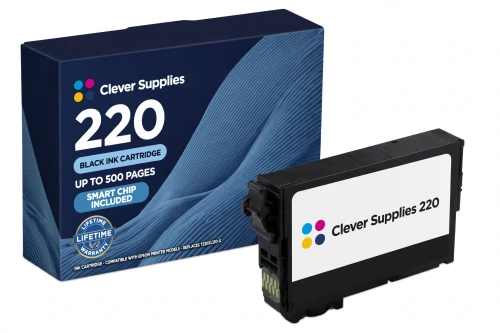
Compatible Epson 220 T220XL120 Black Ink Cartridge
- Page Yield:
- Up to 500 pages (ISO/IEC 24711)
- Shipping:
- Calculated at Checkout

Amazon Price:

- Page Yield:
- Up to 500 pages (ISO/IEC 24711)
- Shipping:
- Calculated at Checkout
- Compatible Printers
- Specifications
- SKU:
- CS-EP-220-BKXL
- Condition:
- New Compatible
- OEM Part #:
- T220XL120-S
- Color:
- Black
- Ink Type:
- Pigment
- Page Yield:
- Up to 500 pages (ISO/IEC 24711)
- Chip:
- Yes — new compatible chip (Intellidge-type level chip); firmware compatibility being confirmed with our supplier
- Warranty:
- Lifetime Warranty
- Returns:
- 1-Year Free Returns
- Description
- Reviews
This is the black cartridge the 220 family actually lives on — in its high-capacity form. Our compatible T220XL120-S carries DURABrite Ultra pigment ink rated up to 500 pages (ISO/IEC 24711), against 175 pages for the standard T220120-S black. Same slot, same eight printers, close to three times the pages between changes.


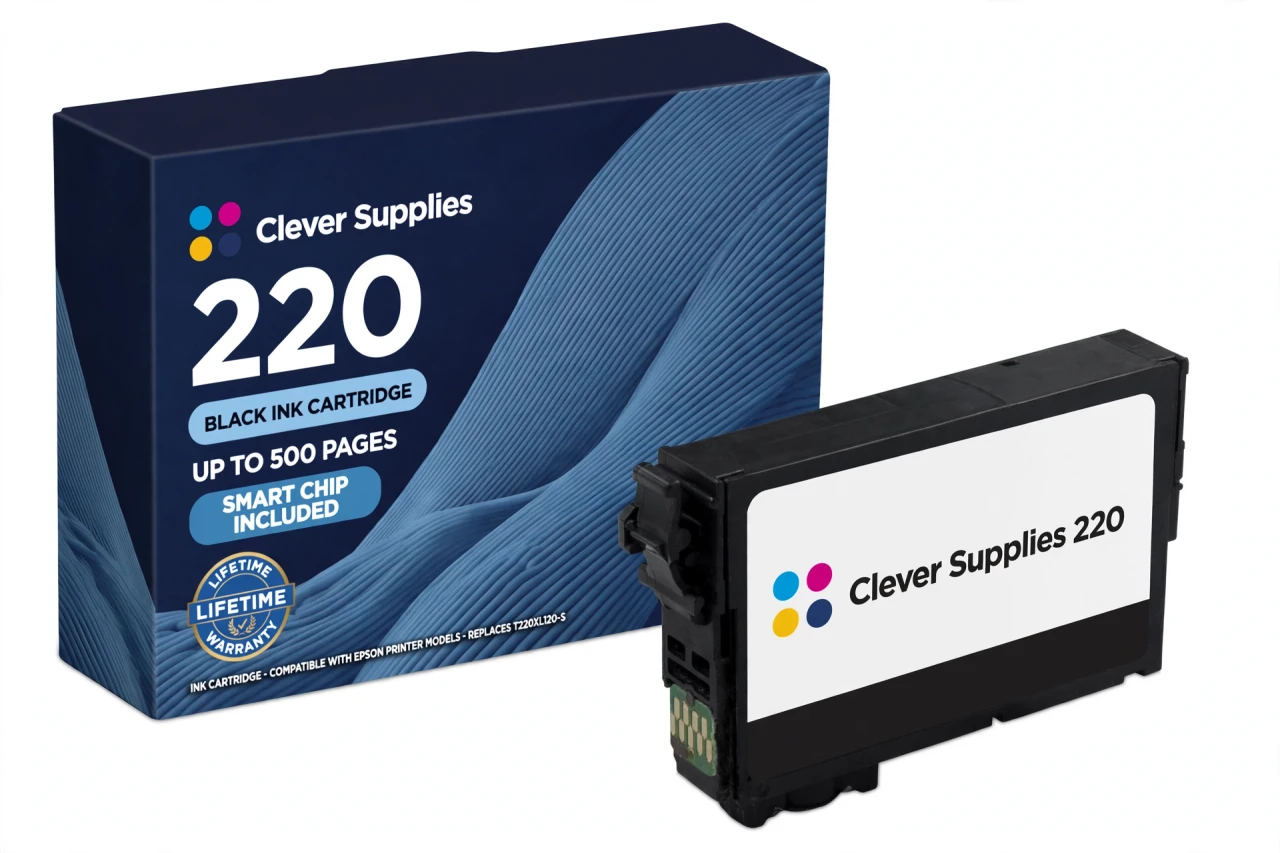
A note on how this shelf is built, because it surprises people: we sell the 220 family in its XL tier. The standard-capacity codes (T220120-S black and its colour siblings T220220-S, T220320-S, T220420-S) are listed on this page's specification table for reference, and every 220 printer accepts both tiers — but the cartridges we stock are the XL ones, including the T220XL220-S cyan, T220XL320-S magenta and T220XL420-S yellow alongside this black. For document-heavy home offices, the XL black is simply the cartridge that runs out least often.
It fits all eight verified models — XP-320, XP-420, XP-424, WF-2630, WF-2650, WF-2660, WF-2750, WF-2760 — and no others: not the 200 family's printers and not the 288 family's, whose cartridges are not interchangeable with 220 despite the similar shells. The cartridge carries a new compatible chip; please read the firmware note in the questions below before ordering. Covered by our lifetime warranty, with free returns for the first year.
Shop the Epson 220 family: T220XL220 Cyan Ink Cartridge · T220XL320 Magenta Ink Cartridge · T220XL420 Yellow Ink Cartridge · Set of 4 BCMY Ink Cartridge · Set of 9 3 Black 2 Cyan 2 Magenta 2 Yellow Ink Cartridge
Browse by series: Expression · WorkForce
Frequently Asked Questions
How many pages does this cartridge print?
Up to 500 pages for the T220XL120 high-capacity cartridge, measured on the ISO/IEC 24711 pattern — Epson's published rating for this code. Real life varies with coverage, paper and cleaning cycles.
My printer came with standard 220 cartridges. Can I switch to this 220XL?
Yes. Standard 220 and high-capacity 220XL cartridges share the same slots in all eight models — Epson lists both tiers for every one of them. You can also mix tiers by colour: a 220XL black alongside standard colours, or the reverse.
Why is black the cartridge that empties first in this family?
Text. Most 220 printers live on documents, and even colour pages lay down black for text and shadows. At 500 pages the XL black narrows the gap, but on a WorkForce that prints all day it will still be your most frequent reorder — which is why it is sold as a single, and also inside the 4-pack and the 9-cartridge bulk set.
What is the difference between T220XL120 and T220120?
Capacity. The standard T220120 is rated up to 175 pages; this XL cartridge (T220XL120) is rated up to 500 pages on the same ISO/IEC 24711 pattern. They fit the same slot in the same printers.
Which printers does it fit?
All eight officially verified 220-family models: XP-320, XP-420, XP-424, WF-2630, WF-2650, WF-2660, WF-2750, WF-2760. Each model takes the same 220 / 220XL code set, confirmed in Epson's own cartridge documentation.
Will this cartridge be recognised by my printer?
This cartridge carries a new compatible chip. If your printer's firmware has been updated, recognition issues can occasionally occur — power the printer off, reseat the cartridge until it clicks, and restart before assuming the cartridge is faulty. We do not promise recognition under every future firmware version; if a recognition problem cannot be cleared, the cartridge is covered by our lifetime warranty.
What kind of ink is inside?
DURABrite Ultra pigment ink — the same ink family Epson specifies for the whole 220 line, in all four colours. Pigment ink is why these printers are known for smudge-, water- and fade-resistant document prints.
I print mostly black text. Why do my colours still run down?
These printers draw a small amount of ink from every cartridge during printing and cleaning cycles to keep the permanent print head charged and clear — Epson states this in its own support answers. Colour cartridges therefore fall slowly even on black-only work, and the printer will ask for a spent colour to be replaced before it keeps printing.
How do I install it?
Remove the old cartridge for that colour, take the new cartridge out of its vacuum pack only when you are ready, remove only the yellow tape, and do not touch the green chip. Press the cartridge into the holder for its colour until it clicks, close the cover, and let the printer charge the ink before printing.
My neighbour's printer takes 288 cartridges. Are 220 and 288 interchangeable?
No. The 220 and 288 families look similar on a shelf but use different codes and chips, and they are not interchangeable — a 288 cartridge in a 220 printer (for example a WF-2760) produces a recognition error. The same applies to the older 200 family. Order by the code on your printer's cartridge door, not by appearance.
How should I store a spare cartridge?
Sealed in its vacuum pack, upright, at room temperature and out of direct sunlight. Do not open the pack until install day — the vacuum seal is what keeps the cartridge reliable. (A specific shelf-life figure is not published for this product; see Specifications.)
Is this a genuine Epson cartridge?
No — it is a Clever Supplies compatible cartridge built to the genuine cartridge's specification and code, labelled compatible on the box and on this page. It is not manufactured by Epson.
Related Items

Epson
Compatible Epson 220 T220XL320 Magenta Ink Cartridge
Magenta is the colour whose absence you notice first — reds go orange and skin tones go flat — and this is the 220 family's magenta in high-capacity form. Our compatible T220XL320-S is rated up to...


Epson
Compatible Epson 220 T220XL420 Yellow Ink Cartridge
Yellow is the hardest level to judge by eye — it fades out of prints gradually — so the printer's low-ink warning matters, and this is the cartridge it will name. Our compatible T220XL420-S yellow is...
Epson
Compatible Epson 220 T220XL220 Cyan Ink Cartridge
Replace only the colour you need — that is the whole point of the 220 family's individual-cartridge design, and this is its cyan position in high-capacity form. Our compatible T220XL220-S is rated up...
Epson
Compatible Epson 220 Set of 4 BCMY Ink Cartridge
One box, the whole shelf: this set is the complete 220XL refill — T220XL120-S black, T220XL220-S cyan, T220XL320-S magenta and T220XL420-S yellow, every cartridge in its high-capacity form and every...