






 See Compatible Printers
 Read more about our ink!
Dell
Compatible Dell E525W Toner Cartridge Yellow (593-BBJW)
- Page Yield:
- Color: 1400
- Availability:
- In Stock
- Shipping:
- Calculated at Checkout

Amazon Price:

- Page Yield:
- Color: 1400
- Availability:
- In Stock
- Shipping:
- Calculated at Checkout
- Compatible Printers
- Multi-Function E525wi>
- Color Laser E525W
- Multifunction E525W
- Specifications
- SKU:
- CS-Dell-E525W-Y
- Printer Brand:
- Dell
- OEM Number:
- 593-BBJW
- Ink Color:
- Yellow
- Page Yield:
- Color: 1400
- Printer Type:
- Laser Cartridge
- Description
- Reviews

/> 

Clever Supplies brand products are made in the USA! Why pay more for cheaper product with a high defective rate? You will end up having to send it back to the manufacturer. Get a quality product that you KNOW will work. Purchase the Clever Supplies Products Compatible for Dell E525W (593-BBJW) Yellow and experience the difference! All Clever Supplies brand products are backed by '100% Quality Satisfaction' 1 year warranty against defects in materials and workmanship for all toner products. Free tech support for a Clever Supplies problems for all Clever Supplies brand products. The use of Clever Supplies brand replacement laser toner cartridges and supplies does not void printer warranty. Premium Quality Replacement Toner Cartridge is made by ISO9001 Certified Factory to Meet or Exceed OEM Standards. These units are manufactured 100% brand new with all new parts including OPC drums, wiper blades, a smart chip and other internal parts, they are an economical alternative to expensive OEM 593-BBJW Compatible Toner Cartridges. This is a Compatible for Delltoner cartridges Yellow guaranteed to perform with Dell Laser Printers. It replaces the original Dell E525W toner cartridge yellow (Yellow) . The compatible replacement for 593-BBJW. We offer a 100% Quality Satisfaction Guarantee on our Compatible for 593-BBJW laser toner cartridges and supplies. For use in the following printers: Multifunction E525W
Frequently Asked Questions
Our E525W prints have gone cold and blue, and the greens vanished — is the yellow cartridge the cause?
Very likely, yes. Yellow is the ingredient that turns cyan into green and warms up reds and skin tones, so when the yellow cartridge in a Dell E525W runs dry the whole color balance tips cold: greens shift to blue, oranges and warm tones look flat or purple-tinted, yet black text stays crisp because the black cartridge is separate. The fix is the yellow cartridge itself — this listing, the 593-BBJW — and only that one position needs changing.
How can we confirm the yellow is empty before ordering?
Check the E525W's supplies status on the printer's display or its built-in web page: each of the four cartridges is reported individually, and the yellow bar is the one to look at. If the printer still prints but colors look wrong, that points to a cartridge that is nearly out rather than a machine fault, because a failing printer usually shows streaks, smears or error messages across all colors at once. Match the code 593-BBJW against the yellow slot's part number and you can order with confidence.
How long will a fresh yellow cartridge last in a small office?
This cartridge is rated at 1,400 pages under the standard coverage test. For a small office printing mostly documents with occasional color, that typically stretches across a few months — around 140 days at 10 pages a day, or about two months at 25 pages a day. Be aware that 1,400 pages is a modest rating: the E525W is a compact desktop machine and its color cartridges are small, so a team printing color presentations or photos every day will cycle through yellow noticeably faster than the document-only estimate.
What is the real cost per page, without the marketing gloss?
The cartridge costs $28.85 and is rated at 1,400 pages, which is roughly 2.06 cents per page. We would rather say it plainly: on a cost-per-page basis this is one of the pricier ways to print, because that is the trade-off built into compact printers like the E525W — small machine, small cartridges, higher per-page cost. If your E525W is a light-duty desk printer, the convenience outweighs the per-page premium; if color volume grows, that arithmetic is the honest signal to look at a larger printer class.
Do the other colors need replacing at the same time?
No. The E525W uses four independent cartridges — 593-BBJX black, 593-BBJU cyan, 593-BBJV magenta and this 593-BBJW yellow — and each one can be changed on its own as it runs out. Replacing only the empty yellow is the economical move; the printer does not require a full set swap, and the remaining cartridges keep working until their own turn comes.
What happens if this cartridge disappoints us?
It is a Clever Supplies compatible cartridge covered for a full year: a 1-year warranty and 1-year free returns stand behind it, so a cartridge that arrives faulty or prints poorly is not your problem to absorb. You can read the complete policy on our shipping & returns page, and if anything is unclear our support team answers Monday through Friday, 9 AM to 5 PM CST.
Yellow is fading in the middle of a print run — is there a stopgap before we swap?
Yes, the classic one: a gentle rock. Take the 593-BBJW out, hold it level, and rock it slowly side to side a few times so the remaining toner redistributes across the cartridge. That can pull a fading yellow back to usable output for a limited stretch — enough to finish the document in front of you or bridge the days until the replacement arrives. Treat it as a bridge, not a cure: a cartridge that needs rocking is telling you its toner is genuinely low, and each rock buys less than the one before. Order on the first fade, rock only if the deadline cannot move.
We have a big color job coming up — should the yellow be checked before we start it?
Absolutely, and the check takes a minute. Glance at the E525W's supplies levels before a long run of brochures, presentations or photos: a yellow cartridge that is nearly out will not fail at page one, it will fail somewhere in the middle, and the drift is gradual — the last thirty pages come out colder than the first thirty without any single page looking broken. If the 593-BBJW is low and a fresh one is on the shelf, swapping before the run is cheaper than reprinting the faded tail of the job afterward.
How do we prove the new yellow cartridge is working properly once it is in?
Print a page that cannot hide a weak yellow: something with grass, warm wood tones, oranges or skin. Yellow does its work inside other colors, so a test page of greens and warm tones is the honest judge — grass should come back green rather than blue-leaning, and oranges should look warm instead of flat. Judge the second or third page, not the first, since the first sheet after a swap can still carry the tail of the old cartridge's output. If the warm tones are restored, the 593-BBJW is seated and feeding correctly.
Does it make sense to keep a spare yellow specifically, or is one spare of any color enough?
Keep the spare in the color your work actually consumes, because the four cartridges empty on their own schedules. Yellow is the quiet spender in photo and presentation work — it goes into every green, every warm tone and every skin shade — so a household or office printing pictures may find yellow calling for replacement ahead of the colors that look more prominent on the page. A spare 593-BBJW sealed on the shelf covers that slot's turn; a spare cyan does nothing for an empty yellow slot. Match the spare to the slot, and the printer never waits on the wrong box.
About This Dell E525W Yellow Toner Cartridge (593-BBJW)
This is the yellow toner cartridge for the Dell E525W color laser printer, sold under its Dell part number 593-BBJW: $28.85 for a cartridge rated at 1,400 pages, which works out to about 2.06 cents per page. It is the cartridge to replace when an E525W's greens turn blue and its warm colors go cold, and it slots in alongside the 593-BBJX, 593-BBJU and 593-BBJV cartridges without disturbing them. We ship from warehouses in IL, PA, GA and CA, back every cartridge with a 1-year warranty and 1-year free returns, and list the rest of the range for this printer on our Dell toner page.
Related Items
Dell
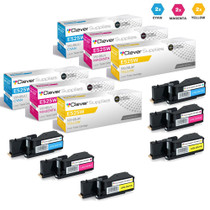
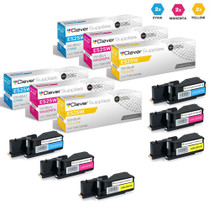
Compatible Dell E525W Toner Cartridges 6 Color Set (593-BBJU, 593-BBJV, 593-BBJW)
/>

Dell
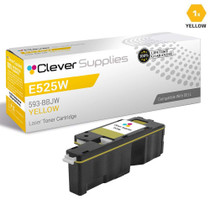
Compatible Dell 593-BBJW Laser Toner Cartridge Yellow
/>

Dell
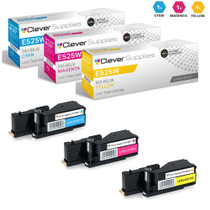
Compatible Dell E525W Toner Cartridges 3 Color Set (593-BBJU, 593-BBJV, 593-BBJW)
/>

Dell
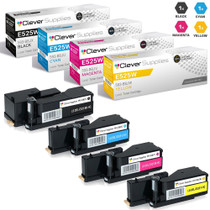
Compatible Dell E525W Toner Cartridges 4 Color Set (593-BBJX, 593-BBJU, 593-BBJV, 593-BBJW)
/>