




Color Laser E525W
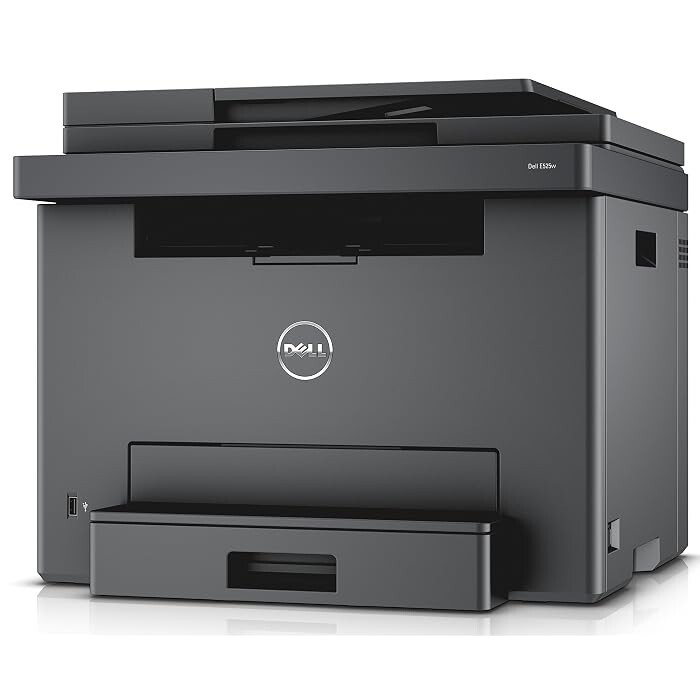
The Dell E525W is a compact color multifunction with wireless built in — print, copy, scan and fax in full color from a machine sized for a home office, at around 16 pages per minute in both color and mono, with mobile printing for phones and tablets. Its CMYK set uses separate cartridges that each drop in on their own: black is 593-BBJX, cyan is 593-BBJU, magenta is 593-BBJV and yellow is 593-BBJW. Because the colors are separate, a dry yellow never forces you to replace a healthy cyan.
Small-space color printing lives or dies on running cost, and the E525W's arrangement is the friendly one: four modest cartridges, each replaced only when its own color runs out. For a home office that prints a school project in color on Tuesday and forty pages of documents on Thursday, that means the black cartridge does the heavy rotation while the colors wait their turn — and the supply bill follows actual use instead of a fixed all-or-nothing swap.
Toner Cartridges for E525W
| Cartridge | Color | Page Yield |
|---|---|---|
| 593-BBJU | Cyan | See product page |
| 593-BBJU, 593-BBJV, 593-BBJW — 3 Color Set | Cyan / Magenta / Yellow | See product page |
| 593-BBJU, 593-BBJV, 593-BBJW — 6 Color Set | Cyan / Magenta / Yellow | See product page |
| 593-BBJV | Magenta | See product page |
| 593-BBJW | Yellow | See product page |
| 593-BBJX | Black | See product page |
| 593-BBJX — 2 Pack | Black | See product page |
| 593-BBJX — 3 Pack | Black | See product page |
| 593-BBJX, 593-BBJU, 593-BBJV, 593-BBJW — 4 Color Set | Black / Cyan / Magenta / Yellow | See product page |
| 593-BBJX — 5 Pack | Black | See product page |
| 593-BBJX, 593-BBJU, 593-BBJV, 593-BBJW — 5 Color Set | Black / Cyan / Magenta / Yellow | See product page |
| 593-BBJX, 593-BBJU, 593-BBJV, 593-BBJW — 8 Color Set | Black / Cyan / Magenta / Yellow | See product page |
| E525W Laser Toner Cartridges 4 Color Set | Black / Cyan / Magenta / Yellow | See product page |
| E525W Premium Quality Laser Toner Cartridges 4 Color Set | Black / Cyan / Magenta / Yellow | See product page |
Which cartridge should you buy?
Buy the color the printer asks for, as a single — that is the whole strategy this machine rewards. The exception is timing: when a second color is already showing low, a 4-color set refreshes the machine in one order and one shipping box, and it is the natural choice when the E525W is new to you and every cartridge is the starter one it shipped with. Black earns its own exception in the other direction: the 2, 3 and 5-packs of the black cartridge suit anyone whose printing is mostly documents, cutting the per-cartridge cost of the slot you will replace most often. There is no high-yield range in this family, so capacity planning is simply about not letting an empty color surprise you mid-job.
Chip, toner and everyday use
Each cartridge reports its level through its chip, and the E525W will warn per color — believe the warning for that color only, and check the others before ordering so a second empty doesn't follow a week later. A cartridge that fades before it is empty has usually just settled: take it out, rock it gently from side to side to redistribute the toner, and reinstall it level. Keep the printer's vents clear in a tight home-office nook, and store spare cartridges sealed in a drawer away from sunlight; heat and light are harder on stored toner than time is. Compatible cartridges here are backed by a 1-year warranty and 1-year returns.
Frequently Asked Questions
Which toner cartridges does the Dell E525W take?
Four separate cartridges: 593-BBJX in black, 593-BBJU in cyan, 593-BBJV in magenta and 593-BBJW in yellow. Match the part number on the old cartridge to be sure you order the right color.
Why is my E525W printing faded streaks?
Faded streaks usually mean one color cartridge is running low or its toner has settled. Remove that color, rock it gently to redistribute the toner, and reinstall; if the streaks persist, that cartridge is due for replacement.
Does shaking a low cartridge really help?
Gentle rocking does — it spreads the remaining toner evenly and can buy dozens of additional pages. Keep the cartridge level, rock rather than shake, and never force it; the trick works because toner settles, not because more appears.
Can I print from my phone to the E525W?
Yes. The E525W's wireless connection supports mobile printing from phones and tablets on the same network, which is most of how a home office uses it.
More printers that use the same cartridges
The same four cartridges serve this printer's other category home: Multifunction E525W.