






 See Compatible Printers
 Read more about our ink!
Dell
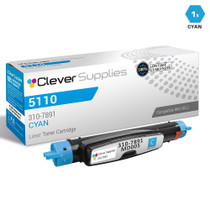
Compatible Dell 5110-HY Toner Cartridge Cyan (310-7891)
- Page Yield:
- Color: 12000
- Availability:
- In Stock
- Shipping:
- Free Shipping

Amazon Price:

- Page Yield:
- Color: 12000
- Availability:
- In Stock
- Shipping:
- Free Shipping
- Compatible Printers
- Specifications
- SKU:
- CS-Dell-5110-HY-C
- Printer Brand:
- Dell
- OEM Number:
- 310-7891
- Ink Color:
- Cyan
- Page Yield:
- Color: 12000
- Printer Type:
- Laser Cartridge
- Description
- Reviews

/> 

Clever Supplies brand products are made in the USA! Why pay more for cheaper product with a high defective rate? You will end up having to send it back to the manufacturer. Get a quality product that you KNOW will work. Purchase the Clever Supplies Products Compatible for Dell 5110-HY (310-7891) Cyan and experience the difference! All Clever Supplies brand products are backed by '100% Quality Satisfaction' 1 year warranty against defects in materials and workmanship for all toner products. Free tech support for a Clever Supplies problems for all Clever Supplies brand products. The use of Clever Supplies brand replacement laser toner cartridges and supplies does not void printer warranty. Premium Quality Replacement Toner Cartridge is made by ISO9001 Certified Factory to Meet or Exceed OEM Standards. These units are manufactured 100% brand new with all new parts including OPC drums, wiper blades, a smart chip and other internal parts, they are an economical alternative to expensive OEM 310-7891 Compatible Toner Cartridges. This is a Compatible for Delltoner cartridges Cyan guaranteed to perform with Dell Laser Printers. It replaces the original Dell 5110-HY high yield toner cartridge cyan (Cyan) . The compatible replacement for 310-7891. We offer a 100% Quality Satisfaction Guarantee on our Compatible for 310-7891 laser toner cartridges and supplies. For use in the following printers: Color Laser 5110cn
Frequently Asked Questions
Our whole department shares one 5110 — how quickly will we go through 12,000 pages?
Faster than most teams expect. Shared printers accumulate pages from everyone at once: five people each printing 100 color pages a week adds up to about 2,000 pages a month, which works through a 12,000-page cartridge in roughly six months. The up-to-12,000-page rating on this 310-7891 is measured at 5% coverage, so graphics-heavy departmental work will shorten that further — plan your reorder point accordingly.
What does cyan cost per page on a shared printer?
At $69.55 for up to 12,000 pages, cyan runs about 0.58 cents per page for this listing. For a department tracking print budgets, that is the number to use: multiply it by your monthly color volume and you have a realistic cyan line item for the Dell 5110-HY workload.
Why does cyan seem to run out at a different time than the other colors?
Because no office prints all four colors evenly. Cyan feeds blues, greens and many corporate brand colors, so departments printing charts, presentations and branded documents lean on it harder than on the other cartridges. Each color empties on its own schedule, and replacing just the cyan 310-7891 when it runs low — rather than cartridges that still have toner left — is the normal, economical routine.
How do we avoid running dry in the middle of a print run?
Set a simple reorder trigger: when the 5110 first shows a low-cyan warning, order the replacement the same day and keep one sealed spare in the supply cabinet. With deliveries coming from our Illinois, Pennsylvania, Georgia or California warehouses, the spare rarely has to wait long — but having it means a long report never stalls over an empty cartridge.
What protection comes with this cartridge?
It is covered by a one-year warranty, and our returns policy allows free returns for a full year after purchase. If a cartridge underperforms, leaks or arrives damaged, the process is explained on our shipping & returns page.
Is this a Dell original, and where can I get help?
This is a compatible 310-7891 cartridge made for the Dell 5110-HY, not a Dell-branded original — it delivers the rated yield and color quality at a lower price. Our support team is available Monday through Friday, 9 AM to 5 PM CST, and you can see the wider range on our Dell toner page.
We have a major presentation deadline coming up. How should we prepare the cyan supply?
Check the 310-7891's level a few days ahead rather than the morning of the deadline, and confirm the sealed spare is actually in the cabinet. Presentation work is cyan-hungry — charts, slides and branded documents lean on blues and greens — and it tends to arrive in one large burst rather than spread across the month. If the installed cartridge is already showing low, swap it before the run starts; changing mid-run is possible, but a fresh 310-7891 beforehand means the deadline never depends on a fading cartridge.
Do double-sided color prints count twice against this cartridge's rating?
Effectively, yes. The up-to-12,000-page rating counts printed pages, and in printer terms a double-sided sheet is two pages — each side is imaged separately and draws its own cyan. A department that duplexes its color reports will therefore work through the 310-7891 in roughly half the number of physical sheets a single-sided workflow would suggest. When you estimate how long a cartridge will last, count sides printed, not sheets of paper consumed.
How should the sealed spare 310-7891 be kept in the supply cabinet?
Stored flat, still sealed in its box, in a cool and dry spot out of direct sunlight. The cabinet should not sit against an exterior wall that bakes in summer or next to a heat vent, and the cartridge should not be stored standing on end for months at a time. Toner itself is forgiving, but a spare that may wait half a year for its turn deserves ordinary care; treated that way, the 310-7891 you install later performs exactly like the one you would have fitted on day one.
Our blues look dull, yet the 5110 has not warned that cyan is low. What else could explain it?
Start with a color test page: if the cyan band prints strongly, the 310-7891 is not your problem. Dull blues can come from another color position fading, from a toner-saving or draft setting left on after someone printed internal documents, or from paper that is not suited to color work. Work through those checks before ordering — and if a test page does show the cyan band breaking up, that is the evidence that this cartridge, and not a setting, needs replacing.
About This Dell 5110-HY Cyan Toner Cartridge (310-7891)
Built for shared, high-volume color printing, this compatible 310-7891 cyan toner cartridge serves the Dell 5110-HY with a rating of up to 12,000 pages. Workgroups feel cartridge changes most when a printer stops mid-job, so the generous fill and roughly 0.58-cent per-page cost at $69.55 keep both downtime and budgets under control. It is backed by a one-year warranty and one-year free returns, with fast shipping from our Illinois, Pennsylvania, Georgia and California warehouses.
Related Items

Dell
Compatible Dell 5110 Toner Cartridge Cyan (310-7891)
/>


Dell
Compatible Dell 310-7891 Toner Cartridge Cyan
/>


Dell
Compatible Dell 5110-HY Toner Cartridges 6 Color Set (310-7891, 310-7893, 310-7895)
/>

Dell
Compatible Dell 5110-HY Toner Cartridges 3 Color Set (310-7891, 310-7893, 310-7895)
/>