





 See Compatible Printers
 Read more about our ink!
Canon
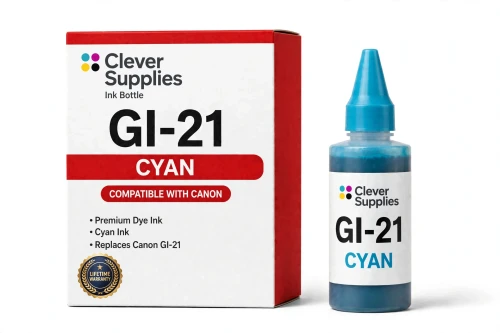
Compatible Canon GI-21 Cyan Ink Bottle
- Page Yield:
- 7,700 pages
- Shipping:
- Calculated at Checkout

Amazon Price:

- Page Yield:
- 7,700 pages
- Shipping:
- Calculated at Checkout
- Compatible Printers
- Specifications
- SKU:
- CS-CN-GI21-C
- Condition:
- New (compatible)
- OEM Part #:
- GI-21
- Color:
- Cyan
- Ink Type:
- Dye
- Volume:
- 70 ml
- Page Yield:
- 7,700 pages
- Chip:
- No chip — refill bottle
- Warranty:
- Lifetime Warranty
- Returns:
- 1 Year
- Description
- Reviews
The Clever Supplies compatible Canon GI-21 Cyan ink bottle refills 11 verified MegaTank printers — the PIXMA G1220 and the rest of the list under Compatible Printers below. Canon rates this bottle at about 7,700 pages; our bottle is filled to the same 70 ml specification with dye ink and covered by the Clever Supplies lifetime warranty.
Refilling is the clean part of owning a MegaTank printer. The keyed nozzle matches only the correct tank, ink flows until the level line and then stops on its own, and the resealable cap keeps a part-used bottle ready for next time.
Shop the GI-21 family: GI-21 Black, GI-21 Magenta, GI-21 Yellow, GI-21 Set of 4, GI-21 Set of 10.
Printer series: PIXMA printers — every model in the Compatible Printers list below takes this bottle.


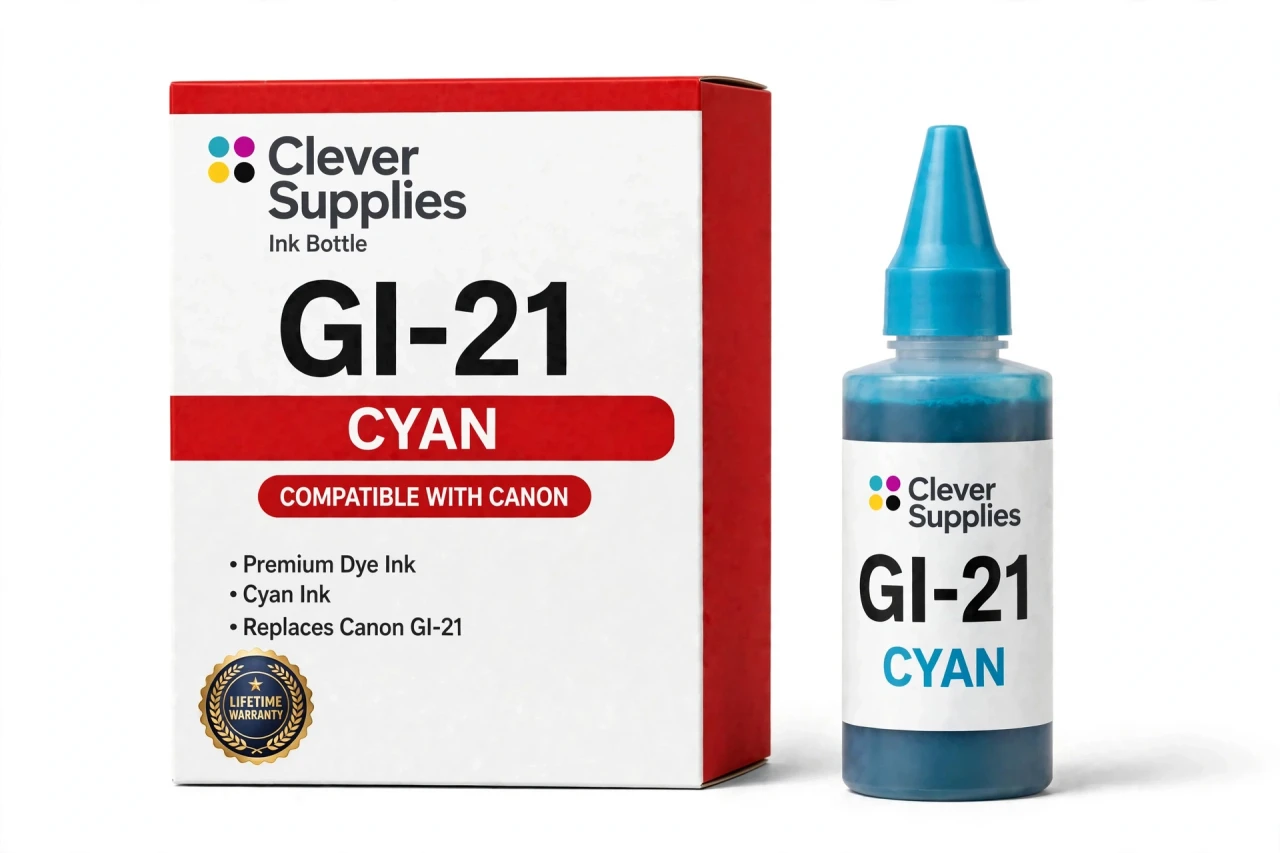
CLEVER SUPPLIES · CANON GI-21 INK
Compatible Canon GI-21 Cyan Ink Bottle
Replaces Canon GI-21
70 ml · Up to 7,700 pages · Dye ink
Fits: PIXMA G1220, PIXMA G1230, PIXMA G2260, PIXMA G2270, PIXMA G3260 and more
Covered by the Clever Supplies Lifetime Warranty
Frequently Asked Questions
What does the cyan tank actually do in my prints?
Cyan carries every blue and green in your output — skies, water, charts and the cool half of most photos. When it runs low, blues turn purple and greens go dull. This GI-21 cyan bottle holds 70 ml of dye ink, the original fill specification.
Which MegaTank printers accept this cyan bottle?
It is made for the Canon PIXMA G1220, Canon PIXMA G1230, Canon PIXMA G2260, Canon PIXMA G2270, Canon PIXMA G3260, Canon PIXMA G3262, Canon PIXMA G3270, Canon PIXMA G3272, Canon PIXMA G3290 and Canon PIXMA G4270 — the full list is under Compatible Printers on this page.
How far does a cyan bottle go?
Canon rates the GI-21 color bottles at up to 7,700 pages under ISO/IEC 24711 conditions at around 5% coverage. Cyan use depends on what you print: photos and full-color flyers draw far more than a document with a small chart.
Why dye ink for cyan instead of pigment?
Dye ink absorbs into the paper and blends smoothly with neighboring colors, producing gentle gradients. Canon specifies dye for the GI-21 color tanks and pigment only for black, and this bottle follows that same specification, so transitions stay smooth instead of grainy.
Can I accidentally pour cyan into the wrong tank?
No. The nozzle is keyed to the cyan tank opening, so it will not seat on the magenta, yellow or black tanks. Open the cyan cap, set the bottle in place and let gravity work. The flow stops by itself at the full line, making cross-color mistakes and overfilling equally unlikely.
How will I know the cyan tank is getting low?
Check the tank windows on the front of the printer — cyan has its own sight glass and lower line. On paper, fading blues, purplish skies and a pink cast in neutral areas are the classic warnings. Refill before the tank runs dry to keep air out of the ink lines.
Does the printer need a chip reset after a cyan refill?
There is no chip in this system. The GI-21 is a pour-in bottle, the printer reads the level from the tank itself, and no on-screen reset is part of the process. Seat the bottle, watch the level rise, close the cap and print — that is the entire routine.
How should I store a half-used cyan bottle?
Cap it firmly, stand it upright and keep it at room temperature away from windows and heat vents. Stored that way, leftover ink stays ready for the next top-up instead of drying at the nozzle.
My blues look wrong even though the tank is full. Where do I start?
Run a nozzle check pattern first. If the cyan block shows gaps, one printhead cleaning cycle usually restores it. Also confirm the driver paper setting matches what is loaded.
Is this a Canon original bottle, and how is it covered?
No — it is a Clever Supplies compatible GI-21 bottle built to the same specification, fill volume and yield as the original. The matching GI-21 Black, GI-21 Magenta and GI-21 Yellow bottles pair with it, and the GI-21 Set of 4 restocks everything at once. It carries a Lifetime Warranty and 1 Year returns.
Related Items

Canon
Compatible Canon GI-23 Cyan Ink Bottle
The Clever Supplies compatible Canon GI-23 Cyan ink bottle refills the cyan tank of the PIXMA G620 — the only printer in this family. The GI-23 system runs six dye inks for photo printing, and a full...

Canon
Compatible Canon GI-290 Cyan Ink Bottle
The Clever Supplies compatible Canon GI-290 Cyan ink bottle refills 6 verified MegaTank printers — the PIXMA G1200 and the rest of the list under Compatible Printers below. Canon rates this bottle at...

Canon
Compatible Canon GI-25 Cyan Ink Bottle
The Clever Supplies compatible Canon GI-25 Cyan ink bottle refills 2 verified MegaTank printers — the MAXIFY GX1020 and the rest of the list under Compatible Printers below. It is rated at about...
Canon
Compatible Canon GI-20 Cyan Ink Bottle
The Clever Supplies compatible Canon GI-20 Cyan ink bottle refills 3 verified MegaTank printers — the PIXMA G5020 and the rest of the list under Compatible Printers below. Canon rates this bottle at...