





 See Compatible Printers
 Read more about our ink!
Canon
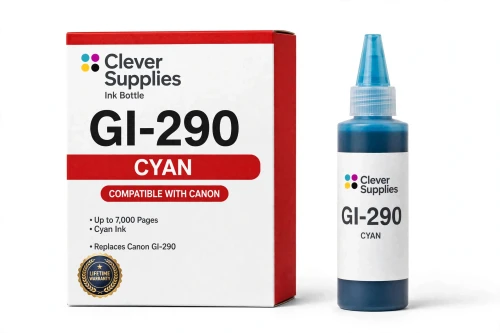
Compatible Canon GI-290 Cyan Ink Bottle
- Page Yield:
- 7,000 pages
- Shipping:
- Calculated at Checkout

Amazon Price:

- Page Yield:
- 7,000 pages
- Shipping:
- Calculated at Checkout
- Compatible Printers
- Specifications
- SKU:
- CS-CN-GI290-C
- Condition:
- New (compatible)
- OEM Part #:
- GI-290
- Color:
- Cyan
- Ink Type:
- Dye
- Volume:
- 70 ml
- Page Yield:
- 7,000 pages
- Chip:
- No chip — refill bottle
- Warranty:
- Lifetime Warranty
- Returns:
- 1 Year
- Description
- Reviews
The Clever Supplies compatible Canon GI-290 Cyan ink bottle refills 6 verified MegaTank printers — the PIXMA G1200 and the rest of the list under Compatible Printers below. Canon rates this bottle at about 7,000 pages; our bottle is filled to the same 70 ml specification with dye ink and covered by the Clever Supplies lifetime warranty.
MegaTank bottles are keyed to their tank, so a bottle only fits the opening of its own color and the ink stops automatically when the tank is full — no squeezing, no spills and no chip involved. The cap reseals between refills so a part-used bottle stores safely.
Shop the GI-290 family: GI-290 Black, GI-290 Magenta, GI-290 Yellow, GI-290 Set of 4.
Printer series: PIXMA printers — every model in the Compatible Printers list below takes this bottle.


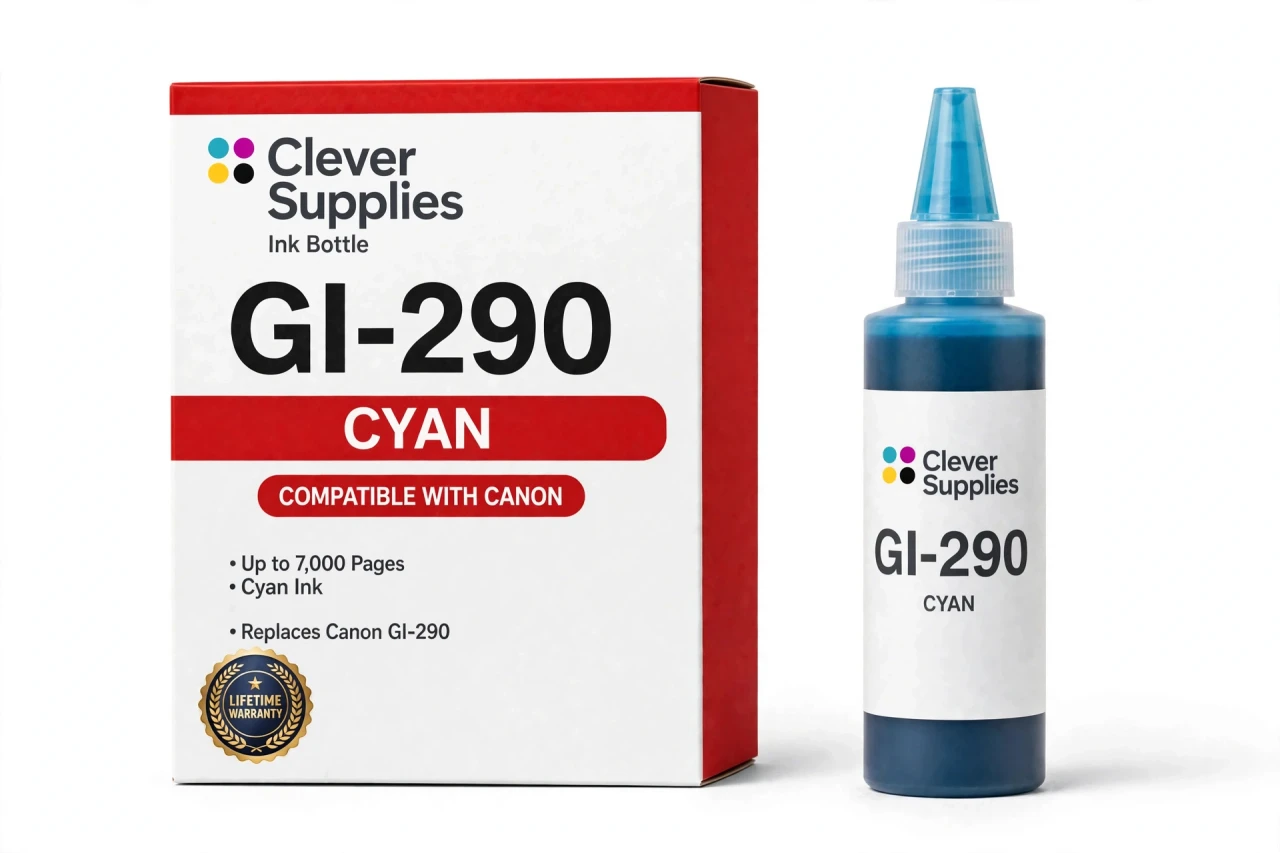
CLEVER SUPPLIES · CANON GI-290 INK
Compatible Canon GI-290 Cyan Ink Bottle
Replaces Canon GI-290
70 ml · Up to 7,000 pages · Dye ink
Fits: PIXMA G1200, PIXMA G2200, PIXMA G3200, PIXMA G3202, PIXMA G4200 and more
Covered by the Clever Supplies Lifetime Warranty
Frequently Asked Questions
My prints have turned oddly warm — could cyan be the cause?
Yes. When cyan fades, its cooling influence disappears and everything leans red and yellow: skies go flat, water looks dull, and grays pick up a pink cast. Before adjusting screen settings or buying paper, look at the cyan window. A low GI-290 cyan tank explains a warm shift better than almost any software setting.
Which G-series printers does this cyan bottle refill?
It refills the Canon PIXMA G1200, Canon PIXMA G2200, Canon PIXMA G3200, Canon PIXMA G3202, Canon PIXMA G4200 and Canon PIXMA G4210. The full list is under Compatible Printers on this page.
Why will this bottle not fit newer MegaTank printers?
Canon changed the tank design between generations, and each GI family received its own keyed nozzle. This GI-290 cyan bottle seats only in GI-290 tanks; newer families use different openings, so the bottle refuses to fit rather than fitting badly. That refusal prevents ink keyed for one generation from entering another by accident.
What yield should I plan around for cyan?
Canon rates this GI-290 cyan bottle at about 7,000 pages from 70 ml of dye ink. The rating assumes standard test pages, so a teacher printing color worksheets daily and a household printing occasional photos land in very different places. Use the number to compare bottles, then let your tank window schedule reordering.
What does dye cyan do well on plain paper?
Dye ink soaks into the sheet and delivers smooth, bright blends, suiting charts, school projects, newsletters and everyday photos on these all-in-one models. Cyan dye mixes cleanly with magenta for purples and with yellow for greens, without grain in large color areas. For the document-and-color mix these printers handle, dye is the right tool.
Step by step, how does the cyan refill go?
Open the tank unit, remove only the cyan cap, and invert the bottle into that opening until its keyed nozzle seats. Ink flows without squeezing and halts automatically at the full line. Wait a moment, lift the bottle straight out, and replace the cap snugly. Printing can resume immediately, with no priming routine afterward.
Will I see a low-ink warning that needs clearing afterward?
No warning cycle is involved. This bottle has no chip, and the printer judges ink from the tank rather than a cartridge counter. After a refill, the raised level in the cyan window is your confirmation. Filling the tank answers a low-ink prompt directly, with no reset menu or code involved.
How long can an opened cyan bottle wait between uses?
A recapped bottle stored upright in a cool, shaded place keeps well between top-ups, which suits cyan because many households use it in bursts: a photo project one month, almost none the next. Keep its own cap tight so the nozzle stays clean, and avoid heat, which ages ink faster.
What pairs with cyan when I restock?
Look at GI-290 Black for the document tank, plus GI-290 Magenta and GI-290 Yellow. If a level check shows the whole row running low, the GI-290 Set of 4 handles every tank in one order.
How is this compatible bottle protected?
This Clever Supplies GI-290 cyan bottle is a compatible product, not a genuine Canon bottle, filled to the original 70 ml specification. It carries a Lifetime Warranty: if it leaks, fails or prints poorly, we replace it or refund you. Returns are covered for 1 Year.
Related Items
Canon
Compatible Canon GI-290 Black Ink Bottle
The Clever Supplies compatible Canon GI-290 Black ink bottle refills 6 verified MegaTank printers — the PIXMA G1200 and the rest of the list under Compatible Printers below. Canon rates this bottle...

Canon
Compatible Canon GI-290 Magenta Ink Bottle
The Clever Supplies compatible Canon GI-290 Magenta ink bottle refills 6 verified MegaTank printers — the PIXMA G1200 and the rest of the list under Compatible Printers below. Canon rates this bottle...
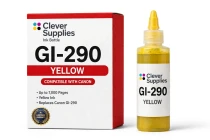
Canon
Compatible Canon GI-290 Yellow Ink Bottle
The Clever Supplies compatible Canon GI-290 Yellow ink bottle refills 6 verified MegaTank printers — the PIXMA G1200 and the rest of the list under Compatible Printers below. Canon rates this bottle...

Canon
Compatible Canon GI-23 Cyan Ink Bottle
The Clever Supplies compatible Canon GI-23 Cyan ink bottle refills the cyan tank of the PIXMA G620 — the only printer in this family. The GI-23 system runs six dye inks for photo printing, and a full...