






 See Compatible Printers
 Read more about our ink!
Canon
Compatible Canon GI-290 Black Ink Bottle
- Page Yield:
- 6,000 pages
- Shipping:
- Calculated at Checkout

Amazon Price:

- Page Yield:
- 6,000 pages
- Shipping:
- Calculated at Checkout
- Compatible Printers
- Specifications
- SKU:
- CS-CN-GI290-BK
- Condition:
- New (compatible)
- OEM Part #:
- GI-290
- Color:
- Black
- Ink Type:
- Pigment
- Volume:
- 135 ml
- Page Yield:
- 6,000 pages
- Chip:
- No chip — refill bottle
- Warranty:
- Lifetime Warranty
- Returns:
- 1 Year
- Description
- Reviews
The Clever Supplies compatible Canon GI-290 Black ink bottle refills 6 verified MegaTank printers — the PIXMA G1200 and the rest of the list under Compatible Printers below. Canon rates this bottle at about 6,000 pages; our bottle is filled to the same 135 ml specification with pigment ink and covered by the Clever Supplies lifetime warranty.
MegaTank bottles are keyed to their tank, so a bottle only fits the opening of its own color and the ink stops automatically when the tank is full — no squeezing, no spills and no chip involved. The cap reseals between refills so a part-used bottle stores safely.
Shop the GI-290 family: GI-290 Cyan, GI-290 Magenta, GI-290 Yellow, GI-290 Set of 4.
Printer series: PIXMA printers — every model in the Compatible Printers list below takes this bottle.


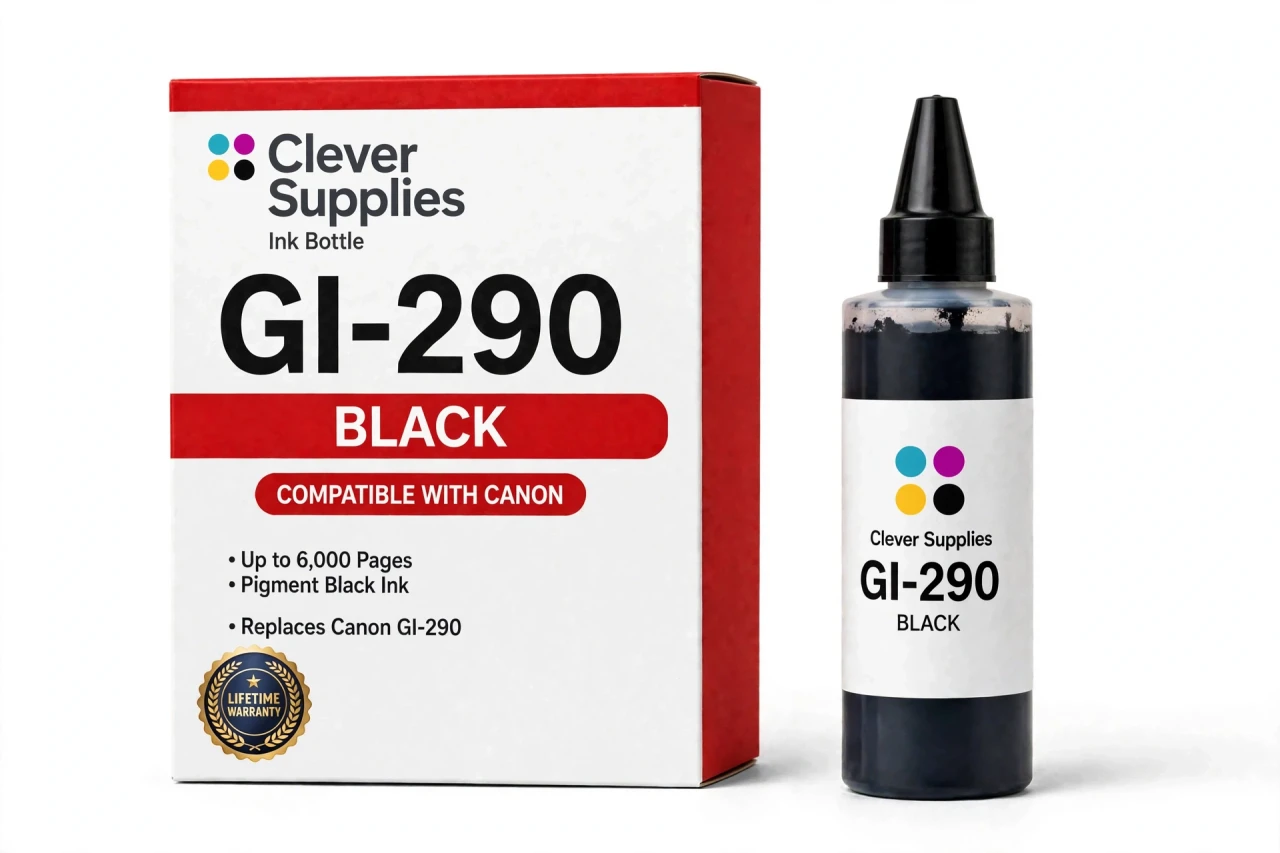
CLEVER SUPPLIES · CANON GI-290 INK
Compatible Canon GI-290 Black Ink Bottle
Replaces Canon GI-290
135 ml · Up to 6,000 pages · Pigment ink
Fits: PIXMA G1200, PIXMA G2200, PIXMA G3200, PIXMA G3202, PIXMA G4200 and more
Covered by the Clever Supplies Lifetime Warranty
Frequently Asked Questions
Is GI-290 black interchangeable with GI-20 black?
No, and this is the most important check before ordering. GI-290 and GI-20 serve different MegaTank generations with different keyed openings, so the bottles do not cross over. This GI-290 black belongs to the earlier G-series printers below. Match the family for your printer, not the color or bottle shape, which look deceptively similar.
Which printers does this black bottle fit?
It fits the Canon PIXMA G1200, Canon PIXMA G2200, Canon PIXMA G3200, Canon PIXMA G3202, Canon PIXMA G4200 and Canon PIXMA G4210. The full list is under Compatible Printers on this page.
How much ink is in the bottle, and how long does it last?
The bottle holds 135 ml of pigment black ink, and Canon rates it at about 6,000 pages. A busy home office works through it steadily, while a light-use household takes far longer. Dense reports consume more per page than short letters, so your own pace will land somewhere along that range.
Why pigment ink for the black tank specifically?
Pigment black dries as sharp, dark characters that resist smearing when a page is handled, highlighted or filed. On plain paper it holds fine detail in small fonts, barcodes and form fields better than a dye would. That is why this GI-290 system pairs pigment black with dye colors: documents get durability, colors keep brightness.
How do I avoid air getting into the lines?
Refill before the tank runs dry, ideally when the level nears the lower line in the window. A tank emptied completely can pull air toward the printhead, leading to missing lines and extra cleaning cycles. Topping up while a cushion of ink remains is a two-minute habit that protects quality and saves cleaning ink.
Describe the hands-free part of the refill
Once you seat the inverted bottle in the black opening, you let go. The keyed nozzle locks the bottle to that tank only, ink flows without squeezing, and flow stops by itself at the full line. There is no funnel and no judging quantities by eye. Remove the bottle, close the cap, and the refill is complete.
Does anything need resetting on this older generation?
Nothing. Like every GI-290 bottle, this one has no chip. The printer does not recognize bottles and never asks for a reset after a refill. Your confirmation is visual: look at the front tank window and see the black level at full. That check replaces the cartridge messages owners of cartridge printers are used to dismissing.
What is the best way to keep a spare black bottle?
Store it upright with its cap sealed, in a cool place away from sunlight and heat. Black is the bottle you are likeliest to need without warning, usually mid-deadline, so one shelf spare is practical insurance. A recapped part-used bottle stores the same way and pours cleanly at its next use.
Where do the matching color bottles live?
The color companions are GI-290 Cyan, GI-290 Magenta and GI-290 Yellow. For one purchase covering every tank, the GI-290 Set of 4 bundles black with all three colors.
What backing does this compatible bottle carry?
This is a Clever Supplies compatible GI-290 bottle filled to the original 135 ml specification, not a genuine Canon bottle. A Lifetime Warranty covers it: leaking, failure or poor printing means replacement or refund. Returns are available for 1 Year, making that spare black bottle a low-downside decision.
Related Items
Canon
Compatible Canon GI-290 Cyan Ink Bottle
The Clever Supplies compatible Canon GI-290 Cyan ink bottle refills 6 verified MegaTank printers — the PIXMA G1200 and the rest of the list under Compatible Printers below. Canon rates this bottle at...

Canon
Compatible Canon GI-290 Magenta Ink Bottle
The Clever Supplies compatible Canon GI-290 Magenta ink bottle refills 6 verified MegaTank printers — the PIXMA G1200 and the rest of the list under Compatible Printers below. Canon rates this bottle...
Canon
Compatible Canon GI-290 Yellow Ink Bottle
The Clever Supplies compatible Canon GI-290 Yellow ink bottle refills 6 verified MegaTank printers — the PIXMA G1200 and the rest of the list under Compatible Printers below. Canon rates this bottle...
Canon
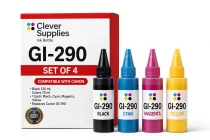
Compatible Canon GI-290 Set of 4 BCMY Ink Bottles
The Clever Supplies compatible Canon GI-290 ink bottle set restocks every tank on 6 verified MegaTank printers — the PIXMA G1200 and the rest of the list under Compatible Printers below. Each bottle...