






 See Compatible Printers
 Read more about our ink!
Canon
Compatible Canon GI-21 Black Ink Bottle
- Page Yield:
- 6,000 pages
- Shipping:
- Calculated at Checkout

Amazon Price:

- Page Yield:
- 6,000 pages
- Shipping:
- Calculated at Checkout
- Compatible Printers
- Specifications
- SKU:
- CS-CN-GI21-BK
- Condition:
- New (compatible)
- OEM Part #:
- GI-21
- Color:
- Black
- Ink Type:
- Pigment
- Volume:
- 170 ml
- Page Yield:
- 6,000 pages
- Chip:
- No chip — refill bottle
- Warranty:
- Lifetime Warranty
- Returns:
- 1 Year
- Description
- Reviews
The Clever Supplies compatible Canon GI-21 Black ink bottle refills 11 verified MegaTank printers — the PIXMA G1220 and the rest of the list under Compatible Printers below. Canon rates this bottle at about 6,000 pages; our bottle is filled to the same 170 ml specification with pigment ink and covered by the Clever Supplies lifetime warranty.
Refilling is the clean part of owning a MegaTank printer. The keyed nozzle matches only the correct tank, ink flows until the level line and then stops on its own, and the resealable cap keeps a part-used bottle ready for next time.
Shop the GI-21 family: GI-21 Cyan, GI-21 Magenta, GI-21 Yellow, GI-21 Set of 4, GI-21 Set of 10.
Printer series: PIXMA printers — every model in the Compatible Printers list below takes this bottle.


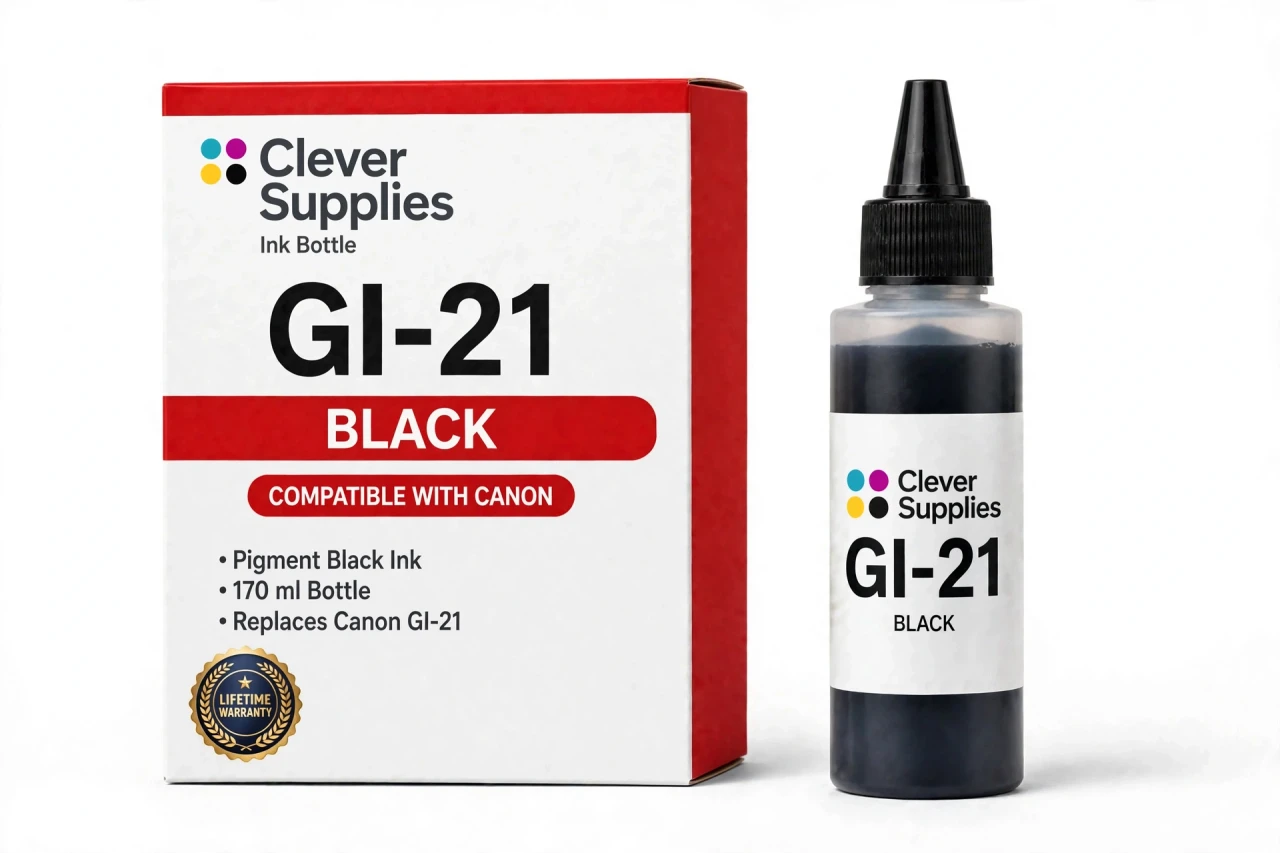
CLEVER SUPPLIES · CANON GI-21 INK
Compatible Canon GI-21 Black Ink Bottle
Replaces Canon GI-21
170 ml · Up to 6,000 pages · Pigment ink
Fits: PIXMA G1220, PIXMA G1230, PIXMA G2260, PIXMA G2270, PIXMA G3260 and more
Covered by the Clever Supplies Lifetime Warranty
Frequently Asked Questions
Why does the black tank always seem to empty first?
Because black does the heavy lifting. Letters, forms, schoolwork and labels are almost all black text, so this tank drains while the colors barely move. The GI-21 black bottle is sized for that pattern: 170 ml of pigment ink, far more than any color bottle in the family.
Which printers does this black bottle refill?
It refills the Canon PIXMA G1220, Canon PIXMA G1230, Canon PIXMA G2260, Canon PIXMA G2270, Canon PIXMA G3260, Canon PIXMA G3262, Canon PIXMA G3270, Canon PIXMA G3272, Canon PIXMA G3290 and Canon PIXMA G4270 — the full list is under Compatible Printers on this page.
How many pages should I expect from one bottle?
Canon rates the GI-21 black bottle at up to 6,000 pages under ISO/IEC 24711 conditions at around 5% coverage. Treat that as a plain-text benchmark. Bold headings, tables and graphics use more ink per page, so document households land closer to the rating than photo-heavy ones.
What does pigment black do for my documents?
Pigment ink sits largely on the paper surface instead of soaking in, which keeps letter edges crisp and dark. Text stays sharp under a highlighter and reads cleanly months later in a file. For invoices, homework and contracts, that surface behavior is exactly what you want.
How do I refill the black tank without a mess?
Open the black tank cap, invert the bottle and seat the nozzle on the opening. The GI-21 nozzle is keyed to the black tank, so it fits only where it belongs. Ink flows on its own and stops at the full line — no squeezing, no funnel, no guessing.
Do I need to reset anything after refilling?
No. This is a refill bottle with no chip, and there is nothing to reset or acknowledge on screen. You read the level through the tank window on the front of the printer. Close the tank cap when you finish and carry on printing.
The tank filled but ink remains in the bottle. Now what?
That is the self-stopping design working as intended. Recap the bottle, store it upright in a cool spot away from direct sunlight, and save the rest for the next top-up. The resealable cap keeps a part-used GI-21 bottle ready for months, so no ink goes to waste.
Will this bottle fit another MegaTank generation?
No. Each Canon GI family is keyed to its own tank design, and this nozzle will not seat correctly on other generations. Forcing the wrong bottle risks a poor seal and a spill. The model list on this page shows exactly which printers this bottle serves.
My black text looks light right after a refill. What should I check?
Confirm the tank cap is closed and the level sits above the lower line. Then run the nozzle check from the maintenance menu; a broken pattern usually clears with one cleaning cycle. Also check the driver is set to plain paper at standard quality, since draft mode lays down noticeably less ink.
What if I need the colors too, and what warranty applies?
The matching colors are the GI-21 Cyan, GI-21 Magenta and GI-21 Yellow bottles, or the GI-21 Set of 4 if every tank is low. Every Clever Supplies bottle carries a Lifetime Warranty with 1 Year returns — a leaking or poor-printing bottle is replaced or refunded.
Related Items

Canon
Compatible Canon GI-21 Magenta Ink Bottle
The Clever Supplies compatible Canon GI-21 Magenta ink bottle refills 11 verified MegaTank printers — the PIXMA G1220 and the rest of the list under Compatible Printers below. Canon rates this bottle...


Canon
Compatible Canon GI-21 Cyan Ink Bottle
The Clever Supplies compatible Canon GI-21 Cyan ink bottle refills 11 verified MegaTank printers — the PIXMA G1220 and the rest of the list under Compatible Printers below. Canon rates this bottle at...

Canon
Compatible Canon GI-21 Yellow Ink Bottle
The Clever Supplies compatible Canon GI-21 Yellow ink bottle refills 11 verified MegaTank printers — the PIXMA G1220 and the rest of the list under Compatible Printers below. Canon rates this bottle...

Canon
Compatible Canon GI-25 Black Ink Bottle
The Clever Supplies compatible Canon GI-25 Black ink bottle refills 2 verified MegaTank printers — the MAXIFY GX1020 and the rest of the list under Compatible Printers below. Canon rates this bottle...