





 See Compatible Printers
 Read more about our ink!
Canon
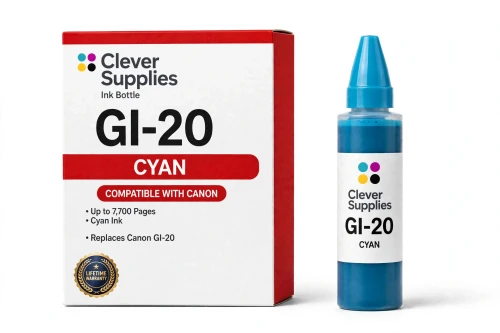
Compatible Canon GI-20 Cyan Ink Bottle
- Page Yield:
- 7,700 pages
- Shipping:
- Calculated at Checkout

Amazon Price:

- Page Yield:
- 7,700 pages
- Shipping:
- Calculated at Checkout
- Compatible Printers
- Specifications
- SKU:
- CS-CN-GI20-C
- Condition:
- New (compatible)
- OEM Part #:
- GI-20
- Color:
- Cyan
- Ink Type:
- Dye
- Volume:
- 70 ml
- Page Yield:
- 7,700 pages
- Chip:
- No chip — refill bottle
- Warranty:
- Lifetime Warranty
- Returns:
- 1 Year
- Description
- Reviews
The Clever Supplies compatible Canon GI-20 Cyan ink bottle refills 3 verified MegaTank printers — the PIXMA G5020 and the rest of the list under Compatible Printers below. Canon rates this bottle at about 7,700 pages; our bottle is filled to the same 70 ml specification with dye ink and covered by the Clever Supplies lifetime warranty.
MegaTank bottles are keyed to their tank, so a bottle only fits the opening of its own color and the ink stops automatically when the tank is full — no squeezing, no spills and no chip involved. The cap reseals between refills so a part-used bottle stores safely.
Shop the GI-20 family: GI-20 Black, GI-20 Magenta, GI-20 Yellow, GI-20 Set of 4.
Printer series: PIXMA printers — every model in the Compatible Printers list below takes this bottle.


CLEVER SUPPLIES · CANON GI-20 INK
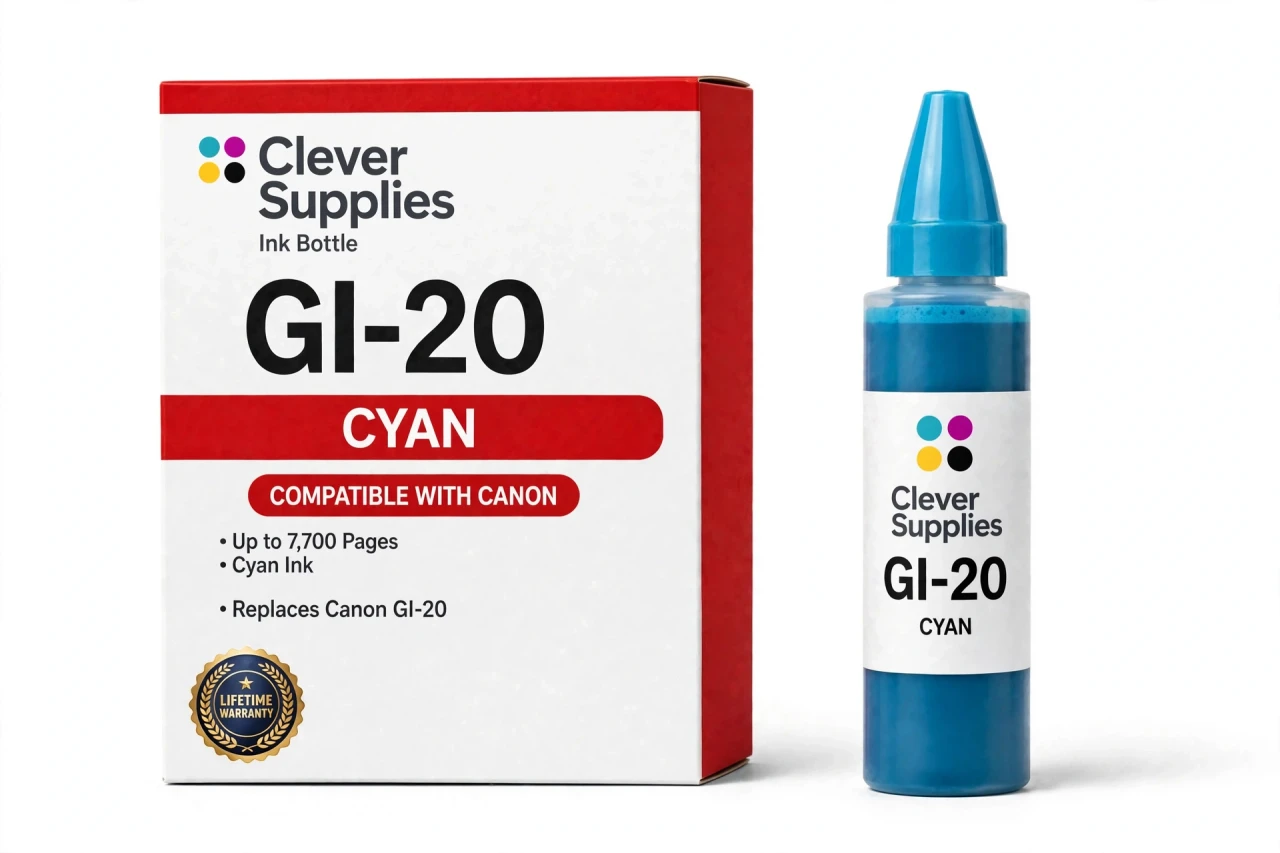
Compatible Canon GI-20 Cyan Ink Bottle
Replaces Canon GI-20
70 ml · Up to 7,700 pages · Dye ink
Fits: PIXMA G5020, PIXMA G6020, PIXMA G7020
Covered by the Clever Supplies Lifetime Warranty
Frequently Asked Questions
What does the cyan tank actually do in my prints?
Cyan carries the blues and blue-greens in everything you print: skies, ocean shots, charts and the cool half of most logos. When cyan runs low, blues slide toward purple and greens lose brightness before the page looks obviously wrong. Keeping this GI-20 cyan tank fed keeps color work honest.
Which MegaTank models accept this cyan bottle?
This bottle refills the Canon PIXMA G5020, Canon PIXMA G6020 and Canon PIXMA G7020. Those three are the verified fit for the GI-20 family. Bottles from other GI generations are keyed differently and will not seat in these tanks, so match the family name, not just the bottle shape.
How far does a 70 ml cyan bottle go?
Canon rates the GI-20 cyan bottle at about 7,700 pages. Color ratings assume mixed documents at light coverage, not full-page photographs. Weekend photo printing uses cyan far faster than occasional charts. Your real pace depends on how much blue your work contains, so the tank window is the truest gauge.
Can this bottle accidentally end up in the wrong tank?
No. The nozzle is keyed to the cyan opening only and physically will not seat in the magenta, yellow or black tank. That removes the most damaging refill mistake before it can happen. If a bottle seems to need force, stop: you are at the wrong tank or holding the wrong family.
Do I squeeze the bottle to speed up the fill?
Never squeeze. Seat the inverted bottle in the cyan tank and let gravity work. Ink flows steadily and stops by itself at the full line. Squeezing adds pressure the system does not need and risks pushing ink past the stop point. Hands-free filling is cleaner.
What happens to the ink level display after I refill?
Nothing needs resetting, because this bottle has no chip. The printer judges ink by the tank, and you judge it by eye through the front window. Once the cyan cap closes, the visible level is the real level. There is no recognition step, warning to clear or code to enter.
My blues look faded even though the tank is not empty — is it the ink?
Faded blues with ink remaining usually point to a clogged nozzle, not a low tank. Run the cleaning utility once and print a nozzle check; the cyan blocks should be solid. If they stay streaky after a second cleaning, the issue is printhead maintenance, and refilling alone will not fix it.
How should I keep a half-used cyan bottle?
Recap it promptly, stand it upright, and store it in a cool spot out of direct sunlight. Cyan is opened less often than black in many homes, so a part-used bottle may sit for months. The resealed cap keeps the ink ready, and upright storage keeps pressure off the seal.
Which other bottles belong in the same refill routine?
Keep the family together: GI-20 Black for documents, GI-20 Magenta and GI-20 Yellow. When all four tanks are low together, the GI-20 Set of 4 replaces the whole lineup at once.
What coverage backs this compatible bottle?
This is a Clever Supplies compatible GI-20 cyan bottle, filled to the original 70 ml specification with dye ink, not a genuine Canon bottle. It carries a Lifetime Warranty covering leaks, failure and poor print quality, with replacement or refund if one lets you down. Returns run for 1 Year.
Related Items

Canon
Compatible Canon GI-25 Cyan Ink Bottle
The Clever Supplies compatible Canon GI-25 Cyan ink bottle refills 2 verified MegaTank printers — the MAXIFY GX1020 and the rest of the list under Compatible Printers below. It is rated at about...


Canon
Compatible Canon GI-21 Cyan Ink Bottle
The Clever Supplies compatible Canon GI-21 Cyan ink bottle refills 11 verified MegaTank printers — the PIXMA G1220 and the rest of the list under Compatible Printers below. Canon rates this bottle at...
Canon
Compatible Canon GI-290 Cyan Ink Bottle
The Clever Supplies compatible Canon GI-290 Cyan ink bottle refills 6 verified MegaTank printers — the PIXMA G1200 and the rest of the list under Compatible Printers below. Canon rates this bottle at...

Canon
Compatible Canon GI-23 Cyan Ink Bottle
The Clever Supplies compatible Canon GI-23 Cyan ink bottle refills the cyan tank of the PIXMA G620 — the only printer in this family. The GI-23 system runs six dye inks for photo printing, and a full...