





 See Compatible Printers
 Read more about our ink!
Canon
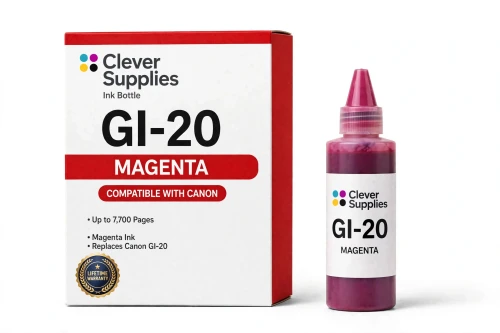
Compatible Canon GI-20 Magenta Ink Bottle
- Page Yield:
- 7,700 pages
- Shipping:
- Calculated at Checkout

Amazon Price:

- Page Yield:
- 7,700 pages
- Shipping:
- Calculated at Checkout
- Compatible Printers
- Specifications
- SKU:
- CS-CN-GI20-M
- Condition:
- New (compatible)
- OEM Part #:
- GI-20
- Color:
- Magenta
- Ink Type:
- Dye
- Volume:
- 70 ml
- Page Yield:
- 7,700 pages
- Chip:
- No chip — refill bottle
- Warranty:
- Lifetime Warranty
- Returns:
- 1 Year
- Description
- Reviews
The Clever Supplies compatible Canon GI-20 Magenta ink bottle refills 3 verified MegaTank printers — the PIXMA G5020 and the rest of the list under Compatible Printers below. Canon rates this bottle at about 7,700 pages; our bottle is filled to the same 70 ml specification with dye ink and covered by the Clever Supplies lifetime warranty.
Refilling is the clean part of owning a MegaTank printer. The keyed nozzle matches only the correct tank, ink flows until the level line and then stops on its own, and the resealable cap keeps a part-used bottle ready for next time.
Shop the GI-20 family: GI-20 Black, GI-20 Cyan, GI-20 Yellow, GI-20 Set of 4.
Printer series: PIXMA printers — every model in the Compatible Printers list below takes this bottle.


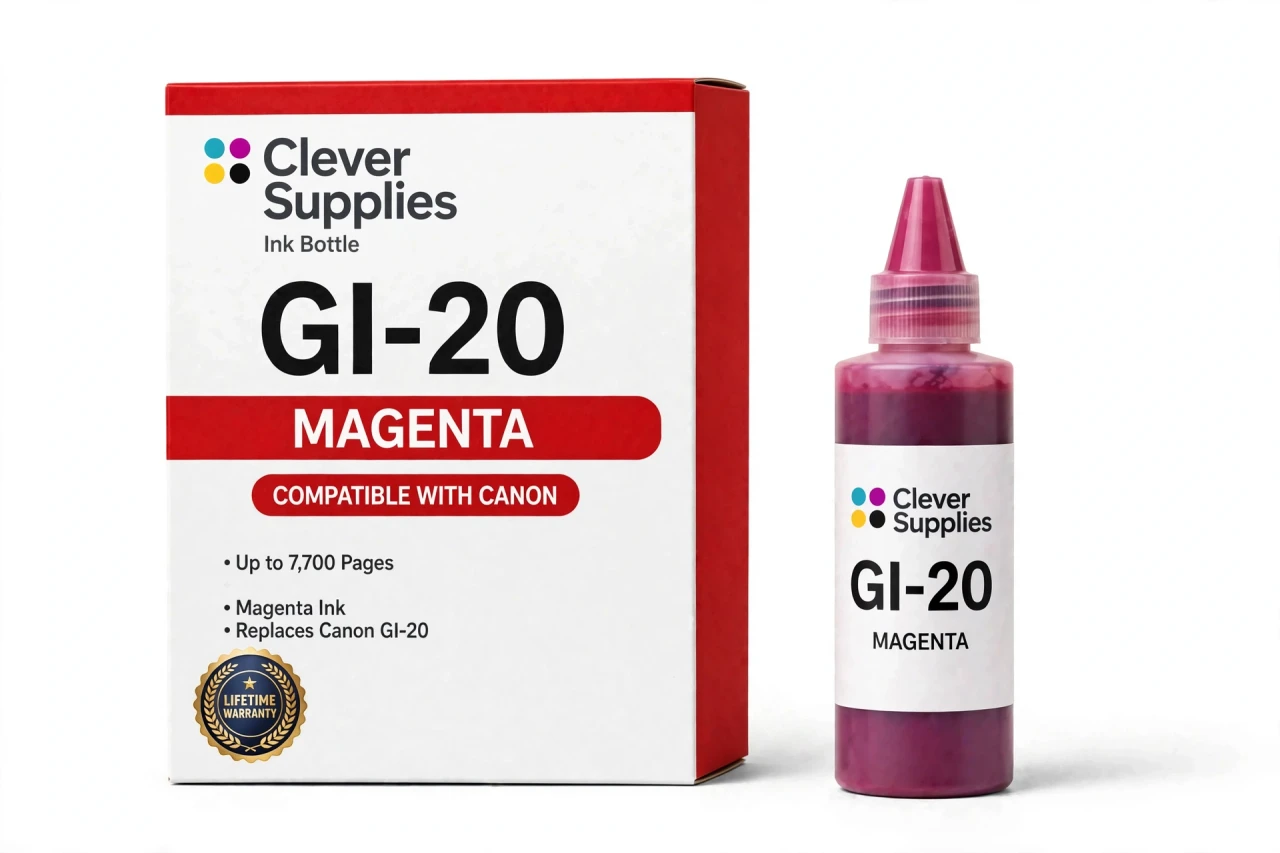
CLEVER SUPPLIES · CANON GI-20 INK
Compatible Canon GI-20 Magenta Ink Bottle
Replaces Canon GI-20
70 ml · Up to 7,700 pages · Dye ink
Fits: PIXMA G5020, PIXMA G6020, PIXMA G7020
Covered by the Clever Supplies Lifetime Warranty
Frequently Asked Questions
Why do reds and skin tones suffer first when magenta gets low?
Magenta is the quiet ingredient behind red, pink, purple and most natural skin tones. As it drops, photos look cold and greenish, red logos turn orange-brown, and faces lose warmth. Those shifts appear gradually, so owners often blame the paper. Checking the magenta window on this GI-20 printer is faster.
Is this the right magenta bottle for my printer?
It is, if you own the Canon PIXMA G5020, the Canon PIXMA G6020 or the Canon PIXMA G7020. Those are the only three models verified for this GI-20 bottle. MegaTank families are not interchangeable, even though the bottles look similar on a shelf.
How is the 7,700-page rating for magenta calculated?
Canon rates this GI-20 magenta bottle at about 7,700 pages using standard test documents at light, mixed coverage. Real life is uneven: invitations and photo printing burn magenta quickly, while text-heavy months barely touch it. Treat the rating as a bottle comparison, and the tank window as your reorder signal.
Does the keyed nozzle really prevent a color mix-up?
Yes, and magenta is where that matters most, because the wrong color in this tank would contaminate every red afterward. The nozzle only seats in the magenta opening and refuses the cyan, yellow and black tanks. If it does not slip in easily, you are at the wrong opening.
What is the cleanest way to top up this tank?
Work on a flat surface, open only the magenta cap, and invert the bottle straight into the opening. Flow starts on its own, needs no squeezing, and stops automatically at the full line. Lift the bottle clear and close the cap before opening anything else. One cap at a time keeps refills spill-free.
Will the printer ask me to reset or recognize anything?
No. A GI-20 bottle has no chip, so there is no recognition step and no reset after you refill. The printer tracks the physical tank, and the front panel lets you verify the new magenta level yourself. Close the cap and print; the absence of warnings is normal.
Can I store the rest of the bottle for a later top-up?
Yes. Magenta is often topped up from a partly full tank, so leftovers are common. Screw the cap back on, keep the bottle upright, and choose a cool drawer away from sunlight and heating vents. Properly recapped, the remaining dye ink stays ready for the next low reading.
What if my reds still look wrong after a refill?
Refilling restores supply, not flow. If reds stay weak with a full tank, print a nozzle check, look for gaps in the magenta pattern, then run one cleaning cycle. Solid supply plus a clean nozzle brings reds back; repeated cleanings without a check just consume the ink you added.
What should I refill alongside magenta?
Check its partners while the cover is open: GI-20 Black, GI-20 Cyan and GI-20 Yellow. Topping up any tank already low saves a second session later. For a full restock in one purchase, choose the GI-20 Set of 4.
What guarantee comes with this bottle?
This Clever Supplies compatible GI-20 magenta bottle holds 70 ml of dye ink, filled to the original specification, and it is not a genuine Canon product. A Lifetime Warranty covers it: a bottle that leaks, fails or prints poorly is replaced or refunded. Returns run for 1 Year.
Related Items
Canon
Compatible Canon GI-290 Magenta Ink Bottle
The Clever Supplies compatible Canon GI-290 Magenta ink bottle refills 6 verified MegaTank printers — the PIXMA G1200 and the rest of the list under Compatible Printers below. Canon rates this bottle...


Canon
Compatible Canon GI-21 Magenta Ink Bottle
The Clever Supplies compatible Canon GI-21 Magenta ink bottle refills 11 verified MegaTank printers — the PIXMA G1220 and the rest of the list under Compatible Printers below. Canon rates this bottle...

Canon
Compatible Canon GI-23 Magenta Ink Bottle
The Clever Supplies compatible Canon GI-23 Magenta ink bottle refills the magenta tank of the PIXMA G620 — the only printer in this family. The GI-23 system runs six dye inks for photo printing, and...

Canon
Compatible Canon GI-25 Magenta Ink Bottle
The Clever Supplies compatible Canon GI-25 Magenta ink bottle refills 2 verified MegaTank printers — the MAXIFY GX1020 and the rest of the list under Compatible Printers below. Canon rates this...