





 See Compatible Printers
 Read more about our ink!
Canon
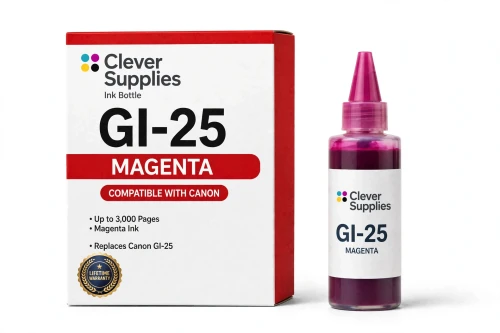
Compatible Canon GI-25 Magenta Ink Bottle
- Page Yield:
- 3,000 pages
- Shipping:
- Calculated at Checkout

Amazon Price:

- Page Yield:
- 3,000 pages
- Shipping:
- Calculated at Checkout
- Compatible Printers
- Specifications
- SKU:
- CS-CN-GI25-M
- Condition:
- New (compatible)
- OEM Part #:
- GI-25
- Color:
- Magenta
- Ink Type:
- Pigment
- Volume:
- 37 ml
- Page Yield:
- 3,000 pages
- Chip:
- No chip — refill bottle
- Warranty:
- Lifetime Warranty
- Returns:
- 1 Year
- Description
- Reviews
The Clever Supplies compatible Canon GI-25 Magenta ink bottle refills 2 verified MegaTank printers — the MAXIFY GX1020 and the rest of the list under Compatible Printers below. Canon rates this bottle at about 3,000 pages; our bottle is filled to the same 37 ml specification with pigment ink and covered by the Clever Supplies lifetime warranty.
The GX refill system is keyed and self-stopping — each bottle fits only its own color tank, fills to the line and shuts off on its own. Keep the cap on between refills and a part-used bottle stores without drying out.
Shop the GI-25 family: GI-25 Black, GI-25 Cyan, GI-25 Yellow, GI-25 Set of 4, GI-25 Set of 10.
Printer series: MAXIFY printers — every model in the Compatible Printers list below takes this bottle.


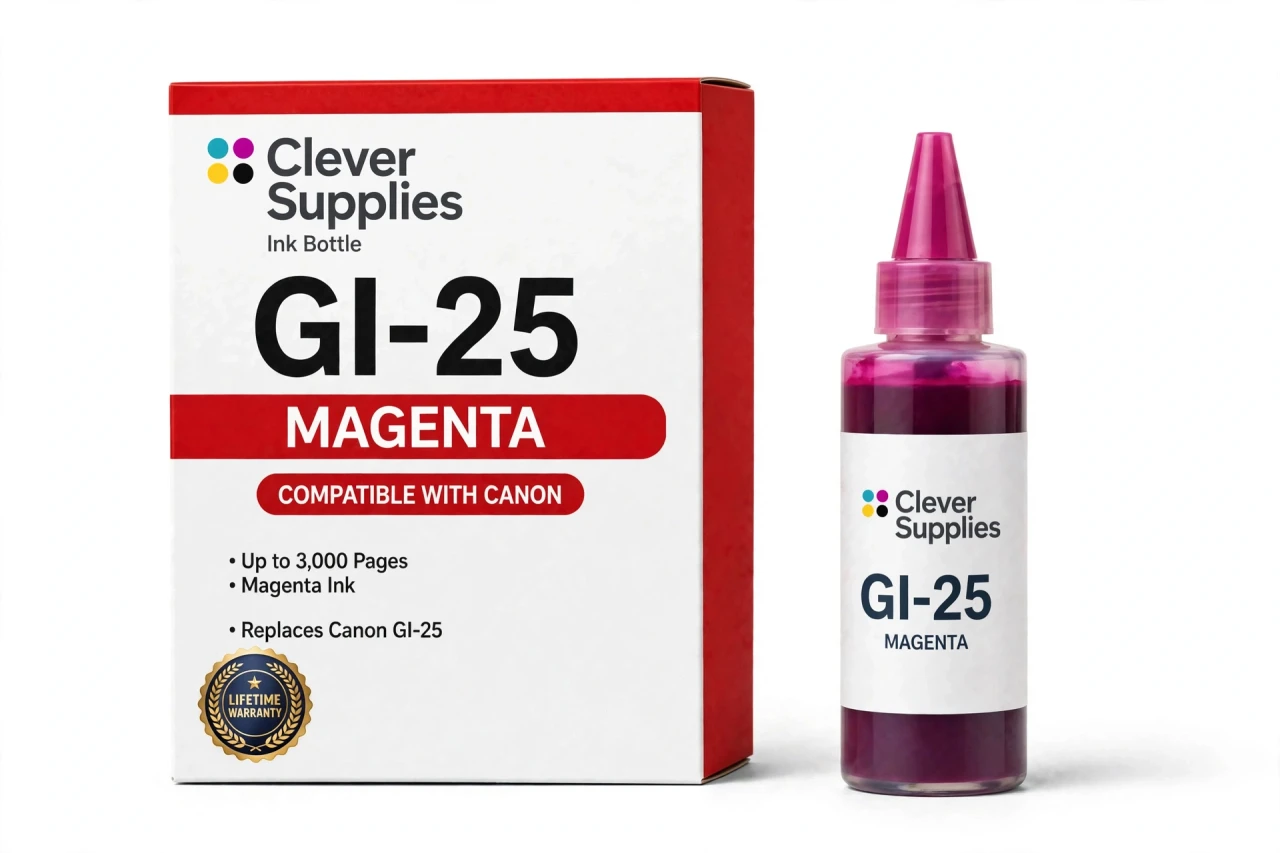
CLEVER SUPPLIES · CANON GI-25 INK
Compatible Canon GI-25 Magenta Ink Bottle
Replaces Canon GI-25
37 ml · Up to 3,000 pages · Pigment ink
Fits: MAXIFY GX1020, MAXIFY GX2020
Covered by the Clever Supplies Lifetime Warranty
Frequently Asked Questions
Where does magenta show up in office printing?
Everywhere warmth matters: red chart segments, purple headings, warning callouts, product shots in proposals and the red half of your company logo. When magenta fades, those elements turn orange or muddy while text still looks perfect. This GI-25 magenta bottle holds 37 ml of pigment ink.
Which printers is this magenta bottle made for?
Only the Canon MAXIFY GX1020 and the Canon MAXIFY GX2020. The GI-25 family belongs exclusively to those two MAXIFY GX models, and its keyed nozzle matches their magenta tank opening. It is not interchangeable with PIXMA G series bottles or any earlier Canon tank generation.
How many pages does Canon rate this bottle for?
Up to 3,000 pages under ISO/IEC 24711 testing at around 5% coverage. That rating assumes typical mixed documents. A week of full-color presentations consumes magenta far faster than a week of invoices with a small logo, so color-heavy offices should keep a spare at hand.
Why is the magenta pigment-based in this family?
Because the GX printers live on plain office paper. Pigment magenta sits on the surface and keeps its saturation on uncoated stock, so reds in reports and handouts look solid instead of washed into the fibers.
Explain the refill in practical terms.
Open the magenta tank cap, place the bottle's keyed nozzle on the opening and let the ink run in by itself. The flow stops automatically at the full line; the system is designed so you cannot overfill it. No squeezing, no shaking beforehand and no tools. Recap the bottle, close the tank and print.
Could someone put magenta into the yellow tank by accident?
The hardware says no. Each GX nozzle is keyed to one tank, and the magenta bottle will not seat on the yellow, cyan or black openings. Combined with the labeled tank caps, that makes a cross-color fill effectively impossible — and forcing is never necessary when the right tank is open.
Does topping up magenta trigger any chip or level reset?
There is nothing to trigger. GI-25 bottles carry no chip, and the GX printers measure the ink sitting in the tank rather than counting pages against a cartridge. Refilling is invisible to the software: no warnings, no resets, no acknowledgment screens.
What is the right way to store the remainder of the bottle?
Screw the cap back on as soon as the refill is done, stand the bottle upright and keep it at room temperature away from direct sun. Stored that way, the leftover pigment ink stays usable for the next top-up instead of drying at the nozzle.
Reds still look off with a freshly filled magenta tank. What next?
Run the nozzle check pattern from the maintenance menu and study the magenta block. Broken lines mean the channel needs a cleaning cycle, which normally restores full red output. If the pattern prints clean, check the application's color handling and confirm nobody left the driver in a grayscale or economy mode.
How do I restock the remaining colors, and what guarantee applies?
Pick up the GI-25 Black, GI-25 Cyan and GI-25 Yellow individually, or the GI-25 Set of 4 when all four tanks are low. This Clever Supplies compatible GI-25 bottle is covered by a Lifetime Warranty, with returns accepted for 1 Year — failure means a replacement or a refund.
Related Items
Canon
Compatible Canon GI-290 Magenta Ink Bottle
The Clever Supplies compatible Canon GI-290 Magenta ink bottle refills 6 verified MegaTank printers — the PIXMA G1200 and the rest of the list under Compatible Printers below. Canon rates this bottle...


Canon
Compatible Canon GI-21 Magenta Ink Bottle
The Clever Supplies compatible Canon GI-21 Magenta ink bottle refills 11 verified MegaTank printers — the PIXMA G1220 and the rest of the list under Compatible Printers below. Canon rates this bottle...

Canon
Compatible Canon GI-23 Magenta Ink Bottle
The Clever Supplies compatible Canon GI-23 Magenta ink bottle refills the magenta tank of the PIXMA G620 — the only printer in this family. The GI-23 system runs six dye inks for photo printing, and...
Canon
Compatible Canon GI-20 Magenta Ink Bottle
The Clever Supplies compatible Canon GI-20 Magenta ink bottle refills 3 verified MegaTank printers — the PIXMA G5020 and the rest of the list under Compatible Printers below. Canon rates this bottle...