Frequently Asked Questions
Why do people underestimate how much yellow their machine uses?
Yellow hides inside other colors: every green, orange and warm neutral on the page is partly yellow. Because it rarely appears on its own, its consumption surprises people when the low-toner message arrives. It is a full working color, not a minor one.
How many pages is the TN815XLY rated for?
The rating is 12,000 pages, consistent with the TN815 color family. Shaded backgrounds, highlighted passages and image-heavy documents draw it down faster than plain letters do. Check the supply levels on the machine for your own true pace.
Which printers run this XL yellow?
The TN815XLY fits HL-L9430CDN, HL-L9470CDN, MFC-L9630CDN and MFC-L9670CDN. Those Brother enterprise color lasers are the complete TN815 roster. If your model is not among them, this cartridge is not for your machine.
What changes on paper as yellow runs low?
Greens drift toward blue, warm tones cool off, and highlights lose their glow. Black text is unaffected, so document work carries on while color output quietly loses accuracy — the exact reason a spare yellow earns its shelf space.
Can the yellow be swapped without disturbing the rest?
Yes. It is an independent unit like every TN815 color: pull the old one, seat the new one, done in minutes. No other cartridge needs to move and nothing needs reconfiguring.
What coverage comes with this cartridge?
A one-year warranty covers it, and you can return it free within a year if there is a problem. The shipping and returns page explains how, and orders ship from IL, PA, GA or CA.
What quick check is worth doing before a long color run?
Glance at the supply screen and print one test page carrying greens and warm highlights. Yellow is the color that fails quietly — black text gives no clue — so a thirty-second check before a big job is cheap insurance. If the test page's greens look true and the highlights glow, the TN815XLY has the run covered; if they have cooled toward blue, swap first and run the job once, rather than reprinting it.
How can yellow's health be judged when it never prints alone?
Through the colors it builds. Print a sample with grass, foliage or a warm photograph: healthy yellow keeps greens green and skin tones warm. When the same page drifts blue and cold while cyan and magenta read fine on their own work, the TN815XLY is the fading partner in every mixture. That mixed-color test is the reliable gauge for a cartridge whose own output is nearly invisible on white paper.
How does duplex work affect this yellow cartridge's life?
The 12,000-page rating counts printed sides, so a duplex color job spends the TN815XLY on both faces of every sheet — roughly 6,000 two-sided sheets per cartridge. Color duplex is less common than black duplex, but presentation and booklet work uses it heavily. If your machine's color output is mostly double-sided, plan yellow's interval in sheets at half the rated figure and the replacement date stops arriving as a surprise.
What code check prevents a wrong yellow arriving?
Match the full TN815XLY code from the empty cartridge's label when you reorder, including the final Y and the XL tier letters. This family sells standard, XL and XXL yellows with near-identical names, and the slot in an HL-L9470CDN or MFC-L9630CDN will only be served by the tier your office chose. Ten seconds with the old label in hand is the whole safeguard, and it works before the box is opened rather than after.
About This TN815XLY Yellow Cartridge
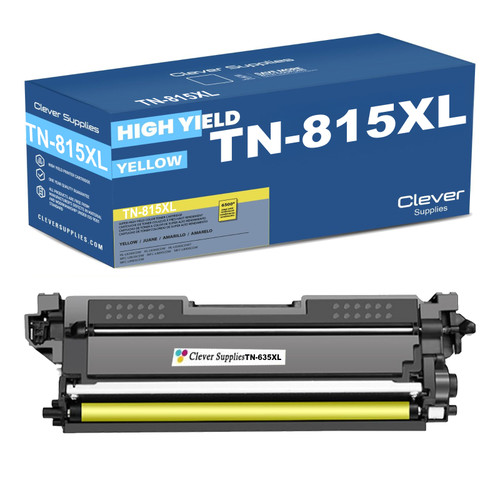
The yellow cartridge from the TN815XL tier, rated at 12,000 pages, for the enterprise Brother machines on the TN815 platform. It works alongside the TN815BK black cartridge and the other XL colors, each on its own replacement rhythm.
Printer showing "Replace Toner" or "No Toner" after a cartridge change? Our TN810 and TN815 troubleshooting guide walks through the reseat, contact-cleaning and counter-reset steps for this family.








 See Compatible Printers
 Read more about our ink!










