Frequently Asked Questions
What does cyan do in the documents these machines produce?
Cyan builds the blues and greens in charts, branded headers, diagrams and scanned images. On reports and proposals, it is quietly present on far more pages than people realize. When cyan fades, those blues drift and the whole document looks slightly off long before it looks broken.
How is the TN815XLC rated?
It carries a 12,000-page rating, like the other colors on this platform. Consumption follows your content: blue-heavy reporting cycles through cyan steadily, while mostly-text offices use it slowly. The machine's toner gauge tracks your real usage.
Which machines take this XL cyan?
The TN815XLC is made for HL-L9430CDN, HL-L9470CDN, MFC-L9630CDN and MFC-L9670CDN. Those enterprise Brother color lasers are the full extent of its fit. Nothing outside that list will accept it.
Does the XL cyan install the same way as the standard colors?
Yes — same slot, same simple swap, no tools and no settings to change. The XL tier is a product line within the same platform, so handling is identical to the standard TN815 colors.
Can I change the cyan while the other colors are part-used?
Of course. Each color runs on its own clock, so cyan gets replaced whenever it empties, regardless of where black, magenta and yellow stand. Mixed ages across the four slots are normal on this platform.
How am I protected on this purchase?
The cartridge is covered by a one-year warranty, with free returns for a year. The steps are laid out on the shipping and returns page. Shipments leave from our warehouses in IL, PA, GA and CA.
How do we catch cyan drift before a client document exposes it?
File a dated reference print when the TN815XLC goes in: one page carrying your standard chart and brand-blue header, kept in a folder by the machine. Every month or so, print the same file and compare. Cyan fade is gradual, and the side-by-side test shows a blue that has thinned long before any single document looks wrong on its own. When the comparison turns, the swap can be scheduled instead of discovered mid-proposal.
A fresh cyan is printing pale — what gets checked before the cartridge is blamed?
The seating. Pull the TN815XLC out and reseat it firmly; a cartridge that is not fully home can starve the slot while showing a healthy level. The TN810 and TN815 troubleshooting guide linked on this page walks through the reseat, contact-cleaning and counter-reset steps for exactly this situation. Run those first — a pale first page after a change is a seating issue more often than a supply issue, and the check takes minutes.
Do color copies on the MFC models consume this cyan too?
They do. Every color copy made at the MFC-L9630CDN or MFC-L9670CDN lays down cyan from this same cartridge, at the same rate as a printed page. Departments that scan and copy presentation material at the machine can move through a TN815XLC noticeably faster than their print queues suggest. If your cyan interval keeps surprising you, the walk-up copy stream is the first place to look for the missing pages.
For a single-cartridge buyer, when is the reorder point on cyan?
The machine's low-cyan warning itself. A 12,000-page rating means the warning arrives with real runway left, so ordering when it appears keeps a sealed TN815XLC arriving before the slot is empty, without tying up shelf stock for months. Offices whose blue branding cannot fade mid-run keep one sealed spare as policy; everyone else can safely let the warning be the trigger, because cyan announces itself well ahead of empty.
About This TN815XLC Cyan Cartridge
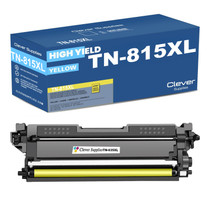
A single cyan cartridge from the TN815XL tier, rated at 12,000 pages for Brother's enterprise TN815 color lasers. It pairs with the TN815BK black on the document side of the same machines.
Printer showing "Replace Toner" or "No Toner" after a cartridge change? Our TN810 and TN815 troubleshooting guide walks through the reseat, contact-cleaning and counter-reset steps for this family.







 See Compatible Printers
 Read more about our ink!