Frequently Asked Questions
Where does magenta show up in everyday office output?
In the red half of your branding: logos, accent bars, warning callouts, chart series and photographs. Magenta is what keeps those elements vivid instead of rusty or washed out. On client-facing documents, that consistency is part of how the company looks.
What is the page rating on the TN815XLM?
It is rated at 12,000 pages, the same rating carried across the TN815 colors. Offices printing red-heavy marketing or training material will move through it faster than offices printing contracts. Your printer's supply screen shows the honest remaining level.
Which printers does this XL magenta fit?
It belongs to HL-L9430CDN, HL-L9470CDN, MFC-L9630CDN and MFC-L9670CDN. That compact group of Brother enterprise color lasers is the entire TN815 platform, and this cartridge fits only those models.
What does low magenta do to a page before it runs out?
Reds lean orange, purples flatten, and skin tones in photos take on a gray-green cast. The machine warns ahead of empty, so you can schedule the swap before a polished document exposes the fade.
Is the XL magenta a separate install from the other colors?
Yes, every TN815 color is a standalone unit. The magenta goes in and out on its own, in minutes, without touching black, cyan or yellow and without any setup steps afterward.
What if something goes wrong with the cartridge?
It is backed by a one-year warranty, and returns are free during that year. Start with the shipping and returns page for the process, or reach support on weekdays between 9 AM and 5 PM CST.
Why does magenta disappear faster on marketing and training material?
Coverage. A contract page might carry a red logo and an accent bar; a training handout or a photo page carries magenta across most of the sheet. The TN815XLM's 12,000-page rating assumes ordinary document coverage, so a department printing full-color material as its daily work will land well under it, while a contracts office may exceed it. Judge your interval against your page mix — heavy color work spending magenta quickly is arithmetic, not a defect.
Can a fading magenta be stretched to finish a run in progress?
Usually, yes. When output thins mid-run, take the TN815XLM out and rock it gently side to side a few times to redistribute the toner inside, then reseat it. The settled powder evens out and typically returns enough density to finish the job at full quality. Treat it as a bridge, not a revival: the cartridge is near its end, and the replacement should be ordered the same day so the next long run starts on a fresh unit.
How do we make sure the reorder is the right magenta?
Read the full code off the empty cartridge's label: TN815XLM, letter by letter. The TN815 family runs standard, XL and XXL tiers side by side, and the magenta codes differ by a few characters that are easy to skim past. Matching the empty's label exactly keeps the XL tier your office standardized on, and avoids a wrong-tier box arriving for the HL-L9430CDN or MFC-L9670CDN at the moment the slot is already empty.
How do we learn this office's real magenta rhythm?
Note the install date on the box each time a TN815XLM goes in, and keep the boxes in order. After two or three changes, the dates show your true interval — say, a fresh magenta every four months — and which seasons pull it forward. That small record turns magenta from the color that surprises the marketing calendar into a predictable line in it, and the spare can be timed instead of guessed.
About This TN815XLM Magenta Cartridge
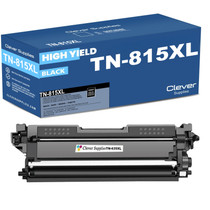
The magenta cartridge from the TN815XL tier, rated at 12,000 pages and replaced on its own schedule inside Brother's enterprise TN815 machines. Browse the rest of the platform on the Brother toner page, including the TN815BK black cartridge.
Printer showing "Replace Toner" or "No Toner" after a cartridge change? Our TN810 and TN815 troubleshooting guide walks through the reseat, contact-cleaning and counter-reset steps for this family.







 See Compatible Printers
 Read more about our ink!