






 See Compatible Printers
 Read more about our ink!
Brother
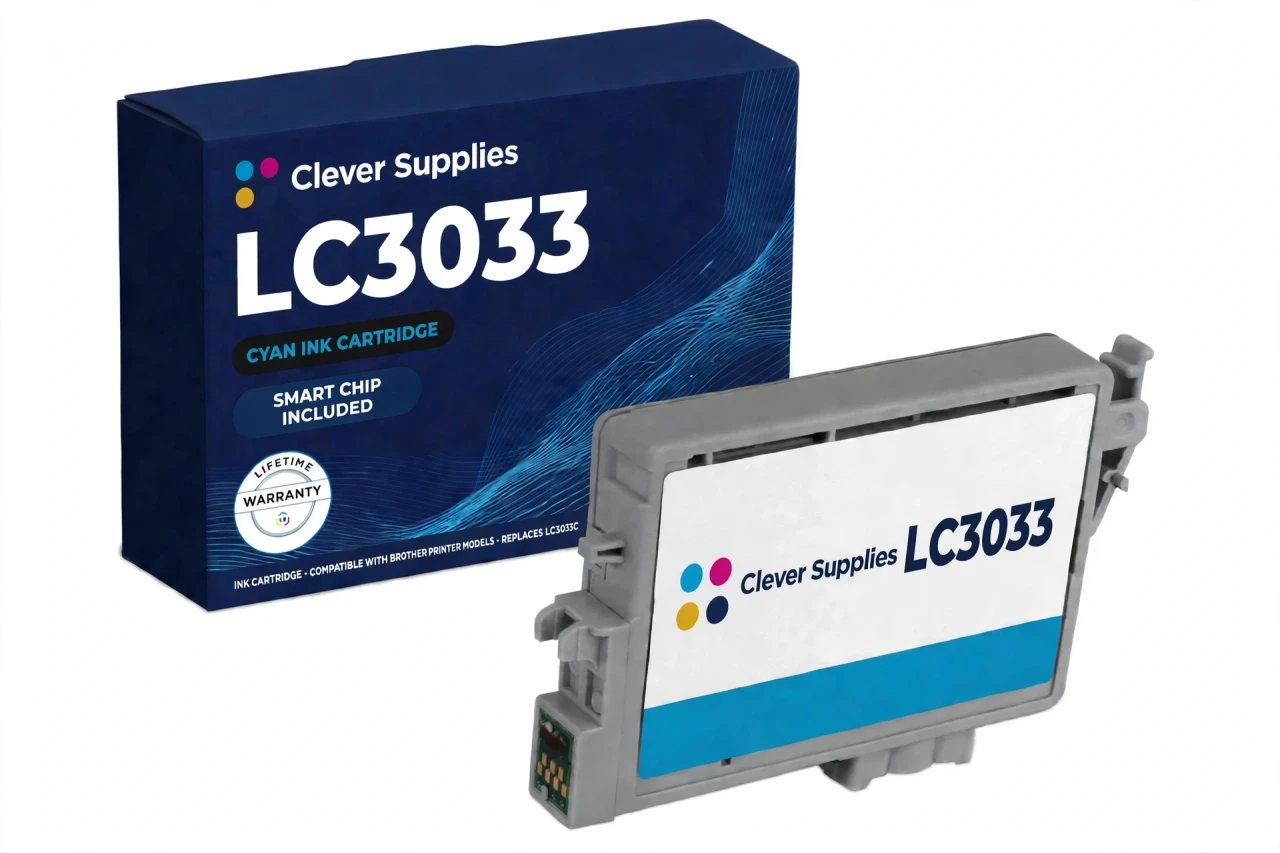
Compatible Brother LC3033 LC3033C Cyan Ink Cartridge
- Page Yield:
- Up to 1,500 pages (ISO/IEC 24711)
- Shipping:
- Calculated at Checkout

Amazon Price:

- Page Yield:
- Up to 1,500 pages (ISO/IEC 24711)
- Shipping:
- Calculated at Checkout
- Compatible Printers
- Specifications
- SKU:
- CS-BR-3033-C
- Condition:
- New Compatible
- OEM Part #:
- LC3033C
- Color:
- Cyan
- Page Yield:
- Up to 1,500 pages (ISO/IEC 24711)
- Chip:
- New compatible chip (ink-level chip)
- Warranty:
- Lifetime Warranty
- Returns:
- 1-Year Free Returns
- Description
- Reviews
This is our compatible LC3033C cyan cartridge for Brother's small INKvestment platform — the Super High Yield tier, rated up to 1,500 pages in accordance with ISO/IEC 24711. It is built for the five printers Brother lists for this family: MFC-J805DW, MFC-J805DW XL, MFC-J815DW XL, MFC-J995DW and MFC-J995DW XL.


This is the small INKvestment platform. Its printers look much like the larger A3 INKvestment machines, and the yield figures are identical on paper — but the cartridges are not interchangeable: LC3033/LC3035 cartridges do not fit the LC3037/LC3039 platform, and the large-platform cartridges do not fit these printers. On this platform the step-up tier is LC3035 (Ultra High Yield), and the two tiers mix freely in the same printer; this LC3033C is the standard refill most owners reorder.
The cartridge carries a new compatible chip that reports ink levels to the printer. Brother's own “Cannot Detect Ink Volume” guidance for this generation notes that a machine may or may not detect a non-genuine cartridge — we state that plainly rather than promise recognition, and the FAQ below explains what to do if a detection message appears. Covered by our lifetime warranty, with free returns for the first year.
Shop the Brother LC3033 family: LC3033BK Black Ink Cartridge · LC3033M Magenta Ink Cartridge · LC3033Y Yellow Ink Cartridge · Set of 4 BCMY Ink Cartridge · Set of 9 BCMY Ink Cartridge
Browse by series: MFC Multifunction Series
Frequently Asked Questions
Only my cyan is empty — can I change just this one cartridge?
Yes. Each color sits in its own slot and works independently of the others, so a spent cyan can be swapped on its own while the remaining cartridges stay where they are. There is no need to replace a set when a single color runs out.
What is the right way to fit the new cyan cartridge?
Lift the ink cover, press the lever to release the old cartridge, and guide the LC3033C in until you hear it click. Hold it by the housing throughout and keep your fingers off the chip contacts. If the printer has been sitting unused, follow up with a print quality check.
How many pages will the LC3033C give me?
Up to 1,500 pages. That is Brother's published rating for this cartridge under ISO/IEC 24711, and it places the LC3033 line in the Super High Yield tier of the small INKvestment platform; the Ultra High Yield tier above it, LC3035, roughly doubles the figure.
What separates the LC3033C from the LC3035 cyan?
The amount of ink inside. The LC3035 cyan is the Ultra High Yield step and is rated at 5,000 pages per color against this cartridge's 1,500. Printers and slots are identical either way — the LC3035 simply carries more ink.
Why is there no single LC3035 cyan on your shelf?
Because we stock the LC3035 ultra tier as the Set of 4 and the 9-pack only — those are the bundles whose price was verified against the reference ladder. Singles on this platform are the LC3033 route; if your printing is heavy, the LC3035 Set of 4 works out the better-value refill.
Which printers does this cyan cartridge fit?
Brother's official list for the LC3033/LC3035 platform carries five models: the MFC-J805DW and MFC-J805DW XL, the MFC-J815DW XL, and the MFC-J995DW in standard and XL form. Fit is the same across all five — an XL in the model name refers to the printer bundle, not to a different cartridge. For the lower tier priced against the tier above it — all four LC3033 singles side by side, with the full-refill comparison against the LC3035 sets drawn in full — see our Best Brother LC3033 Ink Cartridges guide.
My MFC-J815DW has no XL in its name. Is it covered?
Brother's list names the MFC-J815DW XL only; the plain MFC-J815DW does not appear on the LC3033 list, so we do not claim it. Verify the complete model name on your printer before ordering.
Will it fit an A3 INKvestment printer such as the MFC-J6545DW?
No — those are large-platform machines fed by LC3037/LC3039 cartridges. The rated yields match this family exactly (3,000 pages black, 1,500 colors), yet the bodies and slots are not the same, so a small-platform cartridge will not install in a large-platform printer.
Can I run LC3033 and LC3035 cartridges side by side?
Yes. Brother lists both tiers for the same five printers and each slot is independent, so tiers can be mixed color by color. Plenty of owners pair an LC3035 black, chosen for endurance, with LC3033 colors.
The printer says it cannot detect the cartridge. What now?
Start with the fit: this cartridge carries a new compatible chip that reports ink levels, so press it firmly in until it clicks, with fingers clear of the chip contacts; if the message persists, remove it, reseat it and restart the printer. Brother's “Cannot Detect” and “Cannot Detect Ink Volume” support pages explain why we stop short of a promise: with non-genuine ink the machine may or may not detect the cartridge or its ink volume, and Brother cannot guarantee optimum performance and reliability with ink of other specifications.
Is this a genuine Brother cartridge?
It is not. This is a Clever Supplies compatible cartridge made to the LC3033C specification, with a new compatible chip, labeled compatible on the box and on this page, and not manufactured by Brother.
What warranty and returns does it carry?
Every cartridge is covered by a lifetime warranty — one that fails to perform is replaced — and returns are free within the first year.
What should I confirm before I order?
Three quick confirmations. The full name on your printer should be one of the five covered models — MFC-J995DW, MFC-J995DW XL, MFC-J815DW XL, MFC-J805DW XL or MFC-J805DW. The cartridge you are replacing should read LC3033C, or the LC3035 equivalent. And the family should be LC3033/LC3035, not the similar-looking LC3037/LC3039, LC3017/LC3019 or LC3029 families, which fit none of these printers.
Related Items

Brother
Compatible Brother LC3033 LC3033BK Black Ink Cartridge
This is our compatible LC3033BK black cartridge for Brother's small INKvestment platform — the Super High Yield tier, rated up to 3,000 pages in accordance with ISO/IEC 24711. It is built for the...


Brother
Compatible Brother LC3033 LC3033M Magenta Ink Cartridge
This is our compatible LC3033M magenta cartridge for Brother's small INKvestment platform — the Super High Yield tier, rated up to 1,500 pages in accordance with ISO/IEC 24711. It is built for the...

Brother
Compatible Brother LC3033 LC3033Y Yellow Ink Cartridge
This is our compatible LC3033Y yellow cartridge for Brother's small INKvestment platform — the Super High Yield tier, rated up to 1,500 pages in accordance with ISO/IEC 24711. It is built for the...

Brother
Compatible Brother LC205 LC205C Cyan Ink Cartridge
This is the super-high-yield cyan for the family's six Business Smart printers: our compatible LC205C, rated up to 1,200 pages under ISO/IEC 24711 — more than double the LC203 equivalent, in the same...