




imageRUNNER Advance C3520i
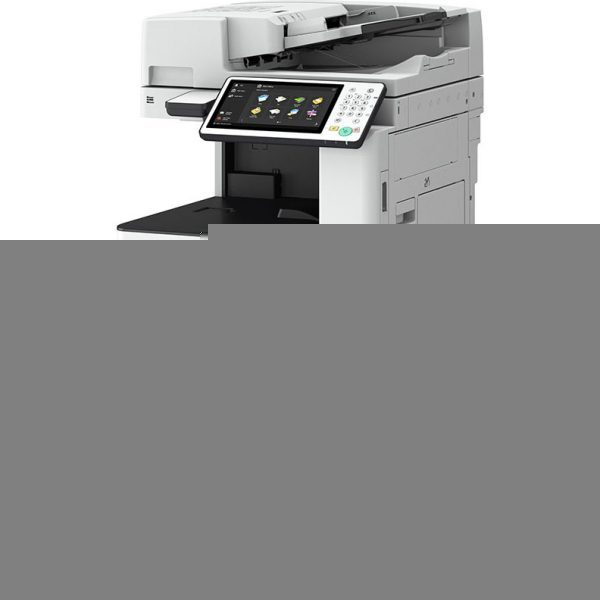
Twenty pages per minute makes the imageRUNNER Advance C3520i the gentle entry to A3 color — enough speed for modest volumes, with an optional 150-sheet single-pass duplex scanner for offices that digitize more than they print. Duplex printing and networking are standard. Its toner shelf holds the GPR-53 set (the name also appears as GPR53): black GPR53BK rated at 36,000 pages, and cyan GPR-53C, magenta GPR-53M and yellow GPR-53Y rated at 19,000 pages each, each one a separate cartridge.
This is the A3 machine for the office that prints a little and scans a lot — a records desk, a school office, a small practice archiving files. The optional single-pass scanner tells the story: paper flows in for digitizing, and printed output is the smaller half of the workload. Toner therefore ages slowly here, and the practical supply skill is patience — reorder on the panel's word, not on a calendar.
Toner Cartridges for imageRUNNER Advance C3520i
| Cartridge | Color | Page Yield |
|---|---|---|
| GPR-53M Magenta | Magenta | 19,000 pages |
| GPR-53Y Yellow | Yellow | 19,000 pages |
| GPR-53BK Black | Black | 36,000 pages |
| GPR-53C Cyan | Cyan | 19,000 pages |
| GPR-53BK Black 2 Pack | Black | 36,000 pages per cartridge |
| GPR-53 3 Color Set (colors only) | C/M/Y | See product page |
| GPR-53BK Black 3 Pack | Black | 36,000 pages per cartridge |
| GPR-53 4 Color Set | Black + C/M/Y | See product page |
| GPR-53BK Black 5 Pack | Black | 36,000 pages per cartridge |
| GPR-53 6 Color Set (colors only) | C/M/Y | See product page |
| GPR-53 5 Color Set | Black + C/M/Y | See product page |
| GPR-53 8 Color Set | Black + C/M/Y | See product page |
Which cartridge should you buy?
Singles, almost always. At modest volumes a 36,000-page black cartridge and 19,000-page colors last a long time, and tying money up in multi-packs buys little. The exception is the office with no one clearly owning supplies: one Black 2 Pack in the cupboard prevents the classic Friday-afternoon outage. Full sets belong to machine setup or a rare all-slots refresh. All compatible cartridges on this page include a 1-year warranty and 1-year returns, so a lone spare is a safe purchase.
Chip, toner and everyday use
Slow consumption creates one specific risk: a cartridge can sit partly used for many months, so store the machine's spares sealed and dry, and rock a long-shelved new cartridge gently before fitting to redistribute settled toner. The chip in each compatible unit lets the panel track levels across those long intervals accurately. Ratings assume about 5% coverage; the occasional A3 poster or drawing uses visibly more color than text work. When output finally fades on one side, removing and gently rocking the current cartridge often evens it out for a while longer.
Frequently Asked Questions
What toner set does the C3520i take?
The Canon GPR-53 set — GPR-53BK black at 36,000 pages, plus GPR-53C, GPR-53M and GPR-53Y at 19,000 pages each. Every color is a separate cartridge.
We print very little. Should we still keep a spare?
One black spare is the sensible minimum: even slow offices eventually hit an empty slot mid-task. Colors can be ordered as the panel warns, since they deplete slowly and one at a time.
Does the optional scanner affect toner?
Scanning itself uses no toner at all. Only copies and prints draw from the cartridges, which is why scan-heavy offices see such long cartridge life from this model.
How are the page yields measured?
At roughly 5% page coverage, the industry-standard basis. Light office text tracks near the rating; graphics-heavy A3 pages cover more area and return fewer pages per cartridge.
More printers that use the same cartridges
Faster siblings on the same supply shelf include: imageRUNNER Advance C3330i, imageRUNNER Advance C3525i, imageRUNNER Advance C3530i, imageRUNNER Advance C3325i.