




ImageRunner 6570
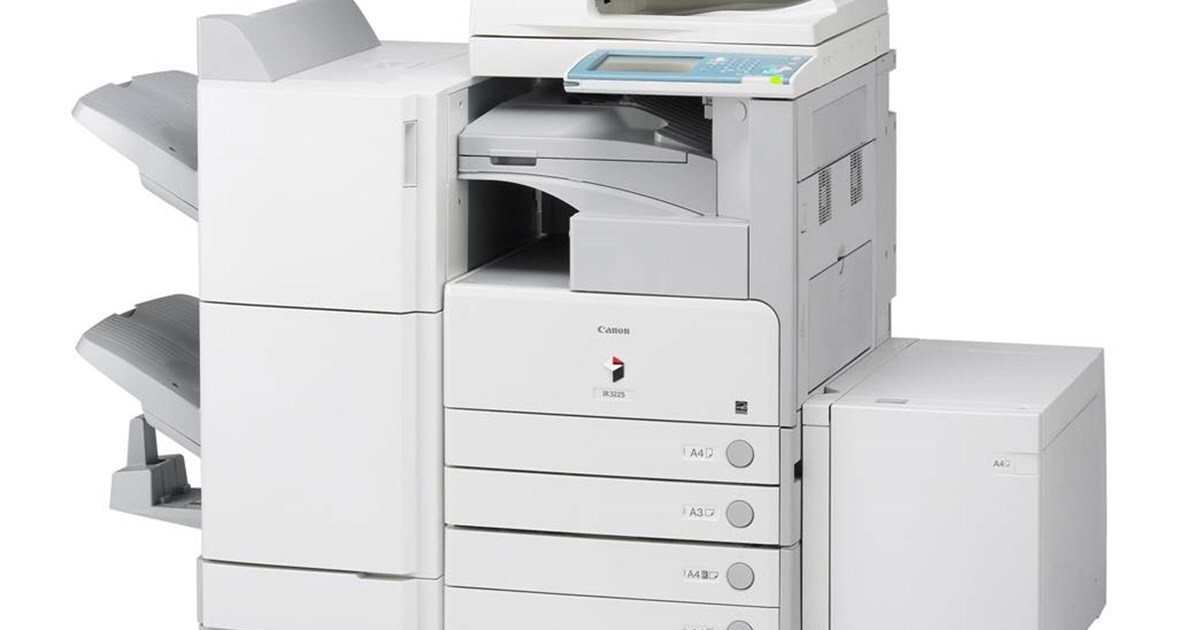
The imageRUNNER 6570 is the pace-setter of its line: at 65 copies per minute it is the fastest machine in the family, delivered in a base configuration with automatic duplexing and ready for Canon's optional print kit when a department decides it wants network printing as well. For all that speed, its appetite is ordinary — it runs on the high-capacity GPR-17 black cartridge, rated for up to 45,000 pages and also sold under the listing code GPR17BK.
Think of the 6570 as the department's central engine, the copier other machines defer to when the work is long, urgent or both. What makes it easy to keep fed is that Canon did not give the flagship its own proprietary supply: the same cartridge serves the slower siblings on either side of it, so facilities stock one toner for the whole row of machines and let volume, not fitment, decide how deep the shelf runs.
Toner Cartridges for ImageRunner 6570
| Cartridge | Color | Page Yield |
|---|---|---|
| Canon GPR-17 — Single Cartridge | Black | Up to 45,000 pages |
| Canon GPR17BK — Single Cartridge | Black | Up to 45,000 pages |
| Canon GPR17BK — 2 Pack | Black | Rated 45,000 pages each |
| Canon GPR17BK — 3 Pack | Black | Rated 45,000 pages each |
| Canon GPR-17 — 3 Pack | Black | Rated 45,000 pages each |
| Canon GPR-17 Premium Quality — 3 Pack | Black | Rated 45,000 pages each |
| Canon GPR17BK — 5 Pack | Black | Rated 45,000 pages each |
| Canon GPR17BK — 10 Pack | Black | Rated 45,000 pages each |
Which cartridge should you buy?
Because the 6570 exists to absorb volume, most of its owners buy depth rather than singles: the 5 pack and 10 pack keep a hard-working machine supplied through a full reorder cycle, and the premium-quality 3 pack offers a graded option in the same fitment. A single cartridge still makes sense as the sealed spare that lives beside the machine — on a 65-copy-per-minute copier, a cartridge that empties at 10 a.m. should be a two-minute swap, not a purchase order. Note that every listing here is the same 45,000-page cartridge; pack size changes how often you order, never what the machine accepts.
Chip, toner and everyday use
After fitting a cartridge, give the 6570 a moment to register the new supply before sending the next long job; if a toner prompt survives installation, open the front, reseat the unit firmly and let it cycle again. A gentle side-to-side rock before installation evens out toner that has settled in transit. Ratings are quoted at roughly 5% page coverage, and a flagship copier's typical diet of dense reports and booklets runs heavier than that, so treat 45,000 pages as a ceiling. Keep the spare somewhere cool and dry rather than on top of a warm machine.
Frequently Asked Questions
What toner does the Canon imageRUNNER 6570 use?
The Canon GPR-17 black cartridge, rated for up to 45,000 pages. It is the only cartridge this machine takes, and it is shared with the rest of the models listed below.
Is the GPR17BK listing the same cartridge as the GPR-17?
Yes — GPR17BK is simply the alternate code the same GPR-17 cartridge is catalogued under. There is no performance difference between the two listings; choose by pack size and availability.
Does a 65-cpm machine need a special high-speed cartridge?
No. The speed lives in the engine, not in the toner. The 6570 uses the identical GPR-17 cartridge as its slower siblings — it just works through each one faster, which is an argument for deeper packs rather than a different product.
How much stock should a busy department keep for the 6570?
At minimum, one sealed spare beside the machine so a changeover never waits on a delivery. Sites that reorder monthly usually hold the 5 or 10 pack; with a 45,000-page rating per cartridge, even the fastest copier in the family changes cartridges on a predictable rhythm rather than constantly.
More printers that use the same cartridges
These Canon models draw from the same GPR-17 shelf: ImageRunner 5070, ImageRunner 5070N, ImageRunner 5570, ImageRunner 5570N, ImageRunner 6000S, ImageRunner 6570N.