






 See Compatible Printers
 Read more about our ink!
Canon
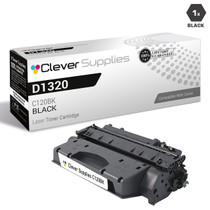
Compatible CANON IMAGECLASS D1320 TONER CARTRIDGE
- Page Yield:
- 5000
- Availability:
- In Stock
- Shipping:
- Calculated at Checkout

Amazon Price:

- Page Yield:
- 5000
- Availability:
- In Stock
- Shipping:
- Calculated at Checkout
- Compatible Printers
- Specifications
- SKU:
- IMAGECLASS-D1320-TONER
- Printer Brand:
- Canon
- OEM Number:
- IMAGECLASS-D1320-TONER
- Ink Color:
- Same As Pictures
- Page Yield:
- 5000
- Printer Type:
- Laser Cartridge
- Condition:
- New Compatible
- Description
- Reviews

/> 

* Compatible/Remanufactured Cartridges:
Our compatible and remanufactured cartridges are manufactured with high quality standards by a respected manufacturer. Our toners and inkjets are ISO 9001 certified. our makers use partly or all brand new parts. They are manufactured based on the same high quality requirements as the Original Equipment Manufacturer toners (OEM). Compatible/Remanufactured cartridges are much economical than the OEM and still perform at the OEM level for page yield and print quality.
* QUALITY:
The value is in every print exceeds quality expectations for a fraction of the price! Our compatible and remanufactured inkjets and toner cartridges are manufactured to OEM quality. Our premium toners perform at OEM level standards and provide the same page output.
* GUARANTEE:
Your orders are always RISK FREE with us! We offer 1 year guarantee on all of our products. If for some reason you are not completely satisfied with the performance of any product you purchased from us you may return it within 1 year of the purchase date and we will replace or refund your order. It's simply!
Frequently Asked Questions
The D1320 is a newer machine than the D1150 down the hall — why does it take the same cartridge?
Because Canon kept the same cartridge platform across both generations of this family. The Canon 120 cartridge that serves the older D1120, D1150, D1170 and D1180 also serves the D1320, D1350 and D1370, plus the D1520. That is not a compromise — it is the practical advantage of this listing. An office running a D1320 next to older D-series machines needs one spare cartridge design for all of them, and the per-page economics are identical whichever machine the cartridge ends up in.
What does 5,000 pages mean for a D1320 in daily office use?
For a typical small-office D1320 printing and copying around 600 pages a month, one cartridge lasts about eight months. At 1,200 pages a month it is roughly four months. The 5,000-page figure is the rating at the standard 5% page coverage — ordinary text documents. Pages with heavy graphics, dense forms or big dark areas use toner faster, so a machine that mostly produces those will land below the rating; a machine living on correspondence will meet it comfortably.
What does the $32.42 price break down to per page?
About 0.65 cents per page. That is the honest way to read any cartridge price: not the number on the box, but the number divided by the pages it produces. At 0.65 cents, 1,000 pages of D1320 output costs about $6.50 in toner. It is a mid-range figure for a compatible cartridge — there are cheaper pages in the Canon catalogue and more expensive ones — and for a machine of the D1320's class it keeps running costs firmly in the background.
Our D1320 has started leaving streaks on the page — cartridge or machine?
Start with the cartridge; it is the cause far more often than the machine. Streaks that follow a cartridge — appearing after a change, or worsening as it empties — are cartridge behavior. Two checks cost nothing: remove the cartridge and rock it gently side to side to redistribute the toner, and try the spare if you keep one. If the streaks vanish with a different cartridge, you have your answer. If identical defects appear with two different cartridges, then it is worth a service conversation about the machine itself.
Is it sensible to try a compatible cartridge in this machine for the first time?
A single cartridge is exactly the sensible way to try. This Canon 120 is $32.42, it is covered by a 1-year warranty and 1-year free returns, and one cartridge in your own D1320, on your own documents, tells you more than any review can. Offices usually run the trial on the machine that matters least, then standardise once the output has proven itself. Full return terms are on our shipping and returns page.
How should we store the spare so it is ready when needed?
Sealed in its bag, lying flat, in a cool dry spot away from direct sunlight and radiators. A compatible cartridge stored that way waits patiently for months — there is no benefit to fitting it early, and an opened cartridge is better used than shelved. If you keep more than one spare, write the arrival month on each box and always use the oldest first. Our support team is available Monday to Friday, 9 AM to 5 PM CST if questions come up before or after fitting.
We just fitted a new cartridge and the first pages look pale — should we send it back?
Not yet. Work through three quick checks first. Confirm the protective sealing tape was pulled fully out of the cartridge — a strip left partly in place starves the machine and perfectly imitates a weak cartridge. Take the unit out and reseat it firmly so it sits level and fully home. Then print several more pages: a new Canon 120 often needs a short run before its output reaches full darkness. If the tenth page still looks pale after all three checks, then the cartridge itself is the suspect — and the 1-year warranty and 1-year free returns are there for exactly that case.
One side of the page is fading while the other side stays dark. What does that point to?
Usually to toner that has settled unevenly inside the cartridge rather than to a cartridge that is finished. The powder drifts toward one end over time, and the starved side of the page shows it first. Remove the Canon 120 and rock it gently from side to side several times to level the toner out, then refit it and reprint the same page. Even darkness across the sheet confirms it was distribution. If the same one-sided fade returns quickly, the cartridge is genuinely near its end and the spare should go in.
Our office runs a D1320 beside older D-series machines. How do we rotate the shared spares?
Treat the shelf as one pool, because every one of those machines draws the same Canon 120. Write the arrival month on each spare's box as it comes in, line them up oldest at the front, and always fit the oldest sealed cartridge next, whichever machine asked for it. That simple first-in, first-out habit stops a spare from sitting forgotten at the back for years while newer boxes get used around it, and it means the cartridge you fit has always spent the least possible time waiting its turn.
Can the D1320's own page counter tell us when the next change is coming?
Yes, and it beats guessing from the calendar. Note the counter reading on the day you fit a cartridge; the difference between that reading and today's is exactly how much of the 5,000-page rating this cartridge has spent. Once you have watched one cartridge through its life, you know your machine's real interval — how many counter pages a cartridge actually delivers on your documents — and every later change becomes a date you can predict from the meter instead of a morning you discover.
About This Cartridge
This is a single compatible Canon 120 black toner cartridge rated for up to 5,000 pages, listed for the imageCLASS D1320 and shared across both generations of the imageCLASS D family named above. It ships from one of our four US warehouses in Illinois, Pennsylvania, Georgia or California, and every cartridge is covered by our 1-year warranty and 1-year free returns. You can see the rest of our compatible range for this platform on the Canon toner page.
Related Items

Canon
Compatible Canon ImageClass D1320 Toner Cartridge Black (C120BK)
/>


Canon
Compatible CANON IMAGECLASS D1350 TONER CARTRIDGE
/>

Canon
Compatible CANON IMAGECLASS D1150 TONER CARTRIDGE
/>

Canon
Compatible CANON IMAGECLASS D1370 TONER CARTRIDGE
/>