




What Toner Does the Brother HL-L5210DW Use?
Nov 4th 2026
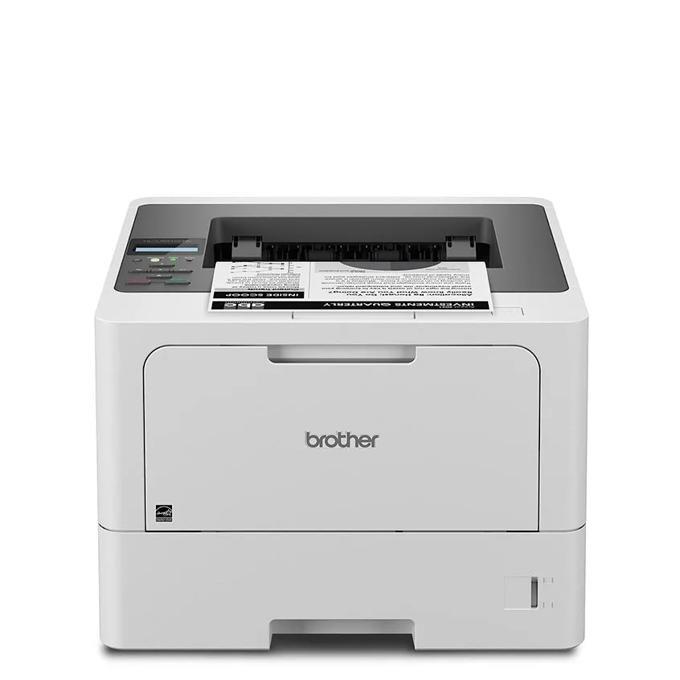
Quick answer: the Brother HL-L5210DW takes TN920-family black toner — your choices are the standard TN920 (roughly 3,000 pages), the high-yield TN920XL (roughly 6,000), the super high-yield TN920XXL (roughly 11,000) and the ultra high-yield TN920UXXL (roughly 18,000) — all of them riding in a DR920 drum unit that is sold separately and lasts about 45,000 pages. There are no color cartridges for this printer; it is a monochrome laser through and through.
The Running Costs, Tier by Tier
| Supply | What you get | Shelf price (compatible) | Works out to |
|---|---|---|---|
| TN920UXXL toner | ~18,000 pages | $51.68 | ~0.29¢ per page |
| TN920XXL toner | ~11,000 pages | $38.24 | ~0.35¢ per page |
| TN920XL toner | ~6,000 pages | $37.13 | ~0.6¢ per page |
| TN920 toner | ~3,000 pages | $36.19 | ~1.2¢ per page |
| DR920 drum unit | ~45,000 pages | $32.28 | ~0.07¢ per page |
Figures verified on November 2, 2026, using Brother's rated yields at 5% coverage. The striking line in this table is how flat the pricing is across the bottom three tiers: stepping from 3,000 pages to 11,000 pages costs about two extra dollars. Households and small offices that buy the standard cartridge out of habit are paying roughly four times more per page than they need to. The drum, meanwhile, contributes well under a tenth of a cent per page — cheap insurance, but on a completely separate replacement clock from the toner.
The Wireless Twin of a Wired Printer
Mechanically, the HL-L5210DW is the network printer many small offices actually wanted: the same 48-pages-per-minute engine, the same automatic two-sided printing and the same 250-sheet tray with a 100-sheet multipurpose slot as its wired sibling, but with dual-band Wi-Fi (2.4GHz and 5GHz), Wi-Fi Direct, Gigabit Ethernet and USB all present. That mix matters for toner in one subtle way — a printer everyone in the office can reach from phones, laptops and tablets tends to print far more than its owner expected. Brother rates it for a recommended monthly volume of up to 5,000 pages under a 90,000-page maximum duty cycle, and wireless convenience pushes real-world volume toward that figure quickly.
Mobile printing is covered by AirPrint, Mopria and Brother Mobile Connect, and paper capacity can climb to 1,390 sheets with optional trays if the shared-printer workload outgrows the standard drawers. Security keeps pace with the Triple Layer Security feature set, including Secure Print and Secure Function Lock, so a shared wireless machine does not have to mean shared documents.
Fitting a Fresh Cartridge
With the printer on, flip the front cover down and slide the drum-and-toner unit out toward you. The old cartridge releases when you press the green lever on the drum; lift it clear. Unpack the replacement, give it several gentle side-to-side rocks to loosen the toner powder, strip the protective cover, and press it into the drum until the lever snaps back. Run the drum's green cleaning tab from one side to the other and back, drop the whole unit in, and shut the cover. A display that still shows a toner warning after a correct install usually needs the page-counter reset, not another reseat — our TN920 troubleshooting guide covers the sequence step by step.
Pairing Toner With Its Drum
Drums fail quietly. Print gets a grey background, or a spot starts repeating down every sheet, and because it happens gradually the toner takes the blame. The cleanest defense is to hold both wear parts at once, which is why we sell them paired: the TN920UXXL and DR920 drum-and-toner set is $67.87, roughly $16 under the $83.96 you'd pay for the two pieces individually. The same pairing exists for the TN920XXL, the TN920XL and the standard TN920.
Keep the framing honest, though: a drum is a 45,000-page component. If your printer is in its first year of light home use, order toner by itself and let the original drum run. Bundles earn their shelf space once the drum is middle-aged, or anywhere the printer belongs to a whole office and downtime is the real cost.
HL-L5210DW Questions We Hear
My printer drops off the 5GHz band. Should I blame the new cartridge? No — a cartridge swap cannot alter network behavior. This model carries both 2.4GHz and 5GHz radios; the longer-range 2.4GHz band is usually the steadier choice for a printer sitting rooms away from the router.
Does using the TN920UXXL change print quality? The toner formulation and the drum are the same across the family; a bigger reservoir changes how often you open the cover, not what lands on the page.
Can guests print without joining our network? Yes. Wi-Fi Direct lets a visitor's phone or laptop connect straight to the printer for a single job while your network credentials stay private.
The starter cartridge seemed to empty quickly. Is that normal? The HL-L5210DW ships with a full-size 3,000-page TN920 in the box, so there is no cut-down starter to blame — but rated yields assume 5% coverage, and dense documents, forms and graphics drain any cartridge noticeably faster.
Do I reset anything after changing just the drum? Yes. The drum has its own counter, separate from the toner counter, and it needs resetting when the DR920 is replaced so the printer tracks the new unit's life accurately.
One Drum Life Is 45,000 Pages — Here Is Its Price Tag
This family's drum outlasts most printers' entire careers, which makes it the right measuring stick for the supply bill. Across 45,000 pages, an owner running the ultra high-yield tier consumes about two and a half cartridges and one drum. Brother USA's list prices, checked November 3, 2026, set the genuine column; ours set the other:
| Across one drum life (45,000 pages) | Genuine Brother | Our compatibles |
|---|---|---|
| Toner at the ultra tier — about two and a half cartridges | $603.73 | $129.20 |
| One drum unit | $273.49 | $32.28 |
| Total supply spend | $877.22 | $161.48 |
| Blended cost per page | ~1.9¢ | ~0.36¢ |
The drum line deserves a stare. On the genuine shelf the DR920 costs more than the toner it carries across its whole life on our shelf — $273.49 against $129.20 — while our drum sits at $32.28, close to a rounding error beside the genuine figure. The total difference across one drum life is $715.74, and high-volume offices are the ones who cross drum lives fastest.
Three Faults, Only One of Them Toner
A grey wash spreads across the background of every page. That is the drum aging, not the toner running out — a fresh cartridge laid over a worn drum keeps printing the same grey. The drum fails quietly and gradually on this family, which is precisely why it gets blamed last; if a new cartridge changes nothing, stop buying cartridges and look at the DR920.
A single spot repeats down the sheet at regular intervals. Rotating surfaces leave repeating marks, and the drum is the largest one in the machine. Toner faults shade and fade; they do not stamp the same spot at the same spacing. Measure nothing — if the mark repeats, it is the drum's surface.
The toner warning returns a day after a correct swap. The page counter has not registered the new cartridge, and reseating it ten times will not teach it. The reset sequence in our TN920 troubleshooting guide, linked earlier in this article, exists for exactly this loop.
Which tier — the short version: the TN920UXXL, and it is not close. Across one drum life the standard TN920 means fifteen cartridges and $542.85 of toner against the ultra tier's $129.20 — the near-flat pricing across this family makes the small cartridge the most expensive way to print. The TN920XXL lands between at roughly $156 of toner per drum life, for owners who prefer a lower bill per order.
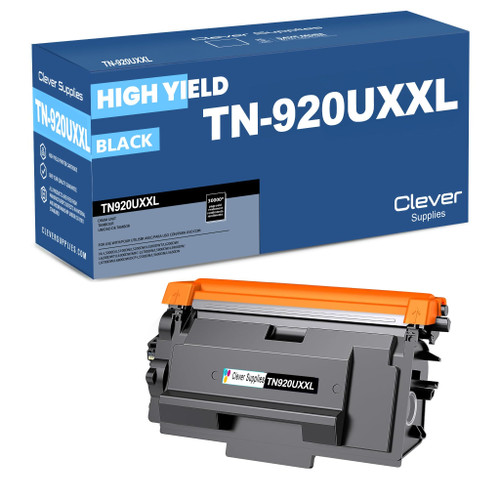 brother tn920uxxl TN 920uxxl toner cartridge black
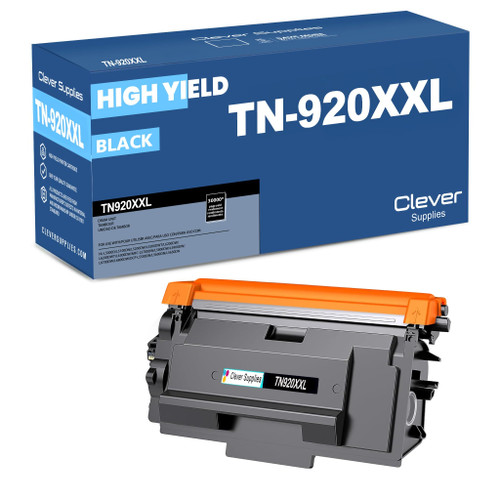 brother tn920xxl TN 920xxl toner cartridge black
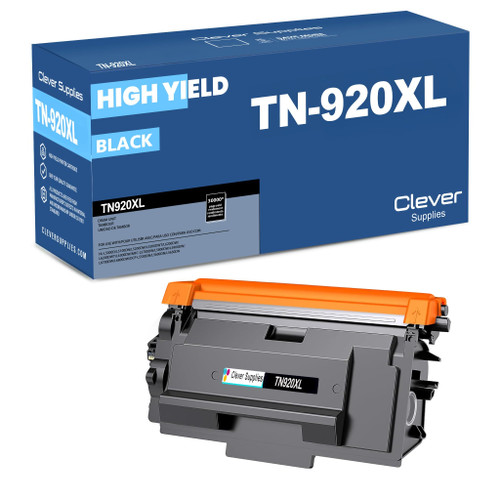 brother tn920xl TN 920xl toner cartridge black
 brother tn920 TN 920 toner cartridge black
Key takeaways
- The top cartridge here is rated at 18,000 pages — fewer swaps, lower cost per page.
- Lowest cost per page in this family: ~0.29¢ with the highest-yield cartridge.
- Toner and drum are separate parts on this printer — replace only the one the printer asks for.
Other Printers That Use TN920 Toner
Eleven further models draw on this same shelf of cartridges. Wired-only shoppers meet the same engine in the HL-L5210DN; above it sit the Workhorse HL-L5215DW, the deep-tray HL-L6210DW, the touchscreen-equipped HL-L6310DW, and the enterprise HL-L6415DW with its dual-tray variant the HL-L6415DWT. The copy-scan member of the family is the DCP-L5510DN, while the multifunction line runs to the MFC-L5710DW, MFC-L5715DW, MFC-L5915DW and MFC-L6810DW. Offices mixing these models can standardize on a single spare.
When you're ready to order, our HL-L5210DW toner page gathers every fitting cartridge, the drum and the money-saving sets in one place.