




What Toner Does the Brother DCP-L5650DN Use?
Nov 4th 2026
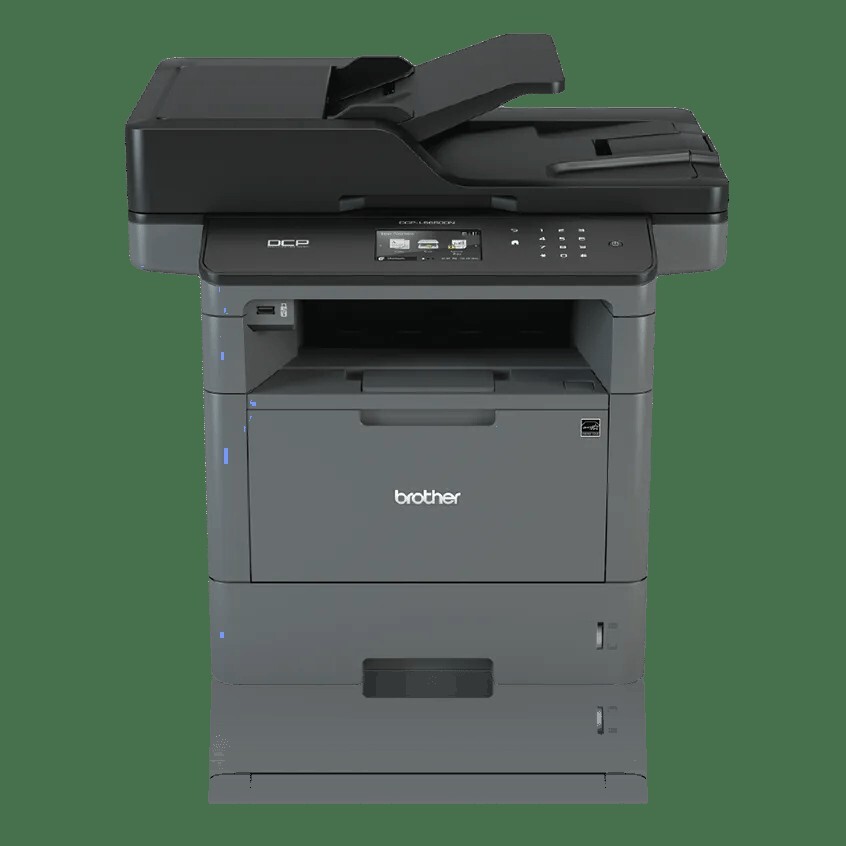
Quick answer: The Brother DCP-L5650DN uses black TN820 toner (about 3,000 pages) or high-yield TN850 toner (about 8,000 pages), working in a DR820 drum unit rated for roughly 30,000 pages. The TN880 does not fit — Brother reserves it for a few print-only models in this family. The good news buried in that answer: this is the most scanning-capable DCP in its line, and scanning consumes no toner whatsoever.
Single-Pass Scanning Is the Whole Point
Ask what separates the DCP-L5650DN from the two DCPs beneath it and the answer lives in its feeder. The 70-page duplex auto document feeder reads both sides of a sheet in one pass, reaching two-sided monochrome scanning speeds of up to 56 images per minute — double-sided originals move through at effectively full speed, with no flip-and-rescan cycle. One-sided scanning runs at up to 28 ipm. A legal-size glass covers bound documents, and the 3.7-inch color touchscreen can carry up to 48 custom shortcuts pointing at email, network folders, SFTP, SharePoint and cloud services.
Everything below the scanner is the family's proven print platform: up to 42 pages per minute printing and copying, automatic duplex printing, Gigabit Ethernet and USB connectivity (wired only, as the DN suffix promises), a 250-sheet tray plus 50-sheet multi-purpose tray, expansion room to 1,340 sheets, 512MB of memory, and a 50,000-page maximum monthly duty cycle. Brother ships it with a standard-yield 3,000-page TN-820 in the carton.
For supply planning, the scanner changes the arithmetic in your favor. Printed and copied pages draw on the cartridge; scanned pages do not. A records office that digitizes 20,000 pages and prints 2,000 in a month lives on the 2,000 figure.
Cartridge Costs for the L5650DN
| Supply | Rated yield | Our compatible price | Cost per page |
|---|---|---|---|
| TN820 | ~3,000 pages | $29.07 | ~0.97¢ |
| TN850 | ~8,000 pages | $29.07 | ~0.36¢ |
| DR820 drum | ~30,000 pages | $30.04 | ~0.10¢ |
Prices checked November 2, 2026, against Brother's ISO/IEC 19752 yield ratings. Our compatible TN820 and TN850 are priced identically at $29.07, which settles the tier debate: the TN850 costs about a third as much per printed page and lasts two and two-thirds times as long. The DR820 drum, rated around 30,000 pages for one-page jobs and up to 50,000 for longer runs, spans about four TN850 cartridges — and in a scan-heavy department, where printed pages accumulate slowly, that can mean the drum outlasts several years of service.
The Drum Situation, Plainly
Shoppers sometimes go looking for a TN850-plus-drum bundle for this model. Our catalog does not have one: the compatible toner-and-drum sets on this platform are all TN880-based, and the TN880 is not compatible with any DCP in the family. So the practical advice is simple — buy the DR820 on its own, for $30.04, when the printer's drum life warning appears or when defects repeat down the page at fixed intervals. At roughly a tenth of a cent per printed page it is among the cheapest components in the machine's whole life, and there is no discount being forgone by skipping a bundle that doesn't exist.
Fitting the Replacement Cartridge
Leave the power on and open the front cover. Pull the drum-and-toner assembly toward you, press the green lock lever, and lift out the empty cartridge. Rock the new TN850 gently side to side, pull off its protective cover, and click it into the drum cradle. Slide the green tab across the drum to clean the corona wire, reinstall the assembly and close the cover. If the touchscreen still shows the cartridge as spent, run the reset procedure in our TN820, TN850 and TN880 troubleshooting guide instead of swapping the cartridge in and out.
Questions DCP-L5650DN Owners Ask
Why did Brother not give this model the TN880? The TN880 clearance in this family went to the high-volume print-only machines. The DCP line's ceiling is the TN850 — a mild disappointment on paper that matters little in practice, since the TN850's per-page cost in our compatible range is already about a third of a cent.
Does two-sided scanning use more toner than one-sided? Neither uses any. Scanning is a read operation. Only printing and copying lay toner on paper — including two-sided copies, which print on both faces.
Can it scan and print at the same time? Yes. Brother highlights simultaneous operation on this model, so one person can digitize a stack while another's print job runs — handy in a small workgroup sharing a single machine.
How many shortcuts can the touchscreen hold? Up to 48, for scan destinations and frequently used copy or cloud routines. Setting them up once is the difference between a 30-second and a three-minute scanning task.
When should I actually replace the drum? When the machine reports the drum nearing its end, or when the same mark repeats down printed pages at regular intervals despite a healthy cartridge. The rating is about 30,000 printed pages, and scanning does not count toward it.
The Drum Counts Printed Pages Only — So Price the Printed Ones
This model's accounting has a twist its print-only siblings lack: the DR820's roughly 30,000-page life is counted in printed and copied pages, while the scanner's output costs nothing at all. A records office can digitize for years on a drum that has barely turned. The supply bill therefore belongs to the printed pages alone, and across 30,000 of them — just under four high-yield cartridges at rated yield, plus the drum — the two shelves compare like this, with genuine prices at Brother USA list, checked November 3, 2026:
| Across one drum life (30,000 printed pages) | Genuine Brother | Our compatibles |
|---|---|---|
| Toner — just under four high-yield cartridges | $527.96 | $109.01 |
| One drum unit | $159.29 | $30.04 |
| Total supply spend | $687.25 | $139.05 |
| Blended cost per printed page | ~2.3¢ | ~0.46¢ |
The difference across one drum life is $548.20. And because scanning inflates the calendar without touching the page counter, a scan-heavy department may take five years to spend either column — which argues for the cheaper column even more strongly, since the money not spent is not spent for a very long time.
Print Faults on a Scan-First Machine
Scans are perfectly clean, yet prints carry a mark that repeats. That split is diagnostic gold: the scanner and the print engine are separate paths, so a defect living only in prints never came from the glass or the feeder. It belongs to the toner or the drum — and a mark repeating at fixed intervals belongs to the drum.
The touchscreen still calls the new cartridge spent. The counter, not the cartridge, is behind. Run the reset procedure in our TN820, TN850 and TN880 troubleshooting guide, linked earlier in this article, instead of swapping the cartridge in and out and convincing yourself it is defective.
A drum warning arrives after years of service at modest page counts. The drum ages by pages, not birthdays — but a unit that has sat through years of office air can show its age early. Read the machine's own page count before ordering; if the counter is nowhere near 30,000 printed pages, clean the corona wire and watch the output before spending on a drum.
Standard or high yield — the short version: the TN850, unconditionally. Both sizes sit at $29.07 on our shelf, so the standard TN820 returns 3,000 pages for the same money the high-yield turns into 8,000 — ten standard swaps across a drum life against fewer than four. At price parity there is no printing pattern that rescues the smaller cartridge, short of a machine about to be retired.
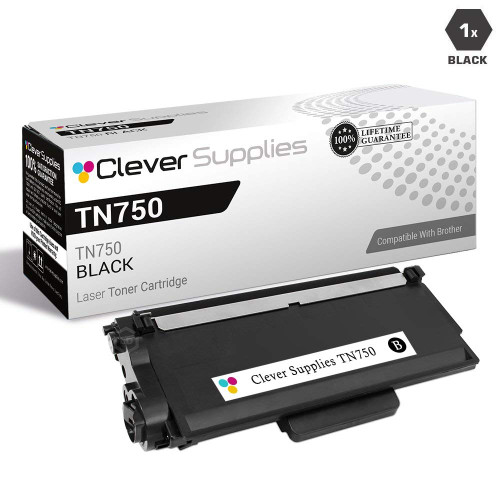 brother tn820 laser toner cartridge compatible black
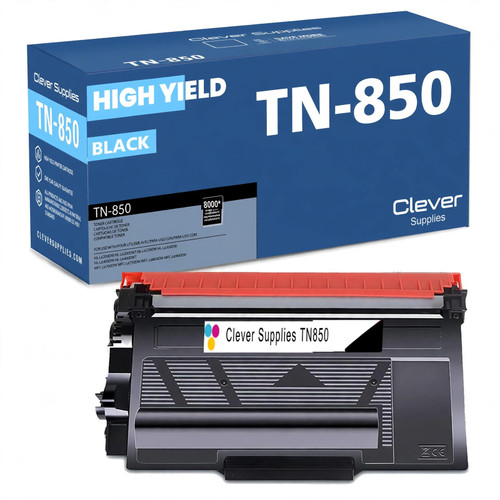 brother tn850 laser toner cartridge compatible high yield bl
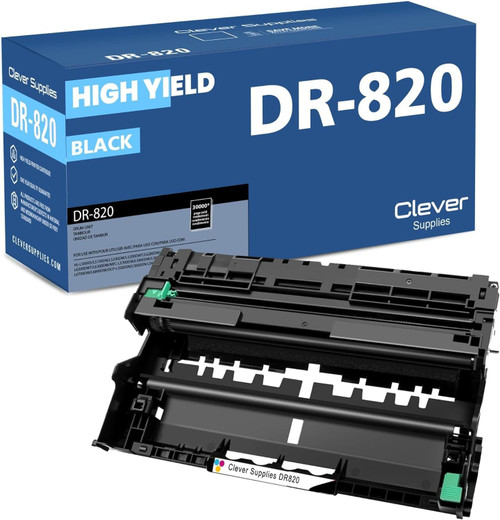 brother dr820 drum unit high yield black
Key takeaways
- The top cartridge here is rated at 8,000 pages — fewer swaps, lower cost per page.
- Lowest cost per page in this family: ~0.36¢ with the highest-yield cartridge.
- Toner and drum are separate parts on this printer — replace only the one the printer asks for.
Other Printers That Use TN850 and DR820
Fourteen sibling models share this machine's TN850 cartridge and DR820 drum. Its nearest relatives are the DCP-L5500DN and DCP-L5600DN, which trade the single-pass feeder for smaller or simpler ones. The print-only shelf holds the HL-L5200DW, HL-L5200DWT, HL-L6200DW, HL-L6200DWT and HL-L6300DW — the three HL-L6xxx printers are also the family's TN880 users. The remaining kin carry fax modems: the MFC-L5700DW, MFC-L5800DW, MFC-L5850DW, MFC-L5900DW, MFC-L6700DW, MFC-L6800DW and MFC-L6900DW. One spare TN850 and one DR820 cover a fleet built from any of them.
Ready to restock? Start from our DCP-L5650DN toner page, which lists every cartridge and drum that fits this printer.