




What Toner Does the Brother MFC-L5715DW Use?
Posted by Clever Supplies on Nov 11th 2026
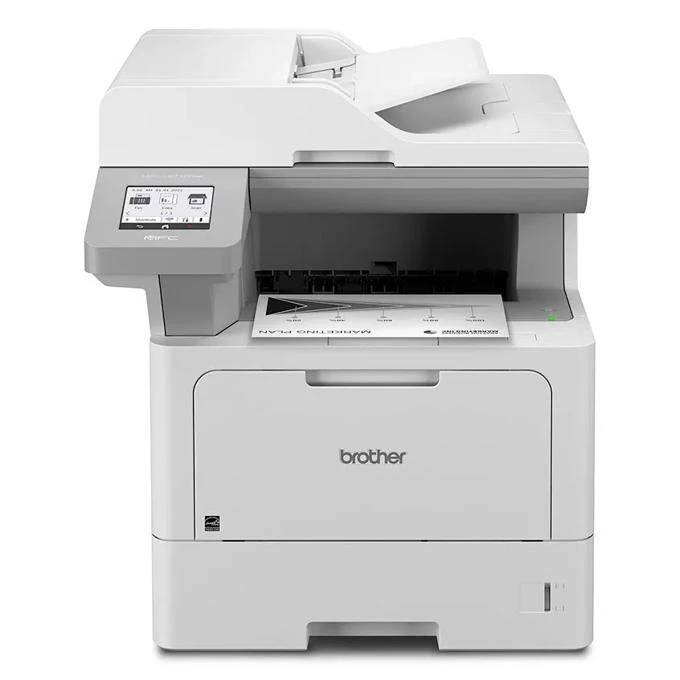
Quick answer: The Brother MFC-L5715DW uses Brother TN920 black toner in all four sizes — TN920 (about 3,000 pages), TN920XL (about 6,000), TN920XXL (about 11,000) and the ultra-high-yield TN920UXXL (about 18,000). Its drum is the DR925, a separate unit rated at roughly 75,000 pages. It also starts life ahead of its siblings: the shipping carton holds a 6,000-page TN920XL rather than the usual standard cartridge.
Spot the Difference: L5715DW vs. L5710DW
These two models are close enough to cause real ordering mistakes, so here is the comparison that matters. Both print and copy at up to 48 pages per minute, both fax, both carry a 50-sheet document feeder and 350 sheets of standard paper capacity growing to 1,390. But the MFC-L5715DW belongs to Brother's Workhorse dealer line, and three supply-side upgrades come with that badge.
First, it accepts the TN920UXXL, the 18,000-page ultra-high-yield cartridge its sibling cannot use. Second, its drum is the longer-lived DR925 at about 75,000 pages, not the 45,000-page DR920. Third, the in-box toner is the 6,000-page XL size — double the head start. Scanning through the feeder runs at up to 28 pages per minute one-sided and 56 images per minute two-sided in black, and the machine is rated for up to 90,000 pages a month with a recommended volume around 5,000. Gigabit Ethernet and dual-band Wi-Fi are both on board.
Yield and Cost for Every Size This Model Accepts
| Cartridge | Brother-rated yield | Our compatible price | Cost per page |
|---|---|---|---|
| TN920 (standard) | ~3,000 pages | $36.19 | About 1.21 cents |
| TN920XL (high yield) | ~6,000 pages | $37.13 | About 0.62 cents |
| TN920XXL (super high yield) | ~11,000 pages | $38.24 | About 0.35 cents |
| TN920UXXL (ultra high yield) | ~18,000 pages | $51.68 | About 0.29 cents |
Prices verified on our product pages, November 2, 2026. The UXXL row is this model's party trick: at under a third of a cent per page, it undercuts even the XXL, and it means one cartridge change can carry a mid-size office through a full quarter. Against that, the standard size reads like a spare-tire option — fine in a drawer for emergencies, expensive as a habit.
Fitting a Fresh Cartridge
1. Power stays on. Open the front cover and draw the drum-and-toner assembly out toward you. 2. Press the green lock lever down and lift the used cartridge out of the drum frame. 3. Rock the new cartridge gently side to side several times, then remove its protective cover. 4. Push it into the drum frame until it locks with a click. 5. Slide the green tab on the drum fully across and back to the arrow, refit the assembly, and close the cover.
A cartridge the machine refuses to recognize is usually a seating or reset issue, not a dead part — work through our TN920 recognition and reset guide before drawing conclusions.
Living With a 75,000-Page Drum
Because this model's drum is the DR925, the usual TN920 bundle advice does not apply, and we would rather explain that than sell you the wrong box. Our toner-and-drum sets pair cartridges with the DR920, which is not the drum Brother specifies here, and we do not currently carry a compatible DR925 — so there is deliberately no set linked in this post.
The economics still work in your favor. A drum rated around 75,000 pages, at a recommended volume near 5,000 pages a month, is a once-every-few-years purchase. Spread across its life it adds a negligible amount to each page, and it asks for no attention in between: the machine tracks its remaining life and warns you before quality suffers. Budget the drum as occasional maintenance, keep a UXXL as your standing spare, and this model's cost per page stays pinned to that 0.29-cent figure for months at a time.
Frequently Asked Questions
Can I use a DR920 drum in the MFC-L5715DW? No. Brother specifies the DR925 for this model, rated at about 75,000 pages. It is the single most important difference between this machine and the MFC-L5710DW, and the two drums should not be treated as interchangeable.
Why is the in-box cartridge bigger than usual? The Workhorse channel models ship with a 6,000-page TN920XL in the carton instead of the standard 3,000-page cartridge. Expect roughly double the run before your first replacement purchase.
Which cartridge gives the lowest running cost here? The TN920UXXL. At our compatible price of $51.68 for about 18,000 pages, it works out near 0.29 cents per page — the cheapest way to run any printer in this family.
Where is this model usually sold? The MFC-L5715DW is part of Brother's Workhorse line, sold through authorized dealer channels rather than general retail shelves, which is why it is less widely listed than the MFC-L5710DW despite the similar name.
Does it still fax and scan to the cloud? Yes. It is a full four-function machine — print, scan, copy and fax — with scan-to destinations including email, network folders, SharePoint and cloud services.
 brother tn920 TN 920 toner cartridge black
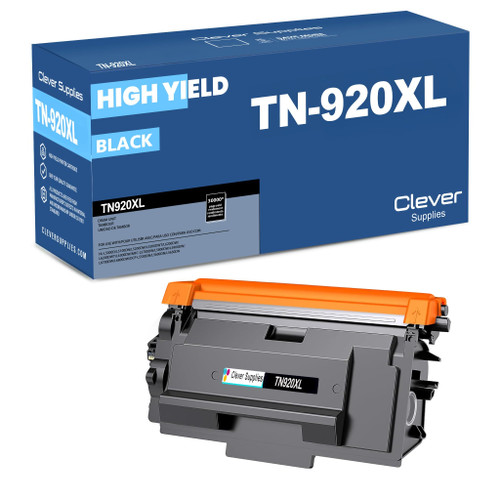 brother tn920xl TN 920xl toner cartridge black
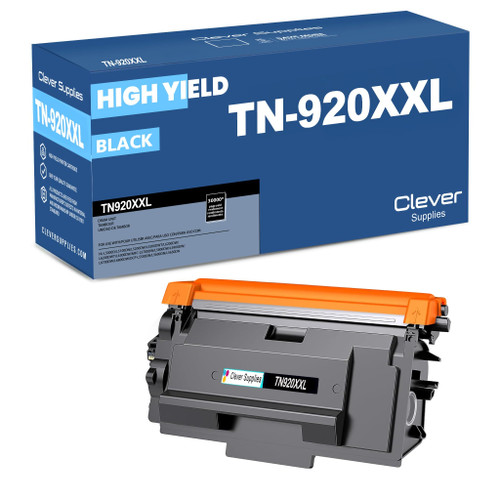 brother tn920xxl TN 920xxl toner cartridge black
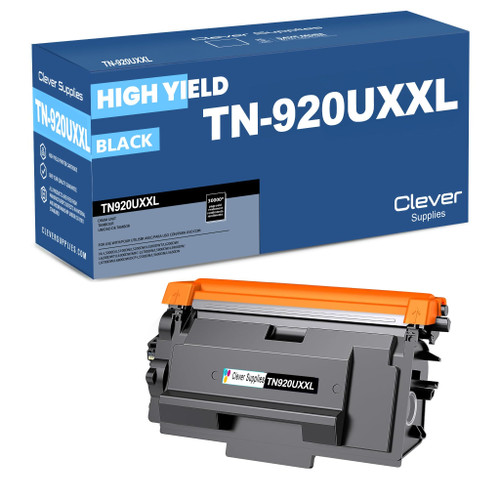 brother tn920uxxl TN 920uxxl toner cartridge black
Key takeaways
- The top cartridge here is rated at 18,000 pages — fewer swaps, lower cost per page.
- Lowest cost per page in this family: ~0.29¢ with the highest-yield cartridge.
- Toner and drum are separate parts on this printer — replace only the one the printer asks for.
Other Printers That Use TN920 Toner
The same cartridge ladder fits the rest of the family below — though most of them pair it with the DR920 drum, so check each model's own guide before ordering a drum:
- HL-L5210DN
- HL-L5210DW
- HL-L5215DW
- HL-L6210DW
- HL-L6310DW
- HL-L6415DW
- HL-L6415DWT
- DCP-L5510DN
- MFC-L5710DW
- MFC-L5915DW
- MFC-L6810DW
Ready to order? Start from our MFC-L5715DW toner page, which lists every cartridge that fits this printer.