




What Toner Does the Brother MFC-L5800DW Use?
Posted by Clever Supplies on Nov 11th 2026
Short answer: the MFC-L5800DW runs on Brother's TN820 standard-yield black toner (about 3,000 pages) or the TN850 high-yield black toner (about 8,000 pages), imaging through a separate DR820 drum unit rated around 30,000 pages. It does not take the TN880. Everything this printer consumes is linked below — TN850, TN820 and the DR820 drum.
Why this model exists: the legal-size scanner
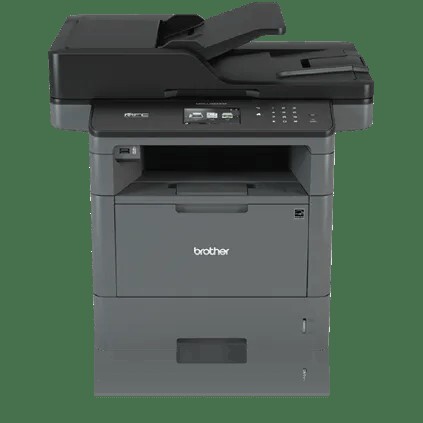
The MFC-L5800DW looks like the entry model in its family, but it was specced for offices that handle paperwork in the literal sense — contracts, closing documents, court filings. Two hardware choices give it away: a legal-size (8.5" × 14") flatbed glass, so oversize originals can be copied and scanned without feeding them through anything, and a 70-sheet auto document feeder, twenty sheets more than the base model carries. Print and copy speeds run up to 42 pages per minute, it prints two-sided automatically, and the 3.7" color touchscreen can hold up to 48 one-tap shortcuts for the scan destinations the office uses daily.
None of that changes what feeds it. Like its 42 ppm siblings, the MFC-L5800DW accepts two toner sizes and stops there.
The supply list, with running costs
| Part | Brother rating | Our compatible price | Cost per page |
|---|---|---|---|
| TN820 toner, standard yield | ~3,000 pages | $29.07 | ≈1.0¢ |
| TN850 toner, high yield | ~8,000 pages | $29.07 | ≈0.36¢ |
| DR820 drum unit | ~30,000 pages | $30.04 | ≈0.10¢ |
Prices checked on our product pages on November 2, 2026. Because our TN820 and TN850 singles are priced identically, the arithmetic is not close: the TN850 prints roughly 2.7 times as many pages for the same money, which is why nearly every MFC-L5800DW still in service runs on it. Total supply cost with the TN850 in place works out to under half a cent per printed page.
A supply question this model draws constantly: does all that scanning shorten drum life? No — the drum only turns on pages that are printed or copied. A legal office that scans ten thousand pages a year but prints modestly will see its DR820 last for years.
Changing the toner
1. Power stays on. Open the front cover and give the interior a couple of minutes if the machine has been running hard. 2. Grip the handle of the drum-and-toner assembly and draw it out toward you. 3. Press down the green lever, and the toner cartridge lifts free of the drum frame. 4. Shake the replacement cartridge from side to side a few times before opening it, then pull the protective strip and cover clear. 5. Push it into the drum frame until the lever clicks back up, and run the green tab along the corona wire several times, parking it back at its marker. 6. Refit the assembly, close up, and wait for the ready light before sending the next job.
Should a "Replace Toner" or "Toner Not Recognized" warning survive a correctly fitted cartridge, follow the steps in our TN820, TN850 and TN880 reset guide — this generation sometimes needs its page counter reset by hand.
About the drum — the cost people forget to budget
The drum is not part of the toner cartridge on this printer. The DR820 is a separate frame the toner clicks into, rated by Brother at approximately 30,000 pages on a one-page-per-job basis (longer jobs stretch it toward 50,000). At our $30.04 price that is about a tenth of a cent per page — worth knowing, because the warning arrives as a surprise in year three or four of ownership, long after the purchase paperwork is filed away.
We don't sell a combined TN850-plus-drum set for this model — the drum-and-toner bundles in our catalog are built around a 12,000-page cartridge the MFC-L5800DW can't accept — so toner and drum are ordered as separate line items. The practical guidance is simple: if your drum counter is young, order toner alone and ignore any urge to stockpile; when the "Replace Drum" notice lands, that is the moment the drum earns its place in the cart.
Frequently asked questions
Can I scan legal-size pages on the flatbed and through the feeder? Yes to both — the document glass itself is legal-size on this model, which is its defining feature, and the 70-sheet feeder handles legal sheets as well.
My supplier lists the TN880 for this printer. Are they right? No. The TN880's 12,000-page cartridge fits the MFC-L6700DW, MFC-L6800DW and MFC-L6900DW and the HL-L6200/L6300/L6400 printers. The MFC-L5800DW tops out at the TN850.
The screen says "Drum End Soon." Should I buy a drum now? It means the DR820 is approaching its rated life. Print quality usually holds for a while yet; order the drum so it is on hand, and swap it when output starts to fade or streak, or when the machine insists.
Does copying from the glass use toner the same way printing does? Yes — a copy is a printed page as far as both the toner and drum counters are concerned. Scanning to email or a folder uses neither.
How long will a TN850 last in a small office? At 8,000 rated pages, an office printing 500 pages a month gets well over a year from one cartridge. That long service life is exactly why the high-yield cartridge is the default recommendation for this model.
Other printers that use TN820, TN850 and DR820
One supply shelf serves this whole Brother generation. The MFC-L5800DW's stablemates in our catalog: the HL-L5200DW, HL-L5200DWT, HL-L6200DW, HL-L6200DWT and HL-L6300DW printers; the DCP-L5500DN, DCP-L5600DN and DCP-L5650DN; and the MFC-L5700DW, MFC-L5850DW, MFC-L5900DW, MFC-L6700DW, MFC-L6800DW and MFC-L6900DW all-in-ones. If a cartridge order gets shared between machines, the TN820 and TN850 move freely among all of them — with one caution: the MFC-L6900DW images through a DR890 drum rather than the DR820, and the three biggest MFCs add the TN880 as a third toner option.
When you're ready to restock, our MFC-L5800DW toner page collects everything that fits this machine in one place.
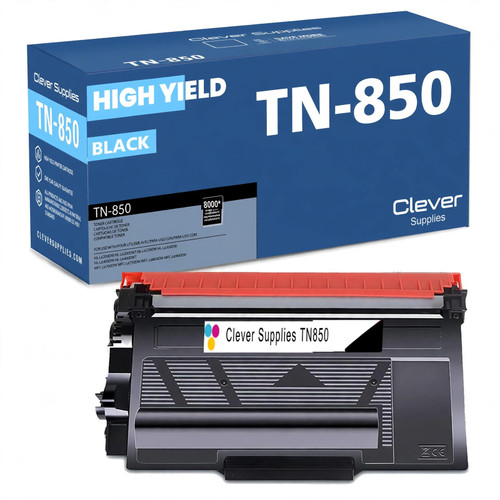 brother tn850 laser toner cartridge compatible high yield bl
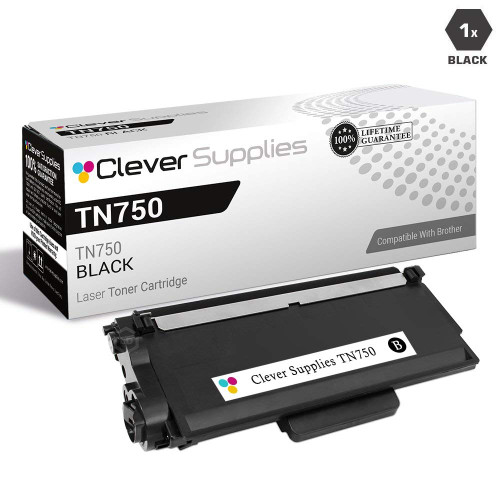 brother tn820 laser toner cartridge compatible black
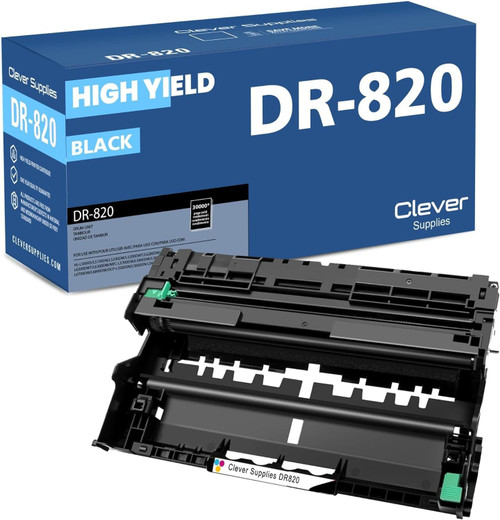 brother dr820 drum unit high yield black
Key takeaways
- The top cartridge here is rated at 8,000 pages — fewer swaps, lower cost per page.
- Lowest cost per page in this family: ~0.36¢ with the highest-yield cartridge.
- Toner and drum are separate parts on this printer — replace only the one the printer asks for.