




What Toner Does the Brother MFC-L5700DW Use?
Posted by Clever Supplies on Nov 10th 2026
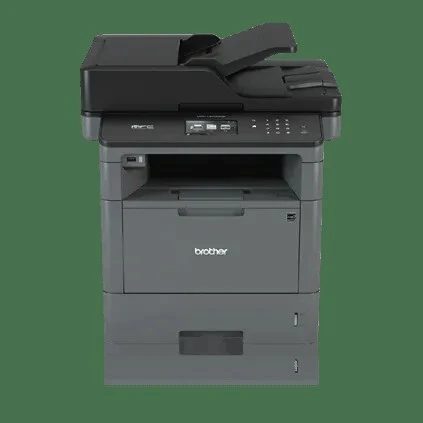
Quick answer: The Brother MFC-L5700DW uses Brother TN820 standard-yield black toner (about 3,000 pages) or the TN850 high-yield black toner (about 8,000 pages), with the separate DR820 drum unit (about 30,000 pages). The TN850 is the largest cartridge this model accepts — the TN880 does not fit. Our compatible TN850 and TN820 are both linked below with live prices.
The two cartridges that fit — and the one that doesn't
Plenty of listings lump this whole Brother generation together, so let's be precise about the MFC-L5700DW. It takes exactly two toner sizes:
- TN820 — standard yield, rated at roughly 3,000 pages.
- TN850 — high yield, rated at roughly 8,000 pages.
The TN880 super high-yield cartridge belongs to the bigger MFC-L6700DW-class machines and will not work here, even though it looks similar on the shelf. If a buying guide tells you this printer accepts a 12,000-page cartridge, it has confused the L5700DW with its larger siblings.
Under the toner sits the DR820 drum unit, a separate part rated at about 30,000 pages (Brother's figure at one page per job; longer print runs stretch it further). Toner and drum are bought and replaced independently on this model — a "Replace Drum" message never means you also need toner, and vice versa.
What each page costs
Prices below are from our compatible cartridges, checked November 2, 2026. One quirk worth knowing: the TN820 and TN850 sit at the same shelf price on our store, so the high-yield cartridge wins the running-cost comparison outright.
| Cartridge | Rated yield | Our price | Cost per page |
|---|---|---|---|
| TN820 standard yield | ~3,000 pages | $29.07 | ≈1.0¢ |
| TN850 high yield | ~8,000 pages | $29.07 | ≈0.36¢ |
| DR820 drum unit | ~30,000 pages | $30.04 | ≈0.10¢ |
At roughly 0.36 cents per page for toner plus a tenth of a cent for the drum, a TN850-based MFC-L5700DW costs well under half a cent a page in supplies. The TN820 only makes sense if the printer is being retired soon or prints a few pages a month.
Swapping the cartridge
1. Leave the machine on, open the front cover, and let it sit a few minutes if it has just printed a long run. 2. Pull the combined drum-and-toner assembly straight out by its handle. 3. Push the green lock lever and lift the old toner out of the drum frame. 4. Unpack the new cartridge, rock it gently side to side five or six times, and remove the protective cover. 5. Seat it in the drum until it clicks, then slide the green corona-wire tab back and forth several times, returning it to its home position. 6. Slide the assembly back in, close the cover, and let the machine run its short calibration.
If the display still says "Replace Toner" with a fresh cartridge installed, work through our TN820/TN850/TN880 reset guide — on this generation the counter sometimes needs a manual reset before the warning clears.
Built for a small workgroup that scans as much as it prints
- 42 ppm with a 50-sheet document feeder. Print and copy speeds reach 42 pages per minute, and the 50-page capacity auto document feeder on top handles the scanning side — walk-up copying and scanning are half of what this machine does in most offices.
- A 3.7" color touchscreen with 48 shortcut slots. Scan-to destinations like email, folders and cloud services can be pinned as one-tap shortcuts, which is why this model ended up as the shared machine in so many small offices.
- Paper that grows with you. It starts at 300 sheets (250-sheet tray plus a 50-sheet multi-purpose tray) and expands to 1,340 sheets with optional trays — fewer mid-job refills as volume climbs.
- Wireless and Ethernet together. Built-in 802.11b/g/n Wi-Fi and wired Ethernet mean it can be shared over whichever network the office already runs, with automatic duplex printing as standard.
The drum, in plain numbers
Because the DR820 is rated around 30,000 pages, expect to buy roughly one drum for every four TN850 cartridges. At $30.04, the drum adds about a tenth of a cent to each page — small, but it is the cost owners most often forget when comparing this machine's running costs against newer models where the drum is built into every cartridge. Our store doesn't bundle a TN850-and-drum set for this model (the drum-and-toner sets in our catalog pair the drum with a 12,000-page cartridge this printer can't use), so the two parts are bought separately here — the honest counterpoint is that with a young drum, a toner alone is all you ever need to order.
Frequently asked questions
Will the TN880 cartridge work in my MFC-L5700DW? No. The TN880 fits the larger MFC-L6700DW, MFC-L6800DW and MFC-L6900DW. The biggest cartridge the MFC-L5700DW accepts is the TN850 at about 8,000 pages.
How do I know whether it needs toner or the drum? The display names the part: "Toner Low" or "Replace Toner" points to the cartridge; "Drum End Soon" or "Replace Drum" points to the DR820. Fading, streaky output with plenty of toner left is also usually the drum nearing the end of its rated life.
Can I keep printing after the toner-low warning appears? Usually for a while — the warning is an estimate based on coverage, not an empty sensor. Keep a spare on the shelf, though; once the machine decides the cartridge is empty it will stop mid-queue.
Does scanning wear out the drum or toner? Scanning and faxing use neither. Only printed and copied pages count against the toner and drum ratings, so a scan-heavy office can still get long life from both.
Is this printer still worth feeding? Brother has discontinued it, but while it prints cleanly it remains one of the cheapest-per-page machines we supply parts for — under half a cent a page with the TN850 and DR820 above.
Other printers that use TN820, TN850 and DR820
This supply family is shared across Brother's mono laser line of the same generation. The other models our catalog covers:
- HL-L5200DW
- HL-L5200DWT
- HL-L6200DW
- HL-L6200DWT
- HL-L6300DW
- DCP-L5500DN
- DCP-L5600DN
- DCP-L5650DN
- MFC-L5800DW
- MFC-L5850DW
- MFC-L5900DW
- MFC-L6700DW
- MFC-L6800DW
- MFC-L6900DW (toner yes — note it uses a different drum, the DR890)
Note that the top three MFC models on that list also accept the TN880; on the MFC-L5700DW and its 42 ppm siblings, the TN850 is as far as the range goes.
Ready to order? Start from our MFC-L5700DW toner page, which lists every cartridge and pack that fits this printer.
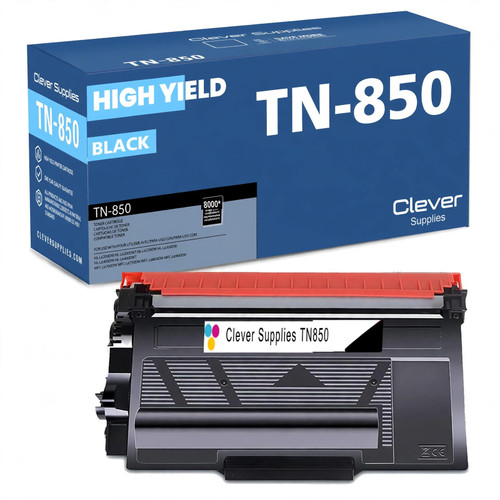 brother tn850 laser toner cartridge compatible high yield bl
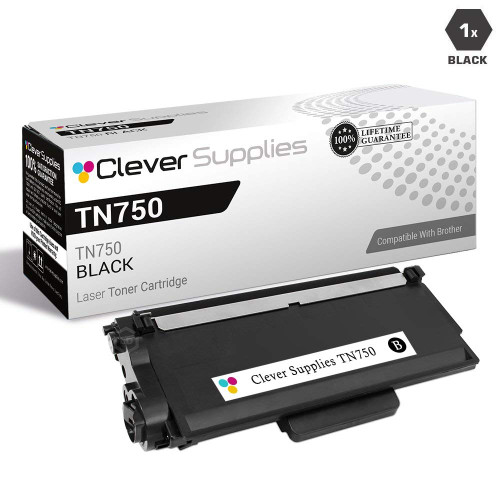 brother tn820 laser toner cartridge compatible black
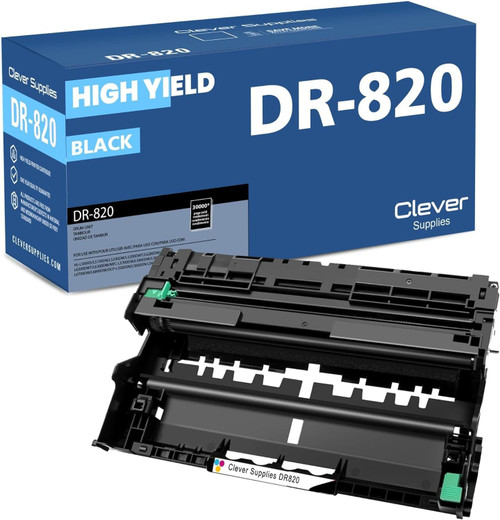 brother dr820 drum unit high yield black
Key takeaways
- The top cartridge here is rated at 8,000 pages — fewer swaps, lower cost per page.
- Lowest cost per page in this family: ~0.36¢ with the highest-yield cartridge.
- Toner and drum are separate parts on this printer — replace only the one the printer asks for.