




What Toner Does the Brother DCP-L2550DW Use?
Nov 2nd 2026
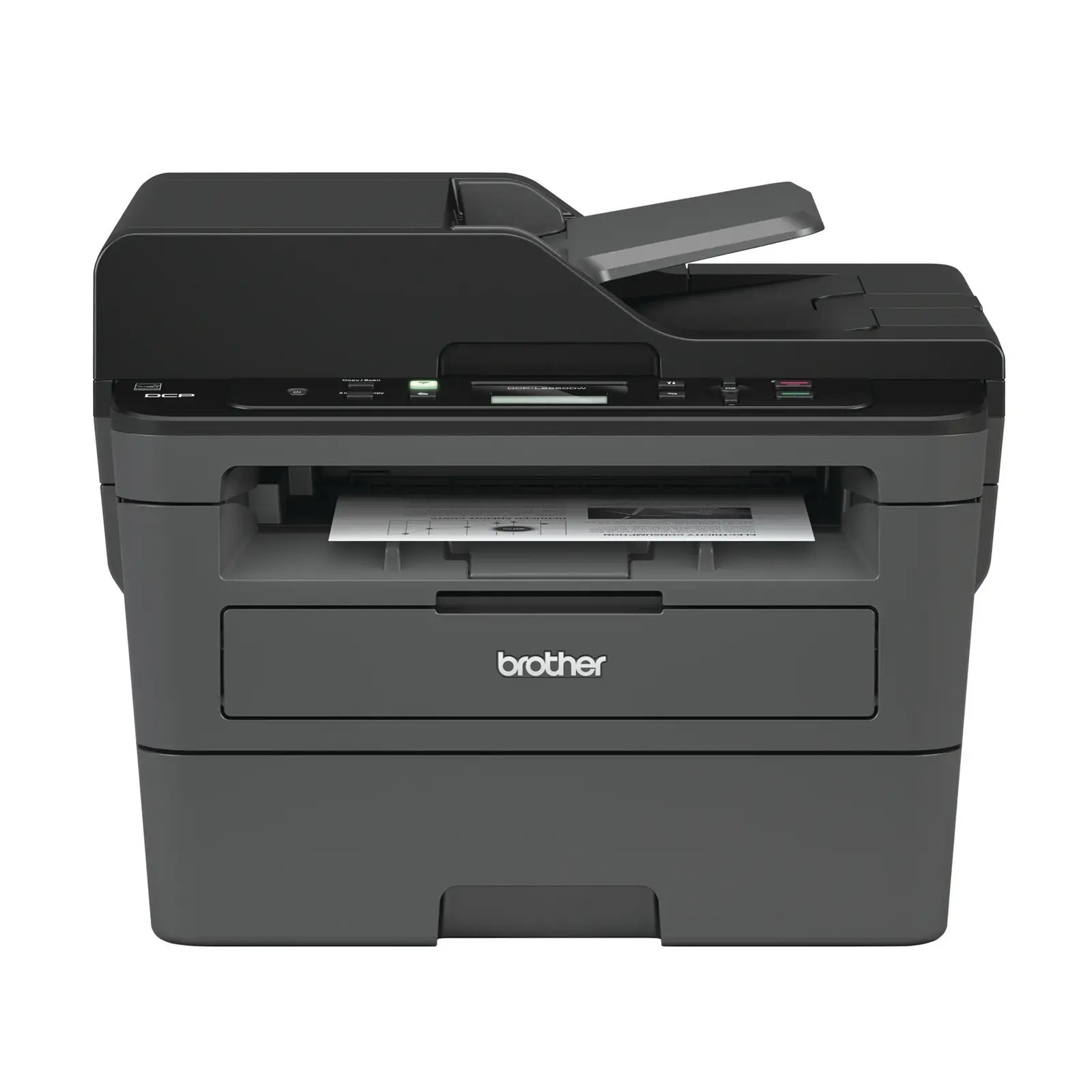
Quick answer: The Brother DCP-L2550DW uses TN730 standard-yield toner (about 1,200 pages) or TN760 high-yield toner (about 3,000 pages), together with a DR730 drum unit rated for about 12,000 pages. It takes one black cartridge at a time, and the drum is replaced separately, far less often.
The Only Feeder in This Group
Of the six models covered in this round of guides, the DCP-L2550DW alone has an automatic document feeder — a 50-sheet ADF sitting above its flatbed. That single feature changes the machine's working life. Instead of copying page by page, it swallows stacks: the full rental agreement, the term's worth of handouts, the archive box being digitized before it goes to storage.
The rest of the specification supports the throughput. Printing and copying run at up to 36 pages per minute, duplex printing is automatic, the tray holds 250 sheets, and Wi-Fi, Ethernet and USB cover every connection style. A 2-line LCD runs the panel — there is no fax, because the DCP line leaves telephony to the MFC models, and no touchscreen.
What High Throughput Does to the Toner Bill
| Supply | Rated yield | Our compatible price | Cost per page |
|---|---|---|---|
| TN760 high-yield toner | ~3,000 pages | $25.26 | ~0.8¢ |
| TN730 standard toner | ~1,200 pages | $25.26 | ~2.1¢ |
| DR730 drum unit | ~12,000 pages | $28.55 | ~0.2¢ |
Feeder work inflates page counts in a way owners underestimate: a 40-page document copied twice is 80 pages of toner, gone in minutes. At a feeder-driven volume, a standard cartridge can last a fortnight. The high-yield cartridge's roughly 0.8-cent cost per page — at a shelf price identical to the standard listing here — makes the TN760 the working default for this model, and the drum's turn arrives sooner too: 12,000 pages passes quickly at stack-copying speed. Ratings assume 5% coverage, so dark, dense originals will pull real yields down.
Fitting a Fresh Cartridge
Power on, open the front cover, and pull the drum assembly out toward you. Press the green lever to release the empty cartridge. Give the new cartridge a few gentle side-to-side rocks, remove the protective cover, and push it into the drum until it seats with a click. Slide the green corona-wire tab all the way across and back to the arrow mark, refit the assembly and close the cover. If the panel keeps reporting a toner problem on a cartridge you know is new, the counter likely needs resetting — see our TN760 reset and recognition guide rather than replacing the replacement.
Stocking for a Workhorse: The Combined Set
Machines that process stacks should not be fed one emergency cartridge at a time. The TN760 toner and DR730 drum set keeps both wear parts in the building: one shipment, a matched pair, priced at $37.73 on November 2, 2026 against $53.81 for the two items ordered apart — about $16 saved. The drum-and-two-toner set fits this model's appetite particularly well, and a two-drum, two-toner set covers roughly 24,000 pages of supplies in a single purchase.
The judgment call stays the same as everywhere in this family: a fresh drum does not need a spare beside it. While the installed drum is in its first half of life, order toner alone. Once it is past halfway — which, on this printer, may come sooner than you expect — the set is the efficient way to restock.
Questions From DCP-L2550DW Owners
Can the feeder scan both sides of a page automatically? No. The ADF is single-sided; two-sided originals need a manual flip and a second pass, though print output can still be duplexed automatically.
Is there really no fax on a business-looking machine like this? Really none. DCP models are print, copy and scan only. If fax matters, the MFC models in the family list below include it and use these same cartridges and drum.
Why does my toner seem to vanish faster than the rating suggests? Usually volume, not waste. Feeder copies count page for page, and coverage on copied documents often runs above the 5% the rating assumes. Track a month of the printer's page counter against cartridge life for your true figure.
Can it scan straight to a folder on our network? Yes — scan-to destinations including network folders and email are supported over its Ethernet and Wi-Fi connections, set up through the printer's web interface or Brother's software.
A line appears on everything the feeder scans but not on flatbed copies. Supplies? No — that is the feeder's narrow glass strip collecting a speck of dirt. Clean the thin glass strip under the feeder lid. Toner and drum faults appear on ordinary prints too.
Does the drum from our MFC-L2710DW fit this printer? Yes. The DR730 is common to the entire family listed below, as are both toner sizes — spares can be shared between machines.
 brother tn760 tn760 toner cartridge black
 brother tn760 tn760 tn730 toner cartridge black
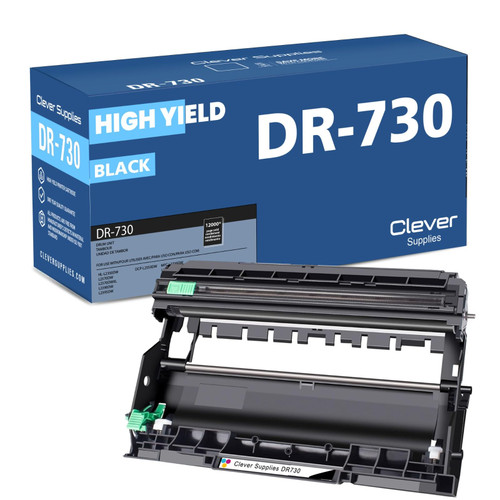 brother dr730 dr730 toner cartridge black
 brother tn760 dr730 black drum and toner set
Key takeaways
- The top cartridge here is rated at 3,000 pages — fewer swaps, lower cost per page.
- Lowest cost per page in this family: ~0.8¢ with the highest-yield cartridge.
- Toner and drum are separate parts on this printer — replace only the one the printer asks for.
Other Printers That Use TN730, TN760 and DR730
Twelve models run on this family of supplies. The print-led HL models are the HL-L2350DW, HL-L2370DW, HL-L2370DWXL, HL-L2390DW and HL-L2395DW. The MFC models — which add fax, and in the largest case a feeder and touchscreen of their own — are the MFC-L2690DW, MFC-L2710DW, MFC-L2717DW, MFC-L2750DW and MFC-L2750DWXL. Everything for this machine is collected on the DCP-L2550DW category page.