




What Toner Does the Brother MFC-7240 Use?
Posted by Clever Supplies on Nov 17th 2026
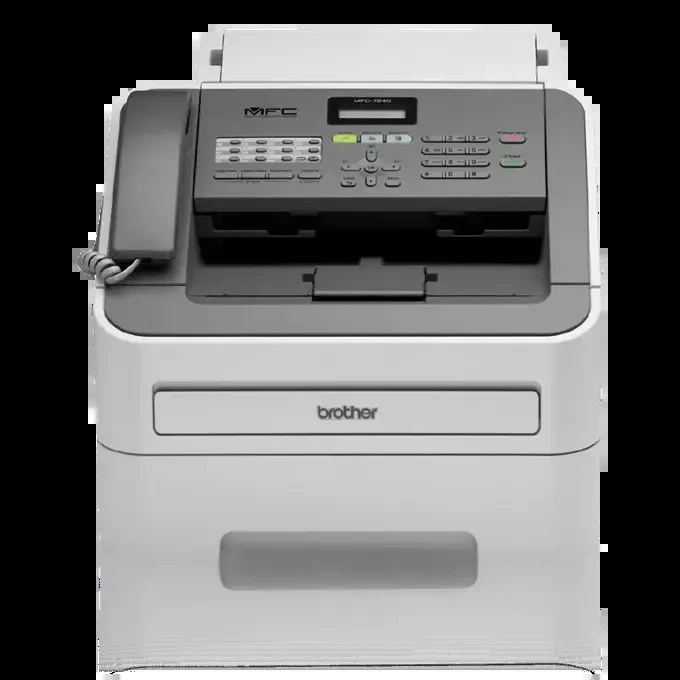
Quick Answer: The Brother MFC-7240 uses TN420 black toner (standard yield, about 1,200 pages) or TN450 black toner (high yield, about 2,600 pages), with a separate DR420 drum unit rated for around 12,000 pages. Everything it prints, copies and faxes onto paper comes from that one black cartridge.
The Fax-Era All-in-One That Refuses to Retire
The MFC-7240 was the entry point of its all-in-one line: printing and copying at up to 21 pages per minute, color scanning, a built-in fax, and a 20-page automatic document feeder, all in a compact body connected to a single computer by USB. No network port, no duplex unit — and for the small offices and home workstations that still run one, no real reason to replace it, either. Machines like this survive because their one ongoing need, toner, stayed cheap. This page is about keeping it that way.
Two model-specific facts shape its supply story. First, the fax is a genuine toner consumer: every incoming fax lands on paper through the same cartridge as your printing, and its 400-page fax memory can hold a queue of received documents waiting to print. Second, the MFC-7240 shipped with a starter cartridge of only about 700 pages, so if your first replacement felt overdue, that was by design — retail cartridges hold far more.
Prices and Cost Per Page
| Supply | Rated yield | Our compatible price* | Cost per page |
|---|---|---|---|
| TN420 | ~1,200 pages | $23.59 | ~2.0¢ |
| TN450 | ~2,600 pages | $23.59 | ~0.9¢ |
| DR420 drum | ~12,000 pages | $26.52 | ~0.2¢ |
*Prices read from the product pages on November 2, 2026; they can change. Yields are Brother's ratings at 5% coverage.
Our TN420 and TN450 are priced the same at $23.59. On a fax-receiving machine — where you do not control how many pages other people send you — the TN450's 2,600 pages at about 0.9¢ each are the safer standing choice. Running dry on a printer is an inconvenience; running dry on the fax line can mean lost documents sitting in memory.
How to Replace the Toner Cartridge
1. Leave the MFC-7240 on, open the front cover, and slide the drum-and-toner assembly out toward you. 2. Rest the assembly on paper, push the green lock lever down, and lift the old cartridge out of the drum. 3. Rock the replacement cartridge gently from side to side, then remove its protective cover. 4. Click the cartridge into the drum until the lever springs up, and slide the drum's green tab across and back to clean the corona wire, parking it back at its mark. 5. Slide the assembly into the machine, close the cover, and let it return to Ready.
One Box for Toner Day and Drum Day
The DR420 beneath the cartridge is rated for roughly 12,000 pages of printing, copying and fax output combined. When it comes due, our TN450 + DR420 drum and toner set supplies the drum and a high-yield cartridge together for $34.03 — $16.08 less than the $50.11 separate total. The honest qualifier: while the drum still has thousands of pages left, the toner alone at $23.59 is the complete purchase, and the set should wait for drum day.
The Quiet Arithmetic of Keeping One
Price a replacement all-in-one with the same fax, feeder and copying abilities, then price five years of TN450 cartridges for the MFC-7240 you already own. For most light-duty offices the cartridges win by a wide margin — often the entire five-year supply costs less than the new machine alone, before its own, usually pricier, cartridges enter the ledger. That is the real reason this generation refuses to retire, and it holds as long as the drum and cartridge stay this available and this inexpensive, which the family's sixteen-model installed base all but guarantees.
Frequently Asked Questions
Do received faxes really use the same toner as printing? Yes. A fax arrives as data and is printed by the same laser engine, cartridge and drum as everything else. Busy fax lines are a real, if invisible, toner cost.
Why did the first cartridge in my MFC-7240 run out so fast? Brother shipped this model with a starter cartridge rated at about 700 pages. Both retail replacements hold substantially more — 1,200 for the TN420, 2,600 for the TN450.
Can the MFC-7240 print from the office network? No — it connects to one computer by USB, though that computer can of course share it. Its supplies are unaffected: TN420, TN450 and DR420, the same as its networked siblings.
How do I tell a toner problem from a drum problem? Fading that a fresh cartridge cures was toner. Repeating spots, lines or a gray wash that ignore a new cartridge point to the DR420 drum — try cleaning the corona wire with the green tab before condemning it.
My fax pages come out light but prints look fine — why? Check the scanner glass and the sending machine's original before blaming supplies: fax output can only be as dark as the scan it received. If ordinary prints fade too, rock the cartridge to redistribute its toner.
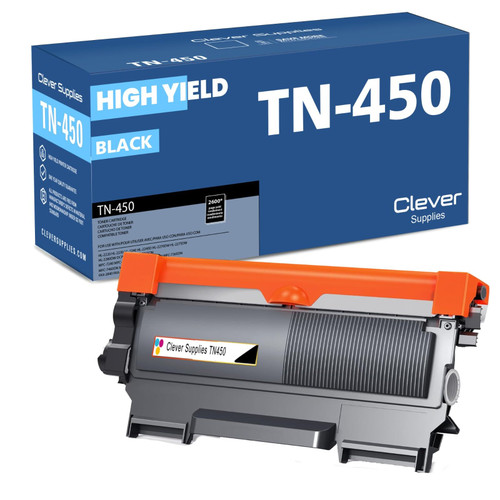 brother tn420 tn420 toner cartridge black
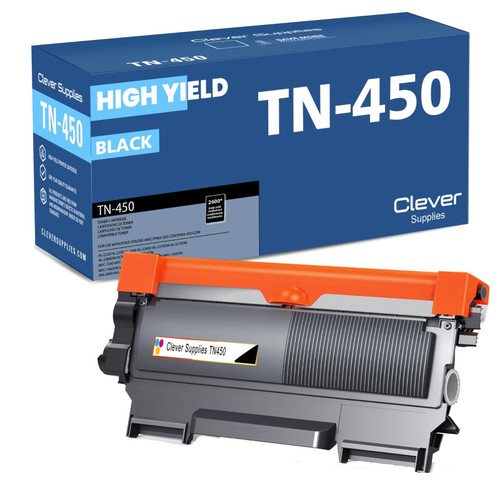 brother tn450 tn450 toner cartridge black
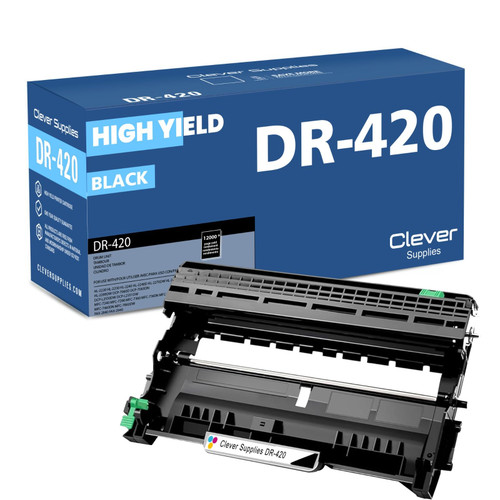 brother dr420 dr420 toner cartridge black
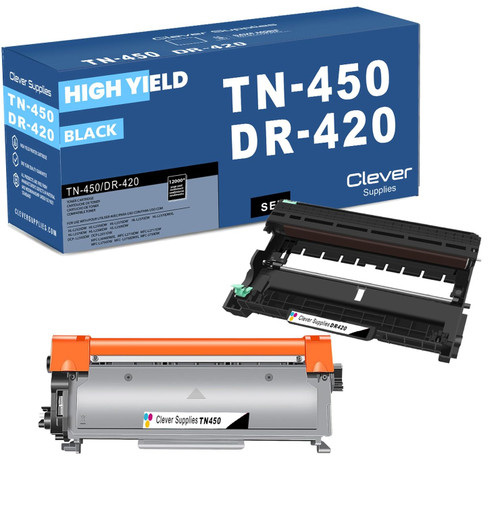 brother tn450 dr420 black drum and toner set
Key takeaways
- The top cartridge here is rated at 2,600 pages — fewer swaps, lower cost per page.
- Lowest cost per page in this family: ~0.9¢ with the highest-yield cartridge.
- Toner and drum are separate parts on this printer — replace only the one the printer asks for.
Other Printers That Use TN420, TN450 and DR420
The MFC-7240 shares its cartridge and drum with fifteen other models:
- HL-2220
- HL-2230
- HL-2240
- HL-2240D
- HL-2270DW
- HL-2275DW
- HL-2280DW
- DCP-7060D
- DCP-7065DN
- MFC-7360N
- MFC-7365DN
- MFC-7460DN
- MFC-7860DW
- FAX-2840
- FAX-2940
Ready to order? Start from our MFC-7240 toner page, which lists every cartridge, drum and set that fits this printer.