




What Toner Does the Brother HL-2240 Use?
Posted by Clever Supplies on Nov 12th 2026
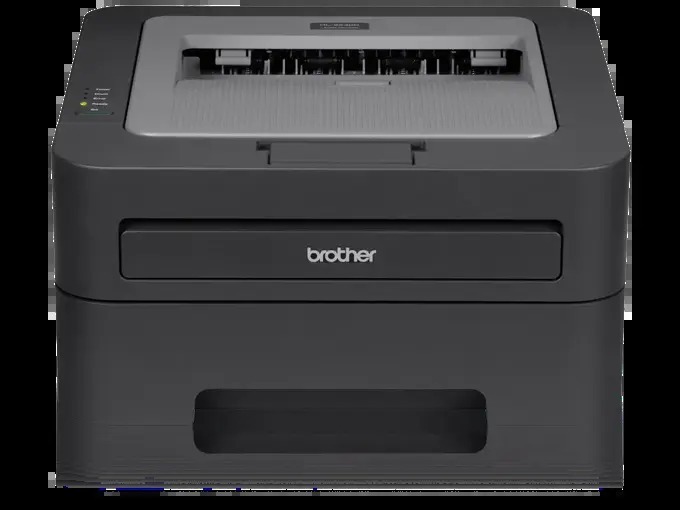
Quick Answer: The Brother HL-2240 uses TN420 black toner (standard yield, roughly 1,200 pages) or TN450 black toner (high yield, roughly 2,600 pages). Both cartridges sit inside a separate DR420 drum unit rated for about 12,000 pages. It is a black-only machine — there are no color cartridges to track down.
The HL-2240 is close to the reference design for this whole family: a compact 24 ppm laser printer with a 250-sheet tray, a USB connection and a manual feed slot, sold in enormous numbers to homes and small offices. If you own one, you own one of the cheapest printers in the world to keep running. This page covers which cartridge to buy, what it should cost you per page, and how the drum fits into the picture.
TN420 vs. TN450: The Only Real Decision
| TN420 (standard) | TN450 (high yield) | |
|---|---|---|
| Rated pages | ~1,200 | ~2,600 |
| Our compatible price* | $23.59 | $23.59 |
| Cost per page | ~2.0¢ | ~0.9¢ |
| Product page | TN420 | TN450 |
*Prices checked November 2, 2026; they can change. Yields are Brother's, at 5% coverage.
Because our two cartridges are priced identically, the high-yield TN450 wins on every measure that matters: less than half the per-page cost and less than half the cartridge changes. The standard TN420 keeps a narrow role — a printer being sold, donated or retired that only needs to survive a few hundred more pages. Everything else points to the TN450, and because the HL-2240 has no automatic duplex and serves one computer over USB, its printing is the predictable, text-heavy kind that lets a cartridge reach close to its rated yield.
And the Drum Underneath
New Brother owners are often surprised that changing the toner does not change everything. On the HL-2240 the cartridge clicks into a DR420 drum unit ($26.52, about 12,000 pages, ~0.2¢ per page) that images every page you print. Toner is the ink; the drum is the printing surface. You will replace roughly four or five TN450 cartridges before the drum asks for attention, and the printer distinguishes the two clearly in its messages: "Replace Toner" is the cartridge, while repeating spots or a gray wash that a new cartridge does not fix points at the drum.
How to Replace the Toner Cartridge
1. Leave the HL-2240 switched on and open its front cover. 2. Draw the drum-and-toner assembly out and set it on a clean sheet of paper. 3. Press the green lock lever, lift the old cartridge clear of the drum, and set it aside. 4. Give the new cartridge a gentle side-to-side rock — five or six times — before removing its protective cover. 5. Click the cartridge into the drum until the lever rises on its own, then slide the drum's green tab across and back to clean the corona wire, returning the tab to the arrow. 6. Refit the assembly, close the cover, and wait for the Ready light.
One Box That Covers Both Parts
There is a tidy way to handle the drum's eventual turn. Our TN450 + DR420 set combines the high-yield cartridge and a fresh drum for $34.03, saving $16.08 against the $50.11 separate total. It is the right buy when the drum counter is high or print defects have started shadowing your pages. It is the wrong buy for a young drum, which will outlast several more cartridges — in that case the toner alone, at the same $23.59, is all you need.
What a Year of HL-2240 Printing Looks Like
Put the numbers together and the ownership picture is hard to argue with. A home office printing 200 pages a month — a fairly busy one — consumes about 2,400 pages a year: a single TN450, at $23.59, covers it with pages to spare, and the DR420 drum will not come due for roughly five years at that pace. Even tripling the volume keeps annual toner spending under the cost of one genuine cartridge for many newer machines. That arithmetic, more than anything, is why so many HL-2240s are still in daily service.
Frequently Asked Questions
Why did my first cartridge run out so much faster than the second? The HL-2240 shipped with a starter cartridge of roughly 700 pages. Retail TN420 and TN450 cartridges hold considerably more, so replacements last noticeably longer.
Is the TN450 physically bigger or heavier to install? No. It uses the same shell and the same slot in the DR420 drum. The extra yield is in the toner fill, not the dimensions, and the printer needs no adjustment.
My pages have a repeating mark down the sheet. Toner or drum? A defect that repeats at a fixed interval and survives a cartridge change lives on the drum's surface. Clean the corona wire first with the green tab; if the mark persists, the DR420 is due.
Can I keep printing after "Toner Low" appears? Yes — that message is a warning, not a halt. It is your cue to order. "Replace Toner" is the one that eventually stops the machine, and even then a rock-and-reseat of the cartridge often buys a few more pages.
Does the HL-2240 take the same toner as the HL-2240D? Exactly the same — TN420, TN450 and the DR420 drum are shared across the entire family listed below; the D model simply adds automatic two-sided printing.
 brother tn420 tn420 toner cartridge black
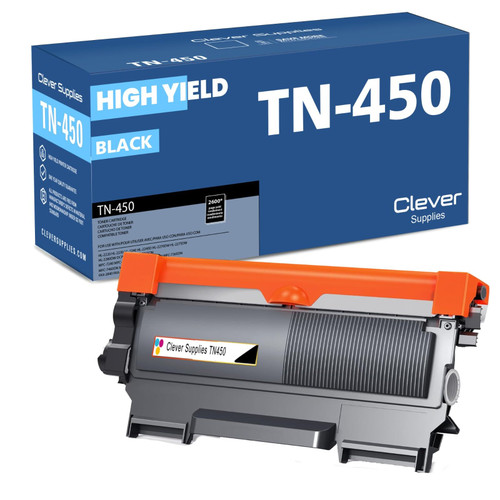
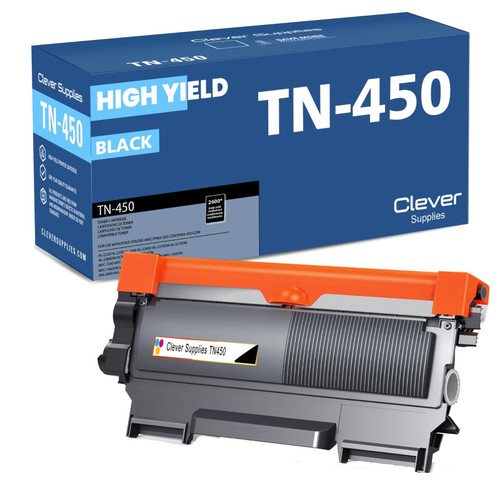 brother tn450 tn450 toner cartridge black
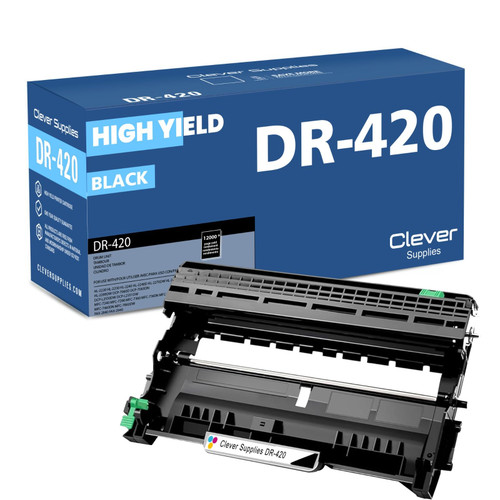 brother dr420 dr420 toner cartridge black
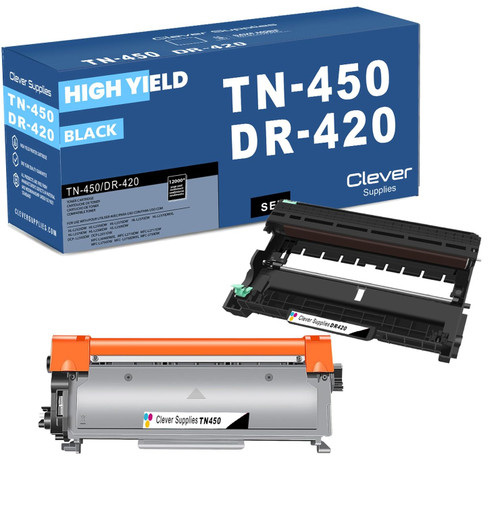 brother tn450 dr420 black drum and toner set
Key takeaways
- The top cartridge here is rated at 2,600 pages — fewer swaps, lower cost per page.
- Toner and drum are separate parts on this printer — replace only the one the printer asks for.
Other Printers That Use TN420, TN450 and DR420
The HL-2240 shares its supplies with fifteen other Brother models:
- HL-2220
- HL-2230
- HL-2240D
- HL-2270DW
- HL-2275DW
- HL-2280DW
- DCP-7060D
- DCP-7065DN
- MFC-7240
- MFC-7360N
- MFC-7365DN
- MFC-7460DN
- MFC-7860DW
- FAX-2840
- FAX-2940
Ready to order? Start from our HL-2240 toner page, which lists every cartridge, drum and set that fits this printer.