




What Toner Does the Brother HL-2220 Use?
Posted by Clever Supplies on Nov 10th 2026
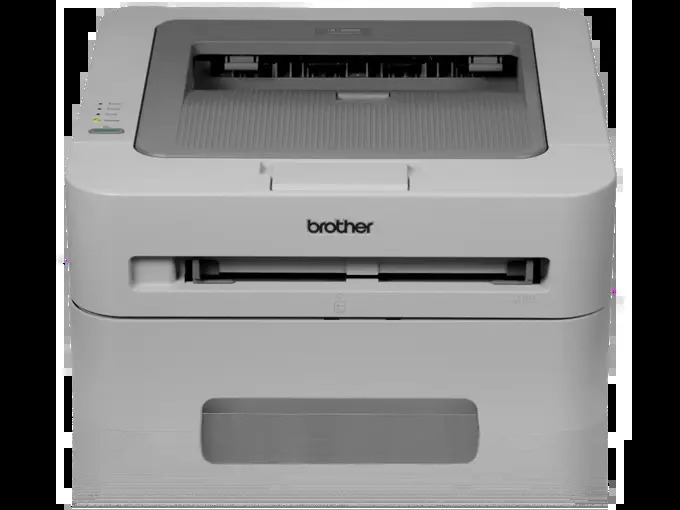
Quick Answer: The Brother HL-2220 uses TN420 black toner (standard yield, about 1,200 pages) or TN450 black toner (high yield, about 2,600 pages). Either cartridge drops into the same DR420 drum unit, which is rated for roughly 12,000 pages and is replaced separately, far less often. One cartridge type only — this is a monochrome printer, so black is the whole story.
The HL-2220 was the quiet starter model of its generation: 21 pages per minute, a USB connection, a 250-sheet tray and not much else to go wrong. Machines like this tend to outlive the computers they were bought with, and the good news is that keeping one fed is neither expensive nor complicated. Here is the full picture.
The Three Supplies, Priced Out
| Supply | What it is | Rated yield | Our compatible price* | Cost per page |
|---|---|---|---|---|
| TN420 | Standard-yield toner | ~1,200 pages | $23.59 | ~2.0¢ |
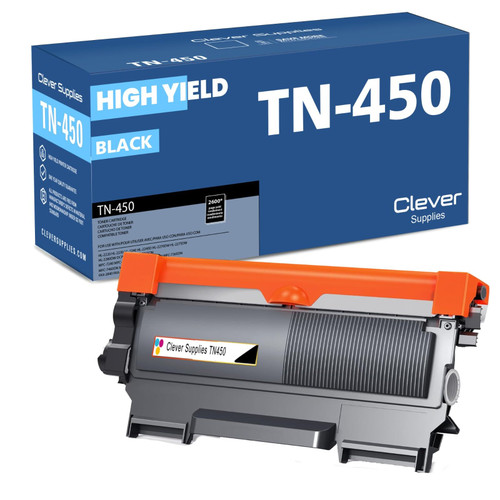
| TN450 | High-yield toner | ~2,600 pages | $23.59 | ~0.9¢ |
| DR420 | Drum unit | ~12,000 pages | $26.52 | ~0.2¢ |
*Prices read from the product pages on November 2, 2026; they can change. Yields are Brother's ratings at 5% page coverage.
Look at the first two rows again. On our shelf the standard and high-yield cartridges carry the same price, which makes the choice unusually simple: the TN450 prints more than twice as many pages for the same money and roughly half the cost per page. The TN420 still makes sense if the printer is about to be retired and you only need a few hundred more pages out of it — otherwise, the high-yield cartridge is the rational default for this machine.
Built for a Single Desk
Two things define the HL-2220's appetite. First, it is a USB-only, one-computer printer. There is no network sharing quietly multiplying its page count across a household or office, so its toner consumption stays exactly as predictable as its owner's habits. Second, at 21 ppm with a 250-sheet tray and a manual feed slot for envelopes and letterhead, it was designed for letters, reports and forms — text documents at the standard coverage the yield ratings assume. A cartridge in this printer tends to deliver close to its rated pages, and at home-office volumes a single TN450 can easily last a year or more.
Changing the Cartridge
1. Leave the printer on and open the front cover. 2. Pull the drum-and-toner assembly straight out by its handle and rest it on a sheet of paper. 3. Push the green lock lever down and lift the spent cartridge out of the drum. 4. Rock the new cartridge gently from side to side several times to distribute the toner inside. 5. Peel off the protective cover, then lower the cartridge into the drum until the lever clicks back up. 6. Slide the drum's green tab left and right a few times to clean the corona wire, and park it back at its arrow mark. 7. Slide the assembly back in, close the cover, and let the printer settle to Ready.
Toner and Drum in One Box
When the drum eventually nears the end of its roughly 12,000-page life, the two parts can be replaced together. Our TN450 + DR420 toner and drum set pairs one high-yield cartridge with one drum for $34.03 — against $50.11 for the same two parts bought separately, a saving of $16.08. The honest counter-case: a drum survives about four to five TN450 cartridges, so if your HL-2220's drum is young, order toner alone and save the set for the day the drum message actually appears.
Frequently Asked Questions
My HL-2220 came with a smaller cartridge. What was it? The printer shipped with a starter cartridge rated around 700 pages. It fits the same slot as a full TN420 or TN450; it simply holds less toner, which is why the first replacement seemed to arrive quickly.
Can I really use the TN450 in a printer sold with the TN420? Yes. The two cartridges share the same shell and fit the same DR420 drum. Brother lists both for the HL-2220, and no setting on the printer needs to change.
The printer says "Replace Toner" but pages still look fine. Must I swap now? The message follows a page counter, not a sensor reading of darkness. You can usually coax out a few more usable pages by removing the cartridge, rocking it side to side, and reinstalling it — but order the replacement the day the message appears.
How do I know whether I need a drum rather than a toner? If a fresh cartridge does not cure repeating spots, a gray background or marks that recur at the same interval down the page, the DR420 is the likely culprit. Fading that a new cartridge fixes was toner; defects that ignore a new cartridge are the drum talking.
Does the HL-2220 print double-sided? Not automatically — that was the HL-2240D's party trick. The driver offers a manual duplex routine that walks you through flipping the stack.
 brother tn420 tn420 toner cartridge black
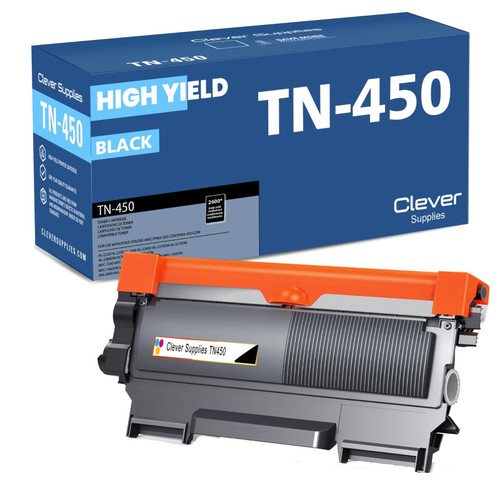 brother tn450 tn450 toner cartridge black
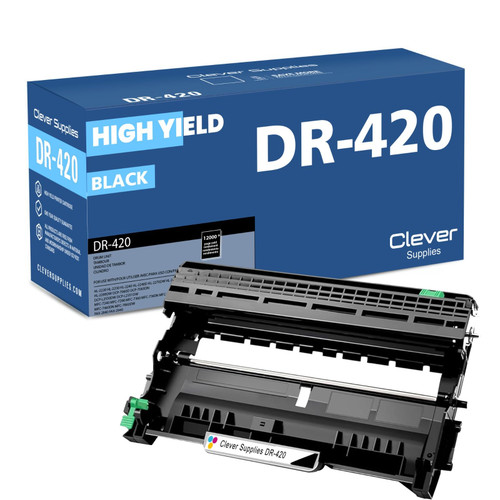 brother dr420 dr420 toner cartridge black
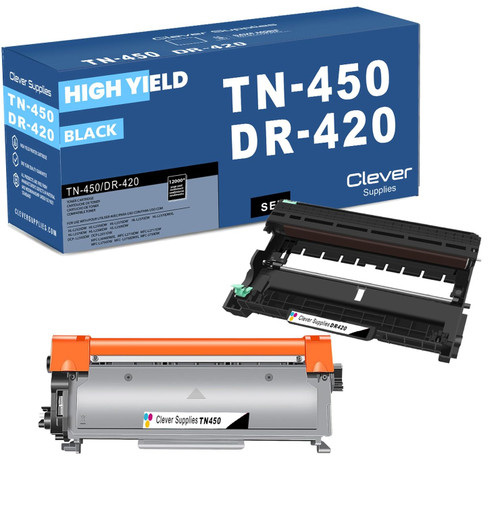 brother tn450 dr420 black drum and toner set
Key takeaways
- The top cartridge here is rated at 2,600 pages — fewer swaps, lower cost per page.
- Lowest cost per page in this family: ~0.9¢ with the highest-yield cartridge.
- Toner and drum are separate parts on this printer — replace only the one the printer asks for.
Other Printers That Use TN420, TN450 and DR420
The HL-2220 belongs to a sixteen-model family that all share the same two cartridges and the same drum:
- HL-2230
- HL-2240
- HL-2240D
- HL-2270DW
- HL-2275DW
- HL-2280DW
- DCP-7060D
- DCP-7065DN
- MFC-7240
- MFC-7360N
- MFC-7365DN
- MFC-7460DN
- MFC-7860DW
- FAX-2840
- FAX-2940
Ready to order? Start from our HL-2220 toner page, which lists every cartridge, drum and set that fits this printer.