




Only four printers can use what is sold on this page. LC65HY is the high-yield half of Brother’s LC61 platform — the tier Brother built for its four wide-format MFC machines — and it rates the black cartridge at up to 900 pages and each color at up to 750, against 450 and 325 for the standard tier in the same slots. What makes the page worth reading is the overlap: set for set, the high-yield boxes are priced identically to the standard ones, and the singles differ by thirty cents. Six offers follow, each with its per-page cost worked out.
Start with the nameplate. If it says MFC-5890CN, MFC-5895CW, MFC-6490CW or MFC-6890CDW, the six listings below are your high-yield options — every one compatible, every one carrying a new compatible chip, and none of them a genuine Brother cartridge, because this store stocks no genuine LC65HY. The Set of 4 leads at $29.94: it refills all four slots in one order and matches the standard tier’s set price to the cent. The Set of 10 follows at $59.85 — four blacks, two of each color, and the only listing here priced above the $49 free-shipping line on its own. Singles sit at $8.99 each. Below the shelf, the page takes up the platform itself: why the tier stops at four of the LC61 platform’s twenty-seven printers, how its prices can equal the standard tier’s while its ratings double, what Brother’s one readable starter footnote actually says, and which genuine cartridge — only one — Brother has marked discontinued.
Six offers, one ladder: the refill, the bulk box, the singles
Nothing separates these offers on fit — the same four machines accept all six — so the order below follows the order in which owners run out. A full set first, since four slots usually fade within weeks of each other. The bulk box next, for anyone who would rather reorder twice a year. Then the singles, for the slot that gave out early.
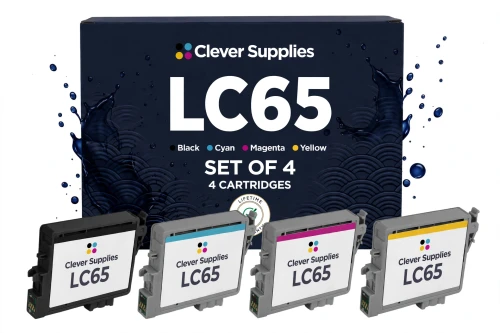
Set against Brother’s own shelf, the comparison is stark. Brother prices its LC65HYBK at $41.49 and each genuine color at $22.29 — $108.36 to fill the same four slots — and when this page’s figures were collected, the black, cyan and yellow all stood out of stock at Brother, while the magenta carried Brother’s discontinued flag. The compatible box above fills the slots for $29.94. Alone it falls short of the $49 free-shipping threshold; the ten-box further down is the one offer here that clears it.
Shop the LC65HY Set of 4 →BELOW THE FLAGSHIP — THE TEN-BOX, THEN THE SINGLES
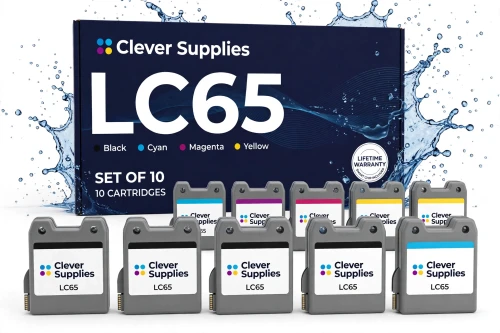
Ten cartridges at $5.99 apiece — the lowest per-cartridge and per-page prices on this page. The 4-2-2-2 split follows the workload: these machines print documents first and color second, so black is stocked deepest. On its own, $59.85 passes the free-shipping line.
Shop the LC65HY Set of 10 →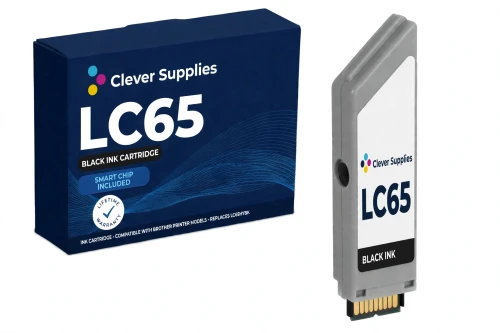
The hardest-working slot receives the family’s longest rating: 900 pages, twice what the standard black delivers in the same printer, at the lowest per-page cost of any single here. Brother’s genuine black is $41.49 — and was out of stock at Brother when checked.
Shop LC65HYBK Black →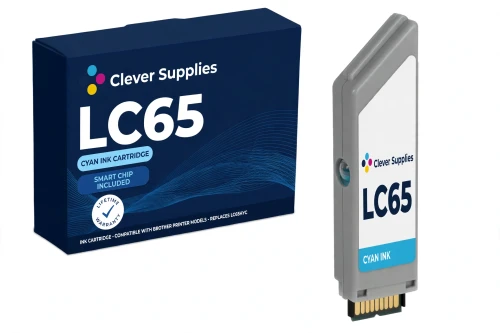
$8.99 flat, and 750 rated pages — against 325 from the standard cyan in the identical slot. Charts, logos and letterheads draw on cyan first among the colors. The genuine LC65HYC at Brother is $22.29.
Shop LC65HY Cyan →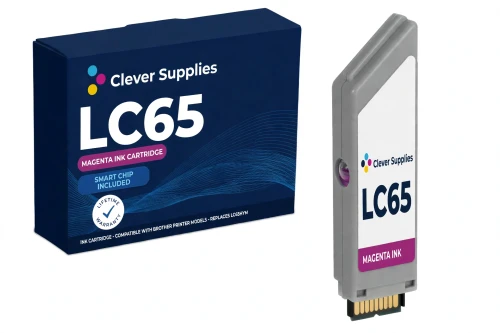
$8.99 flat, rated up to 750 pages, for the slot behind flyers, covers and photo work. Its Brother counterpart is the family’s footnote: the genuine LC65HYM, $22.29, is the single genuine cartridge here that Brother lists as discontinued — the FAQ takes it up.
Shop LC65HY Magenta →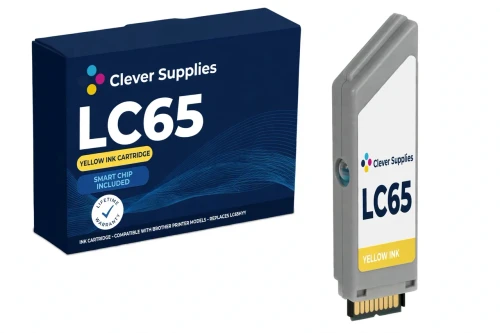
$8.99 flat, rated up to 750 pages. Yellow drains steadily on graphics-heavy work rather than all at once, so the longer rating shows up as fewer interruptions mid-job. At Brother, the genuine yellow costs $22.29.
Shop LC65HY Yellow →Singles close the ladder because real printers do not empty evenly. A drawing-heavy month burns through the colors and barely touches the black; a report-heavy month does the opposite. A single replaces the one cartridge that ran dry and leaves three part-used cartridges in place. Boxes are cheaper per page; singles never ask you to discard ink you have already paid for.
One more thing follows from a roster of four: each of these models is usually the largest printer its owner runs, bought for tabloid-size drawings, posters and spreadsheets. Its ink shelf is sized accordingly — long ratings up front, and a ten-cartridge box for anyone who cannot afford to find a slot empty on deadline.
The six offers side by side, priced per page
One measuring stick governs every rating quoted here, in Brother’s words: “‡Approximate page yield in accordance with ISO/IEC 24711.” Brother applies it cartridge by cartridge — black up to 900, colors up to 750 — and the set listings are explicit that the figures are not to be combined: in the Set of 10’s words, its makers “never add them into a single ‘total pages’ figure”. Set rows below are therefore priced by division — the Set of 4’s $29.94 over the 3,150 rated pages it contains, the Set of 10’s $59.85 over 8,100 — and marked “blended” wherever the result appears.
| Offer | Fits | Price | Rating per cartridge | Cost per page | Against the singles |
|---|---|---|---|---|---|
| LC65HY Set of 4 BK C M Y — the flagship | The four printers | $29.94 | Black up to 900; each color up to 750 | 0.95¢ blended | SAVE $6.02 |
| LC65HY Set of 10 BCMY | The four printers | $59.85 | 4 blacks at up to 900; 2 of each color at up to 750 | 0.74¢ blended | SAVE $30.05 · free shipping alone |
| LC65HYBK black single | The four printers | $8.99 | Up to 900 pages | 1.00¢ | Longest run of the four |
| LC65HYC cyan single | The four printers | $8.99 | Up to 750 pages | 1.20¢ | Replaces one slot |
| LC65HYM magenta single | The four printers | $8.99 | Up to 750 pages | 1.20¢ | Replaces one slot |
| LC65HYY yellow single | The four printers | $8.99 | Up to 750 pages | 1.20¢ | Replaces one slot |
Two patterns cross in these rows. Across the boxes, the per-cartridge price falls from $8.99 singly to $7.49 in the Set of 4 and $5.99 in the Set of 10. Across the colors, the black’s 900-page rating puts its page at 1.00¢ while each color page costs 1.20¢. Where the patterns meet sit the blended rates — 0.95¢ and 0.74¢. A larger box never raises a rating; it buys the same rated pages for less money and pushes the next order further out.
The platform’s upper tier — built for four of its twenty-seven printers
Within Brother’s LC61 platform, LC65HY is the tier labeled High-yield. Brother offers it for four models only — the wide-format MFC-5890CN, MFC-5895CW, MFC-6490CW and MFC-6890CDW. The LC61 roster’s other twenty-three printers were never given a high-yield option in this cartridge shape, under this code or any other; the standard cartridge is all they take.
On the four, the tiers coexist rather than compete. Brother describes the MFC-5890CN as a “High Yield 4-Cartridge System” on which “both standard and high yield ink cartridges are available” — meaning the choice is made per slot and can be remade at every change: high-yield black beside standard colors today, a different mixture next time.
Both tiers sit on this store’s shelves, and their price tags are the unusual part. Sets match exactly across the tiers — $29.94 for a Set of 4 and $59.85 for a Set of 10 on either shelf — while the page ratings inside them do not: 900 pages for the LC65HY black is twice the LC61 black’s 450, and 750 for each color stands against 325. Worked per page, the LC61 Set of 4 blends to 2.10¢ and the LC61 Set of 10 to 1.60¢; the LC65HY Set of 4 on this page blends to 0.95¢, undercutting even the standard tier’s largest box. Singles are where the tiers nearly meet: $8.99 here versus $8.69 for an LC61 single, or 1.00¢ and 1.20¢ per page versus LC61’s 1.93¢ and 2.67¢. The standard shelf is argued in full in our Best Brother LC61 Ink Cartridges guide.
The standard tier is not without its own advantages on these printers. Its singles, at $8.69, remain the platform’s cheapest cartridges, and one LC61 shelf restocks every printer on the platform — handy where one of the wide-format four shares an office with a smaller LC61 model, if the shorter ratings are acceptable. Four printers get the choice; the other twenty-three never face it.
Starter ink: the one footnote Brother left for this series
All four models shipped with starter cartridges installed, and a share of any starter’s ink goes to priming the ink system before the first page prints. Unusually for this platform, a starter figure survives in Brother’s own text — on the MFC-6490CW page: “Actual yield of starter cartridge will be approx. 65% of replacement LC-65 cartridge series, due to ink system initialization process.” The sentence is written for the LC-65 cartridge series as a whole. LC65HY is that series’ high-yield form, and these four printers are its machines, so the footnote is reproduced here as the platform’s starter position — with its LC-65 scope intact, not recast as a rating measured on LC65HY cartridges alone.
Nothing comparable could be read for the remaining three models: no such footnote appears on the MFC-5895CW or MFC-6890CDW pages, and the MFC-5890CN page returned no readable text. Rather than extend one printer’s footnote across the roster, the page prints no per-model starter figures. What holds for every reader is the replacement itself: any cartridge bought from this page is a full retail cartridge, rated up to 900 pages in black and up to 750 in each color.
Electronic reading, a new chip — and the limit that travels with both
The specification block of each of the six listings carries the same entry — “New compatible chip” — and the descriptions return to it two to four times each. The reason is given in the black cartridge’s text: “the LC61 family reads its cartridges electronically, so the chip is part of the product, not an accessory”. On these machines there is no reading without the chip; a cartridge whose chip fails to register is simply not recognized, which is why no listing on this shelf is sold chipless.
Beside the claim, every description prints its boundary. Firmware changes can, on occasion, leave a new chip unread; the texts answer with a routine — remove the cartridge, inspect the chip contact for dirt or fingerprints, click it firmly back into place, restart the machine — and then stop short of a guarantee: “No compatible cartridge can honestly be promised to read in every firmware state”; or, in the cyan listing’s words, “Recognition in every firmware state is not something we claim for any compatible cartridge”. If reseating does not restore the read, the texts send the cartridge to the warranty process — presented as the remedy itself, not as another workaround.
Brother’s position belongs in the same frame: since March 2025, Brother has maintained that its firmware updates do not block third-party ink. Put together, this page’s position is exactly the listings’ — a fresh chip in every cartridge, a printed routine for a failed read, warranty cover behind it, and no blanket promise about firmware states. Families elsewhere in the store describe their chips differently; this section covers the six LC65HY listings only.
Four printers, one short list
All four of Brother’s LC65HY cartridge pages print the identical fit line. The roster is: MFC-5890CN, MFC-5895CW, MFC-6490CW and MFC-6890CDW — four wide-format MFC models, and every offer on this page fits every one of them, in every slot.
Every name here also sits on the LC61 roster, where it keeps company with twenty-three further models. Those twenty-three take no cartridge from this page in any slot. A model absent from the list above is not a near miss or a firmware question; it is a standard-tier machine, and its ink is on the LC61 shelf.
The store’s filing mirrors Brother’s line: the six listings appear in each of the four model categories and under the family’s code category, the Brother LC65 category. Start from a printer or start from the cartridge code — the shelf at the end is the same six listings.
What stands behind the six listings
Before you order: five checks on a four-printer shelf
Questions this tier draws
For twenty-three of them, no. The LC61 platform covers twenty-seven printers in all, and only the MFC-5890CN, MFC-5895CW, MFC-6490CW and MFC-6890CDW accept both tiers. Every other LC61 model is a standard-tier machine in all four slots. A printer outside the four is not a borderline case: these cartridges were never listed for it, and no setting or update changes that.
Because that is where this store set them — $29.94 for a Set of 4 and $59.85 for a Set of 10, whichever tier the box belongs to. The contents differ where it counts: this Set of 4 holds 3,150 rated pages against the standard box’s 1,425, so for an owner of one of the four printers the set decision is purely about ratings — 0.95¢ blended here, against the LC61 set’s 2.10¢. Singles are the only place a premium survives, and it is thirty cents: $8.99 next to $8.69.
The split is Brother’s, printed on the same basis line quoted above the table. Against the standard tier, the black exactly doubles (900 for 450) while each color more than doubles (750 for 325). Store pricing adds a split of its own — or rather removes one: all four singles are $8.99, so the black’s extra pages are what bring its cost down to 1.00¢ a page against the colors’ 1.20¢.
One genuine cartridge on this shelf carries that mark, and it is the magenta: Brother’s data lists the genuine LC65HYM as discontinued. The genuine black, cyan and yellow still read as current — although all three were out of stock at Brother when checked for this page. Store texts that pronounce the entire LC61 series discontinued go further than Brother does; Brother’s own data flags a single standard cartridge, the LC61 black. This page stays with Brother’s per-cartridge record — and the compatible shelf above is stocked either way.
On the four dual-tier models, yes. Brother’s “both standard and high yield ink cartridges are available” describes a per-slot choice: a high-yield black alongside standard colors is a legitimate configuration, and so is any other mixture, changeable at every replacement. The facility belongs to the four alone; on the platform’s other twenty-three printers, no LC65HY cartridge fits any slot and LC61 fills all four.
Follow the routine the listings print. Take the cartridge out, look over the chip contact for dirt or fingerprints, seat it firmly back in its slot, and restart the printer. Most failures to read — including those that appear right after a firmware update — end at one of those steps. The listings promise a new compatible chip in every cartridge; a successful read under every firmware state is promised by neither the listings nor this page. A cartridge that still will not read afterwards is handled under the warranty in its listing.