




WorkCentre 4150S
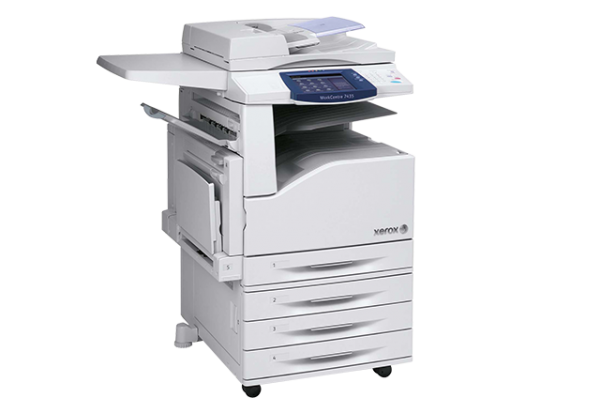
Departments run on machines like the Xerox WorkCentre 4150S: a monochrome multifunction that prints, copies, scans and faxes for a whole team from one station. A shared machine needs a supply routine that never becomes the bottleneck, and here that routine revolves around a single cartridge code — the 006R01275. The listings on this page stock that cartridge on its own and in multipacks, with each cartridge's rated yield shown on its product page.
A departmental workhorse earns the name by being available whenever anyone walks up to it. Toner is part of that availability: when dozens of people rely on one unit, running dry mid-morning idles all of them. The 4150S keeps things manageable by using the same 006R01275 cartridge as the rest of the 4150 family — one code to stock, one cartridge to learn to swap, and no guessing at reorder time.
Toner Cartridges for WorkCentre 4150S
| Cartridge | Color | Page Yield |
|---|---|---|
| 006R01275 | Black | See product page |
| 006R01275 3 Pack | Black | See product page |
| 006R01275 5 Pack | Black | See product page |
| 006R01275 Premium 5 Pack | Black | See product page |
| WorkCentre 4150S (single) | Black | See product page |
| WorkCentre 4150S 5 Pack | Black | See product page |
Which cartridge should you buy?
For a shared departmental machine, think in terms of reorder frequency. A single 006R01275 cartridge suits a 4150S with moderate traffic, while the 3 Pack and 5 Pack listings exist for busier floors where a cartridge change is a regular event and a spare should always be waiting. The Premium Quality 5 Pack offers the same cartridge in a premium-grade bulk listing. Alongside the code-named listings, the WorkCentre 4150S cartridge is the identical supply presented under the model's name, also available as a 5 Pack. Whichever route you take, match the 006R01275 code and the cartridge will fit this machine.
Chip, toner and everyday use
On a machine this many people use, the swap itself should be boring: open the front door, slide the spent cartridge out, push the replacement in until it seats, and close up — the printer recognizes the cartridge and is ready for the next job. Keep the spare stored near the machine, still sealed, so whoever finds the low-toner warning can act on it immediately. Yields are rated at about 5% coverage per page, so a department printing dense reports will cycle through cartridges faster than one printing light memos.
Frequently Asked Questions
What toner does the WorkCentre 4150S take?
The 006R01275 black toner cartridge. It is the only cartridge code this page sells for the 4150S, offered as a single, in 3 and 5 Packs, and in model-named listings.
How many pages will one cartridge print in our department?
That depends on the listing and on what you print. Each product page states its cartridge's rated yield, measured at roughly 5% coverage; heavy, dense pages use toner faster than light office documents.
Can I stock one cartridge for several different 4150 models?
Yes — the 006R01275 serves the whole WorkCentre 4150 family, and the other configurations that take it are listed below. One shelf item can cover the fleet.
What should I do when the 4150S warns that toner is low?
Have a spare ready and swap it when output starts to fade. Rocking the old cartridge gently side to side can even out the remaining toner and buy a little more printing while the replacement is on its way.
More printers that use the same cartridges
These WorkCentre 4150 models run on the same 006R01275 cartridge: WorkCentre 4150, WorkCentre 4150C, WorkCentre 4150MTS, WorkCentre 4150X, WorkCentre 4150XF