




WorkCentre 4150C
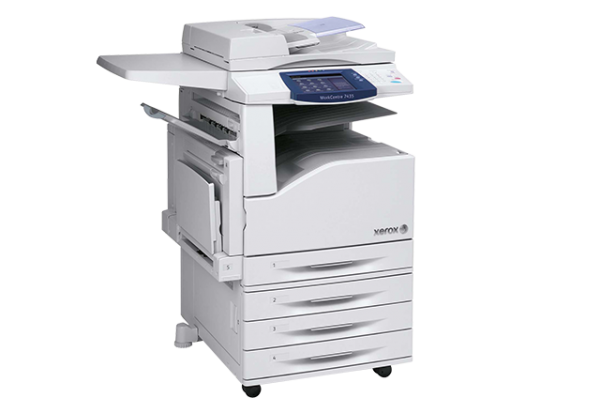
The WorkCentre 4150C is a color multifunction built for fast-paced offices: it prints, copies, scans and faxes with full color capability, on teams that need quick turnaround across mixed color and mono jobs. The cartridge stocked for it here is the 006R01275 in black — the same supply the wider 4150 range runs on — listed as a single cartridge and in multipacks.
In most offices, even a color machine spends much of its life printing black: emails, contracts, forms and drafts dominate the page count, while color jobs arrive in bursts. That makes the black cartridge the one that quietly determines whether the 4150C is ready when the day gets busy. Buying it well — the right quantity, a spare in reserve — is what the notes below are about.
Toner Cartridges for WorkCentre 4150C
| Cartridge | Color | Page Yield |
|---|---|---|
| 006R01275 | Black | See product page |
| WorkCentre 4150C Black (model-named listing) | Black | See product page |
| 006R01275 — 3 Pack | Black | See product page |
| 006R01275 — 5 Pack | Black | See product page |
| 006R01275 — Premium Quality, 5 Pack | Black | See product page |
| WorkCentre 4150C Black, 5 Pack (model-named listing) | Black | See product page |
Which cartridge should you buy?
Start with a single cartridge if the 4150C is new to you or its mono volume is modest; it is the lowest-commitment way to put a compatible cartridge into service. For an established office machine, think in multipacks from the start: black is the high-turnover supply on a mixed-use machine, and a 3 or 5 pack keeps the shelf stocked through a busy quarter at a lower cost per cartridge. If several people rely on the machine, hold one sealed spare as a rule — an empty black cartridge stops mono work dead even on a color printer, and it always seems to happen mid-deadline.
Chip, toner and everyday use
The 4150C reads the cartridge's chip when the unit is installed, so fit it with the machine idle and let it register before printing. Fading black output near the end of a fill can often be stretched: remove the cartridge, rock it gently to redistribute the toner, and refit it for a final run of clean pages. Keep replacement cartridges sealed until needed and store them flat in a cool place away from direct light. And because this machine's other supplies turn over more slowly, label the shelf with the black cartridge's code so the fast-moving supply is the one nobody has to look up.
Frequently Asked Questions
What toner does the WorkCentre 4150C use?
The black cartridge stocked for the 4150C is the 006R01275, the same code used across the 4150 family. The listings on this page are that black cartridge, as singles and multipacks.
Does the 4150C take the same black cartridge as the WorkCentre 4150?
Yes. The 4150 range shares the 006R01275 black cartridge, so a spare bought for one model in the family serves the others as well.
How many pages will the black cartridge print?
See the individual product listing for the rated yield. Ratings assume standard test coverage, so an office printing dense mono documents will cycle through cartridges faster than the headline figure suggests.
Why keep a spare if the machine also prints in color?
Because everyday office output is mostly black. A spare black cartridge protects the bulk of the workload; color work is the smaller share of pages in most offices.
More printers that use the same cartridges
Other members of the 4150 family on the same black cartridge:
WorkCentre 4150, WorkCentre 4150MTS, WorkCentre 4150S, WorkCentre 4150X, WorkCentre 4150XF.