




DNI
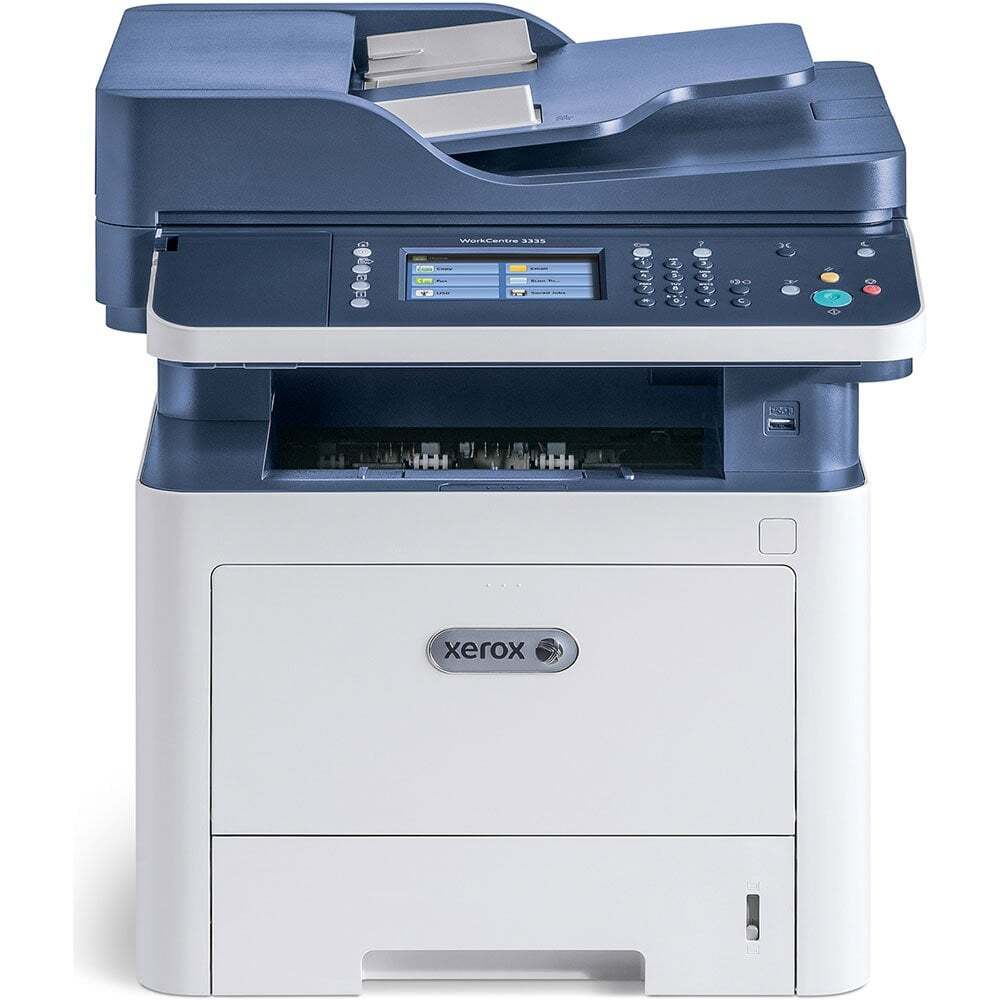
The WorkCentre 3335 DNI is the duplex-network configuration of the WorkCentre 3335, an A4 monochrome multifunction that prints, scans and copies for a workgroup. Its one supply is the extra-high-capacity 106R03624 black cartridge, which stretches a single change to around 15,000 pages. The cartridges are listed under the Phaser 3330 name because that is the lead model of the family sharing this cartridge — the code on the box, 106R03624, is the one your 3335 DNI takes, and it is stocked below as a single cartridge and in 2, 3, 5 and 10 packs.
A multifunction consumes toner differently from a plain printer: every copied page is a printed page, so a busy 3335 DNI works its cartridge harder than its print queue alone suggests. The long 15,000-page rating is what makes that workload manageable — fewer changes, fewer chances for the machine to sit empty mid-job. Offices that scan heavily but print lightly will see the cartridge last longer still, since scanning uses no toner at all.
Toner Cartridges for the WorkCentre 3335 DNI
| Cartridge | Color | Page Yield |
|---|---|---|
| 106R03624, single cartridge | Black | 15,000 pages |
| 106R03624, 2 pack | Black | 15,000 pages |
| 106R03624, 3 pack | Black | 15,000 pages |
| 106R03624, 5 pack | Black | 15,000 pages |
| 106R03624, 10 pack | Black | 15,000 pages |
Which cartridge should you buy?
Every listing here is the same 106R03624 cartridge, so choose by how your office consumes it. A single cartridge plus one sealed spare is the right pattern for one multifunction in a small office. Busier sites — especially those copying as well as printing — go through cartridges steadily enough that the 3 and 5 packs make ordering simpler and cheaper per unit. The 10 pack belongs in a supply room serving several machines from this family. If your 3335 DNI is new to you, start with a single and watch how long it lasts before committing to a bulk pack.
Chip, toner and everyday use
Fit the cartridge until it seats and clicks; the machine reads its chip to register the new supply and reset the toner gauge. When a cartridge is nearly spent, output fades evenly — rocking it gently side to side redistributes the remaining toner and can carry you to the end of the day. Remember that only printed and copied pages draw toner: a week of heavy scanning will not move the gauge. Store the spare cartridge upright, sealed and out of direct sunlight, and it will be ready the moment the working cartridge gives out.
Frequently Asked Questions
What toner does the WorkCentre 3335 DNI use?
It uses the Xerox 106R03624 black cartridge, rated for approximately 15,000 pages at 5% coverage. That single code covers the toner needs of this multifunction — there is no second cartridge or separate color supply.
Why do the product listings say Phaser 3330?
Because the 106R03624 is one cartridge shared by a small family — the Phaser 3330 and the WorkCentre 3335 and 3345 configurations — and the listings carry the family's lead model name. The cartridge itself is the correct supply for your 3335 DNI; order by the code.
Does copying use more toner than printing?
A copied page uses the same toner as the same page printed from a computer — the machine prints the copy with toner either way. Scanning to email or to a folder, by contrast, uses none, which is why scan-heavy offices see cartridges last longer.
How should I store a spare cartridge for this machine?
Leave it in its sealed bag, stored upright in a cool, dry cupboard away from sunlight. A spare kept that way is ready to fit the moment the installed cartridge runs out, with no loss of print quality.
More printers that use the same cartridges
These Xerox models all take the same 106R03624 cartridge: Phaser 3330, WorkCentre 3335, WorkCentre 3345, Phaser 3330 DNI, WorkCentre 3345 DNI.