




Phaser 6300DN
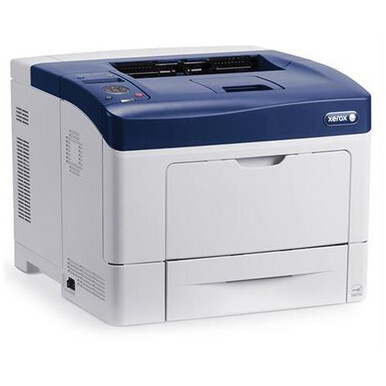
Xerox positioned the Phaser 6300DN as a color laser printer for demanding office environments, with energy-saving modes that help keep operating costs down between jobs. Reordering for it is easiest by part number: the black cartridge is 106R01085, while cyan, magenta and yellow are 106R01082, 106R01083 and 106R01084. Those four codes are the whole story of this machine's supplies — everything stocked for it is a form of them.
Demanding environments test a printer in unglamorous ways: long queues, mixed paper, users who never read a manual. The 6300DN's answer is a shallow learning curve and a supply system with no traps — the number on the cartridge in the machine is the number you order. Its energy-saving behavior between jobs suits offices that print in bursts through the day, and the high-yield cartridges match that pattern, lasting through the busy stretches instead of expiring inside them.
Toner Cartridges for Phaser 6300DN
| Cartridge | Color | Page Yield |
|---|---|---|
| 106R01085 — High Yield | Black | See product page |
| 106R01082 — High Yield | Cyan | See product page |
| 106R01083 — High Yield | Magenta | See product page |
| 106R01084 — High Yield | Yellow | See product page |
| High Yield 4 Color Set (106R01085 / 106R01082 / 106R01083 / 106R01084) | Black, Cyan, Magenta, Yellow | See product page |
| Phaser 6300DN High Yield 4 Color Set | Black, Cyan, Magenta, Yellow | See product page |
| Phaser 6300DN Premium Quality High Yield 4 Color Set | Black, Cyan, Magenta, Yellow | See product page |
Which cartridge should you buy?
On the DN, the honest choice is between maintaining and renewing. Maintaining means singles: whichever of the four codes the printer reports low, that cartridge — and only that cartridge — gets replaced, which keeps supply spending proportional to actual use. Renewing means a four-color set: the set identified by cartridge numbers, the 6300DN high-yield set, or the premium quality set, each of which returns all four slots to full in a single fitting session. Offices that service the printer on rounds usually renew; offices that react to warnings usually maintain. The cartridges themselves do not change between the two habits, so you can switch approach whenever your printing pattern does.
Chip, toner and everyday use
Power the printer on and open the toner access cover when a change is due; the chipped cartridges report their own levels, so the machine itself tells you which of the four is next. Pull the used cartridge out, rock its replacement gently side to side to loosen the toner, insert it firmly until seated, and close the cover. In a busy office, one more habit helps: note the date on the box when a cartridge goes in. When a color seems to fade early, that date turns an argument into a quick coverage check.
Frequently Asked Questions
What toner is compatible with the Phaser 6300DN?
The 106R01085 black cartridge with 106R01082 cyan, 106R01083 magenta and 106R01084 yellow — the same high-yield four used across the 6300 family, sold here as singles and as DN four-color sets.
How do I find the right toner for my 6300DN?
Start with the listings on this page, which are matched to the model. You can also open the printer's front cover and read the number printed on the installed cartridge; it will be one of the four codes in the table above.
Do the energy-saving modes affect cartridge life?
They govern the printer's power draw between jobs, not the toner in the cartridges. A cartridge's working life is set by how many pages you print and how much of each page is covered, whatever the machine does while it waits.
How do I replace a cartridge in the 6300DN?
With the printer on, open the toner access cover, pull out the used cartridge, prepare the new one by rocking it gently side to side, then insert it firmly until seated and close the cover.
More printers that use the same cartridges
This cartridge family is shared across the range: Phaser 6300, Phaser 6300N.