




Phaser 6300
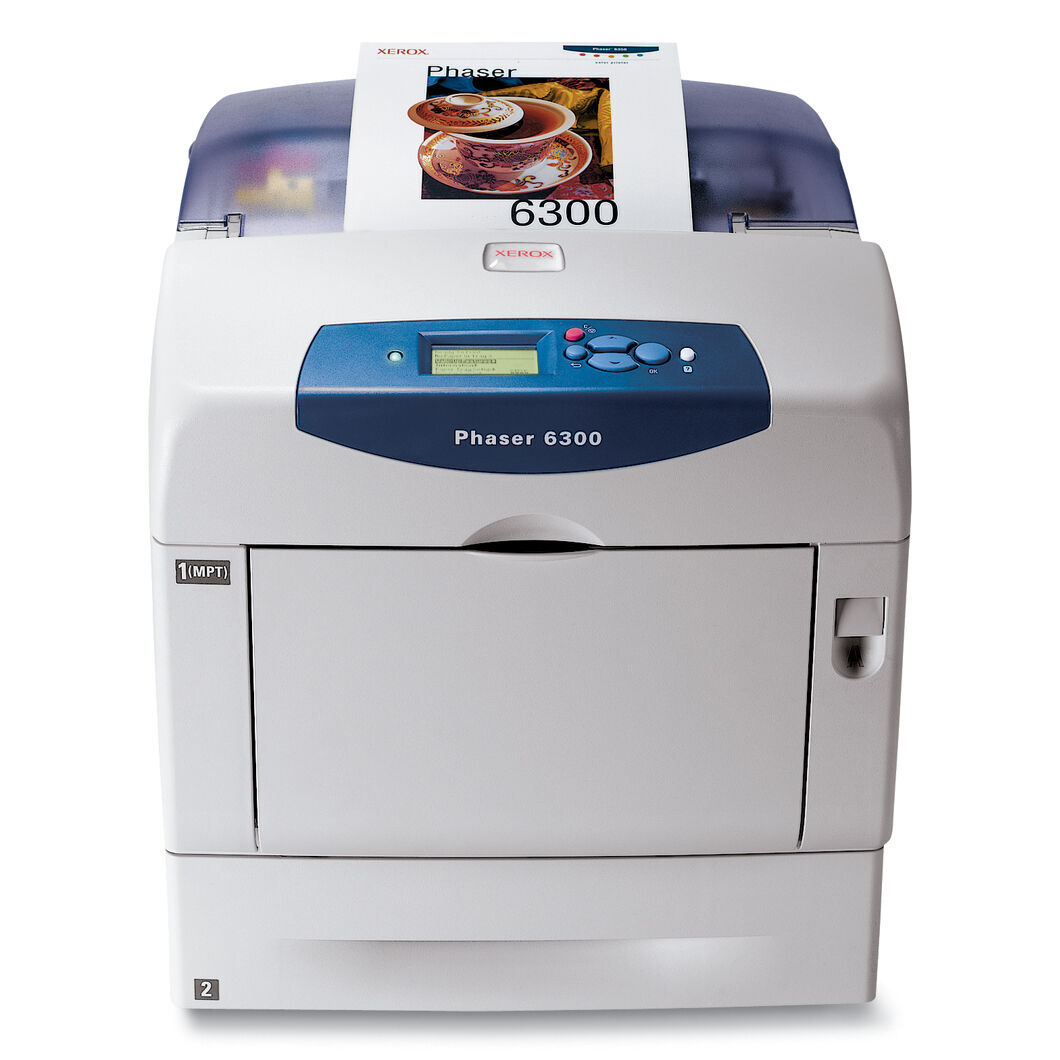
The Xerox Phaser 6300 is a color laser printer built for dependable everyday office printing — memos, invoices and forms turned out looking professional, day after day. Replacement cartridges are sold by color code, each in a high-yield version: 106R01085 for black, 106R01082 for cyan, 106R01083 for magenta and 106R01084 for yellow. Ordering by part number keeps reordering simple, and every color is stocked separately.
Everyday printers live unglamorous, essential lives: the invoice run, the meeting handouts, the forms nobody notices until they stop. The 6300's appeal is that it keeps that stream moving without interruption, and its cartridge system matches — four high-yield units that can be renewed individually, so the machine is never down waiting for a color it was not even printing with. For a small office, that independence is the difference between a two-minute swap and a stalled morning.
Toner Cartridges for Phaser 6300
| Cartridge | Color | Page Yield |
|---|---|---|
| 106R01085 — High Yield | Black | See product page |
| 106R01082 — High Yield | Cyan | See product page |
| 106R01083 — High Yield | Magenta | See product page |
| 106R01084 — High Yield | Yellow | See product page |
| 6300 Toner Cartridge Black (106R01085) | Black | See product page |
| 6300 Toner Cartridge Cyan (106R01082) | Cyan | See product page |
| 6300 Toner Cartridge Magenta (106R01083) | Magenta | See product page |
| 6300 Toner Cartridge Yellow (106R01084) | Yellow | See product page |
| 6300 Toner Cartridges Black 2 Pack (106R01085) | Black | See product page |
| 6300 Toner Cartridges Black 3 Pack (106R01085) | Black | See product page |
| 6300 Toner Cartridges Black 5 Pack (106R01085) | Black | See product page |
| 6300 Toner Cartridges 3 Color Set | Cyan, Magenta, Yellow | See product page |
| 6300 Toner Cartridges 4 Color Set | Black, Cyan, Magenta, Yellow | See product page |
| 6300 Toner Cartridges 5 Color Set | Black, Cyan, Magenta, Yellow | See product page |
| 6300 Toner Cartridges 6 Color Set | Cyan, Magenta, Yellow | See product page |
| 6300 Toner Cartridges 8 Color Set | Black, Cyan, Magenta, Yellow | See product page |
| High Yield 4 Color Set (106R01085 / 106R01082 / 106R01083 / 106R01084) | Black, Cyan, Magenta, Yellow | See product page |
| Phaser 6300 High Yield 4 Color Set | Black, Cyan, Magenta, Yellow | See product page |
| Phaser 6300 Premium Quality High Yield 4 Color Set | Black, Cyan, Magenta, Yellow | See product page |
Which cartridge should you buy?
Begin with the color the printer is asking for. Singles cover precise needs: the numbered cartridges, or the 6300-labeled black, cyan, magenta and yellow, each renew one slot. Black deserves its own plan — it carries the memos and invoices — and it is offered as a single and in 2, 3 and 5 packs so the shelf can mirror your monthly volume. Sets answer a different question: the 3 and 6 color sets refresh the colors together, the 4, 5 and 8 color sets rebuild the whole round at once, and holding one set back means the next low warning is a fitting job, not a purchase. All of it fits the same four slots; you are choosing how far ahead of the printer you want to live.
Chip, toner and everyday use
The 6300 reads each cartridge's chip to show remaining toner, which turns restocking into a glance rather than a guess. Fitting a replacement is the family routine: open the front cover, remove the old cartridge, rock the new one gently so the toner distributes, and slide it in until it clicks. Everyday care is mostly about rhythm — small offices that check levels on a Friday rarely meet an empty printer on a Monday, and a spare black kept by the machine covers the one cartridge that everyday printing truly depends on.
Frequently Asked Questions
What toner is compatible with the Phaser 6300?
Four high-yield cartridges: 106R01085 black, 106R01082 cyan, 106R01083 magenta and 106R01084 yellow, listed above as singles, black multi-packs and color sets.
Are all the cartridges for this printer high-yield?
Yes — the range stocked for the 6300 is the high-yield line in every color. That is part of the model's everyday economy: fewer swaps per thousand pages, and no standard-yield line to confuse the reorder.
How do I install toner in the Phaser 6300?
Open the front cover, pull the old cartridge out, unpack the new one and rock it gently to distribute the toner, then slide it into the matching slot until it clicks. Close the cover and the printer is ready.
Can I mix a new cartridge with older ones?
Freely. Each slot is independent, so a fresh 106R01082 cyan works alongside black and magenta cartridges at any stage of their lives. There is no need to age-match a set.
More printers that use the same cartridges
The same four high-yield cartridges also fit this printer's other configurations: Phaser 6300DN, Phaser 6300N.