






 See Compatible Printers
 Read more about our ink!
Xerox
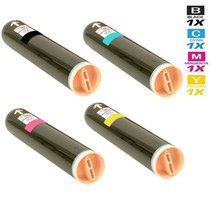
Compatible Xerox Phaser 7760DX Laser Toner Cartridges 4 Color Set
- Page Yield:
- Black: 32,000, Colors: 25,000 Each
- Availability:
- In Stock
- Shipping:
- Free Shipping

Amazon Price:

- Page Yield:
- Black: 32,000, Colors: 25,000 Each
- Availability:
- In Stock
- Shipping:
- Free Shipping
- Compatible Printers
- Phaser 7760
- Phaser 7760DN
- Phaser 7760DX
- Phaser 7760GXi>
- Specifications
- SKU:
- Phaser-7760DX
- Printer Brand:
- Xerox
- OEM Number:
- 106R01163, 106R01160, 106R01161, 106R01162
- Ink Color:
- Black, Cyan, Magenta, Yellow
- Page Yield:
- Black: 32,000, Colors: 25,000 Each
- Printer Type:
- Laser Cartridge Set
- Condition:
- New Compatible
- Description
- Yields up to: Black: 32000 Colors: 25000 each
- Only compatible Xerox Phaser 7760DX Toner Cartridges can produce renown Xerox quality printing and reliability
- Unlike bargain brand toners compatible Xerox 106R01163 106R01160 106R01161 106R01162 Toner Cartridges are designed to work specifically in Xerox printers for exceptional reliability that helps reduce maintenance costs and service calls
- Resulting in sharper high-gloss image quality an increased range of colors enhanced fine-line detail and superior reliability
- Reduces the need for customer interaction
- Packaging: Each
- Compatible with: Xerox Phaser 7760 7760DN 7760YDN 7760GX 7760DX series printers
- 4 color set toner cartridges print up to Black: 32000 Colors: 25000 each at 5% average area coverage
- Ink/Toner Color: 4 Color Set
- Ink/Toner Pack Size: 4/Set
- Supply Type: Toner
- Cartridge Yield Type: Standard
- Ink/Toner Cartridge Type: Compatible
- Reviews

/> 

Compatible Xerox Phaser 7760DX Laser Toner Cartridges 4 Color Set is designed and tested to ensure optimum performance and outstanding productivity
Xerox 4 color set toner cartridges is designed to deliver the best image quality and reliable printing. Toner cartridge is compatible with Xerox Phaser 7760 7760DN 7760YDN 7760GX 7760DX series printers and yields up to Black: 32000 Colors: 25000 each.
Features:
Frequently Asked Questions
The print room runs several machines. How do we keep this set straight?
Match it by number, not by sight. This set belongs to the Phaser 7760DX and its cartridges are 106R01163 in black, 106R01160 in cyan, 106R01161 in magenta and 106R01162 in yellow. A label check against the machine's supplies screen takes seconds and prevents the classic print-room mix-up of a near-identical set walking to the wrong machine.
What yield should we budget around for each channel?
Black is rated at 32,000 pages; cyan, magenta and yellow are each rated at 25,000 pages under standard coverage. In a corporate print room the split matters: text reports draw almost entirely on black, while covers, charts and handouts pull the colors down, so the two groups rarely empty together.
When the low-toner warning appears, what is the sensible trigger to reorder?
Treat the first warning as the order point, not the empty point. A cartridge at warning stage still has working life, which gives a replacement set time to arrive from stock before the channel actually runs dry. Print rooms that wait for a hard stop end up borrowing cartridges from the spare shelf at the worst possible moment.
Does changing one cartridge disturb the calibration of a long run?
Swapping a single spent cartridge is a routine, minutes-long task: the finished unit slides out, the fresh one seats in its slot, and the remaining three are untouched. Work already in the queue continues once the machine registers the new cartridge, so a mid-run change costs a short pause rather than a restarted job.
Where does an order ship from, and where are the details?
We ship from four warehouses — IL, PA, GA and CA — using whichever sits closest to the delivery address, and full timing and carrier information is published on our shipping and returns page. That page also covers the returns route if anything in an order needs to come back.
What backing does the set carry once installed?
A 1-year warranty and 1-year free returns stand behind every cartridge in the set, so a unit that fails early is replaced or refunded. Our support team works Monday through Friday, 9 AM to 5 PM CST, and the Xerox brand page gathers the rest of the range when the print room's other machines need supplies.
How can the shelf itself stop sets from wandering to the wrong machine?
Label the outside of the carton the day it arrives: the machine's name and the four numbers — 106R01163, 106R01160, 106R01161, 106R01162 — written large enough to read at arm's length. In a room where several sets sit side by side and look alike, a labeled carton ends the guesswork for whoever restocks the machine, including staff covering a shift they do not usually work. The label takes a minute and removes the most common cause of a wrong-set swap.
What is the cleanest routine when a channel needs changing in the middle of the room's day?
Change the one spent channel and nothing else: out with the finished cartridge, a quick check that the replacement's number matches that slot, seat it fully, and let the machine register it before releasing the queue again. Adding a line to the room's log — date, channel, cartridge number — takes seconds and builds the record that later shows which channel the room actually consumes fastest. The other three cartridges stay untouched, so the interruption stays measured in minutes.
Output has developed a repeating mark. Should the cartridge be blamed first?
Not automatically. A cartridge running low fades evenly across the page; a mark that repeats in the same place or a streak fixed in one band points to something other than simple toner exhaustion. If the same defect appears at the same interval after a fresh cartridge goes in, the cause sits beyond the cartridge and swapping another one in will not cure it. That distinction saves the room from spending a good 106R01160 cyan chasing a fault it cannot fix.
How does the room find out its true black-versus-color split over a quarter?
Read the page counter at every cartridge change and log it against the channel changed. The counter gaps between black changes and between color changes convert the set's ratings — 32,000 pages for black, 25,000 for each color — into the room's own consumption pattern. A quarter of those entries shows whether board reports or color handouts dominate the workload, and the spare-set policy can be set from evidence rather than from the loudest recent incident.
About This Phaser 7760DX Four-Color Toner Set
The Phaser 7760DX is the kind of machine a corporate print room builds its day around: board reports in the morning, color handouts by afternoon, and no patience for supply interruptions. This four-cartridge set is rated to that workload — 32,000 pages of black for the document traffic and 25,000 pages per color for everything that has to look good. Check the part numbers once, order the set at $240.43, and keep a sealed spare so the room never waits on toner.
Related Items
Xerox
Compatible Xerox Phaser 7760DX Premium Quality Laser Toner Cartridges 4 Color Set
/>


Xerox
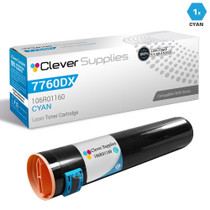
Compatible Xerox Phaser 7760DX Toner Cartridges Cyan (106R01160)
/>
Xerox
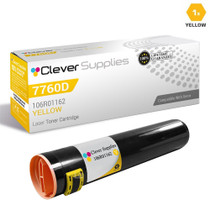
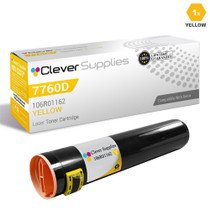
Compatible Xerox Phaser 7760DX Toner Cartridges Yellow (106R01162)
/>
Xerox
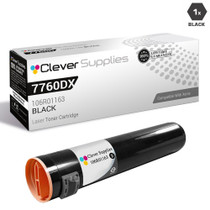
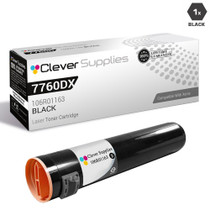
Compatible Xerox Phaser 7760DX Toner Cartridges Black (106R01163)
/>