





 See Compatible Printers
 Read more about our ink!
Xerox
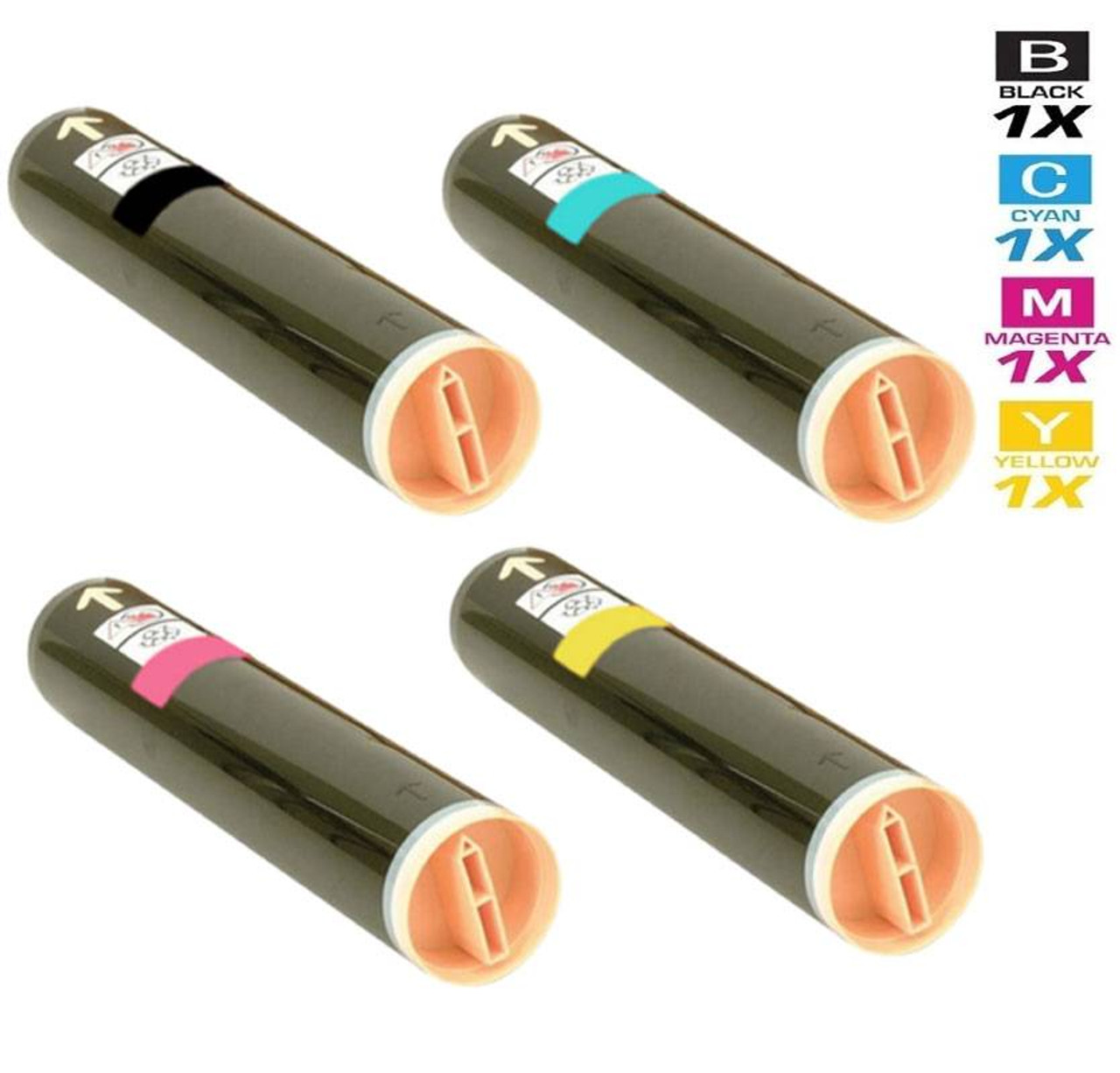
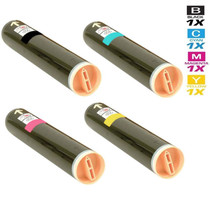
Compatible Xerox Phaser 7760DN Laser Toner Cartridges 4 Color Set
- Page Yield:
- Black: 32,000, Colors: 25,000 Each
- Availability:
- In Stock
- Shipping:
- Free Shipping

Amazon Price:

- Page Yield:
- Black: 32,000, Colors: 25,000 Each
- Availability:
- In Stock
- Shipping:
- Free Shipping
- Compatible Printers
- Phaser 7760
- Phaser 7760DN
- Phaser 7760DX
- Phaser 7760GXi>
- Specifications
- SKU:
- Phaser-7760DN-4-Set
- Printer Brand:
- Xerox
- OEM Number:
- 106R01163, 106R01160, 106R01161, 106R01162
- Ink Color:
- Black, Cyan, Magenta, Yellow
- Page Yield:
- Black: 32,000, Colors: 25,000 Each
- Printer Type:
- Laser Cartridge Set
- Condition:
- New Compatible
- Description
- Yields up to: Black: 32000 Colors: 25000 each
- Only compatible Xerox Phaser 7760DN Toner Cartridges can produce renown Xerox quality printing and reliability
- Unlike bargain brand toners compatible Xerox 106R01163 106R01160 106R01161 106R01162 Toner Cartridges are designed to work specifically in Xerox printers for exceptional reliability that helps reduce maintenance costs and service calls
- Resulting in sharper high-gloss image quality an increased range of colors enhanced fine-line detail and superior reliability
- Reduces the need for customer interaction
- Packaging: Each
- Compatible with: Xerox Phaser 7760 7760DN 7760YDN 7760GX 7760DX series printers
- 4 color set toner cartridges print up to Black: 32000 Colors: 25000 each at 5% average area coverage
- Ink/Toner Color: 4 Color Set
- Ink/Toner Pack Size: 4/Set
- Supply Type: Toner
- Cartridge Yield Type: Standard
- Ink/Toner Cartridge Type: Compatible
- Reviews

/> 

Compatible Xerox Phaser 7760DN Laser Toner Cartridges 4 Color Set is designed and tested to ensure optimum performance and outstanding productivity
Xerox 4 color set toner cartridges is designed to deliver the best image quality and reliable printing. Toner cartridge is compatible with Xerox Phaser 7760 7760DN 7760YDN 7760GX 7760DX series printers and yields up to Black: 32000 Colors: 25000 each.
Features:
Frequently Asked Questions
We inherited this 7760DN with the office. How do we know this is its set?
Let the machine tell you. Its supplies screen lists the four cartridges it expects, and the numbers should read 106R01163 (black), 106R01160 (cyan), 106R01161 (magenta) and 106R01162 (yellow). Match those against this set and the question is settled — no need to dig up the previous team's purchasing records or guess from the shape of the old cartridges.
What exactly arrives in the box for $240.43?
Four sealed toner cartridges, one per channel: a single black, a single cyan, a single magenta and a single yellow. That is the complete order. Drum units and other machine consumables carry their own part numbers and are ordered separately, so if the printer is also asking for one of those, it belongs on its own line.
Our workload is reports and proposals with color covers. How do the ratings play out?
Black does the heavy lifting in that mix and it is rated at 32,000 pages; cyan, magenta and yellow are each rated at 25,000 pages at standard coverage. Text pages sip toner while full-color covers drink it, so in a document-heavy department the black cartridge usually sets the reorder rhythm and the colors trail behind it.
Can a set wait in the supply cabinet, or does toner go stale?
Sealed cartridges wait patiently. Toner is a dry powder, not a liquid ink, so an unopened set stored away from heat and direct sunlight keeps until the day it is installed. Offices that cannot risk downtime hold one sealed set in reserve and rotate it to the front when the running set is installed.
When yellow empties midweek, are we down until a full set arrives?
No — swap only the yellow. Every color lives in its own slot as an independent unit, so the spent cartridge comes out and the fresh one goes in while the other three stay untouched. Ordering the four-color set keeps the replacement on hand, but installing it is always one cartridge at a time.
Who stands behind the set after it arrives?
Each cartridge carries a 1-year warranty together with 1-year free returns; a defective unit is replaced or refunded rather than argued over. Questions reach our support team Monday through Friday, 9 AM to 5 PM CST, orders ship from our IL, PA, GA and CA warehouses, and delivery specifics are spelled out on our shipping and returns page. The wider Xerox catalogue is one click away for the rest of your fleet.
What should the first pages after a swap tell us?
Print a page you know well — a standard report page and one color cover — and compare them with the same pages from before the change. A correctly seated cartridge produces even, familiar output from the first few sheets. If the fresh page looks pale or patchy, take the cartridge out, check it is the right number for that slot — 106R01163 black, 106R01160 cyan, 106R01161 magenta, 106R01162 yellow — and seat it again firmly before assuming the cartridge itself is at fault.
Reports are coming out lighter than usual even though no warning shows. What can we try?
Remove the cartridge the paleness points to and rock it gently from side to side several times to level the toner inside, then reinstall it and reprint the same page. In a cartridge partway through its life the powder can settle unevenly, and redistributing it often restores an even page without spending a replacement. If the same page stays light afterward, that channel is nearing the end of its rated life and the spare set earns its shelf space.
How do we learn this department's real replacement cycle instead of guessing?
Write the install date on each cartridge's box and keep the boxes until the set is used up. When a cartridge is changed, the dates on the empty's box and its replacement give the department its true interval for that channel — how long a 106R01163 black actually lasts on report traffic, and how the colors compare on cover work. Two cycles of those notes turn ordering from a reaction into a calendar entry, and the reorder lands before the warning rather than after it.
Could our paper be making output look like a toner problem?
It can. Damp or very heavy stock does not take toner the way plain office paper does, so a run of pale or uneven pages on cover stock sometimes traces back to the paper drawer rather than the cartridge. Before condemning a cartridge, print the same file on standard paper from the regular tray: if the page comes out clean and even, the toner is fine and the stock is the variable to fix. It is a two-minute test that saves a good cartridge from an early swap.
About This Phaser 7760DN Four-Color Toner Set
A Phaser 7760DN in an in-house marketing department lives two lives at once: black-heavy reports all week, then color covers and handouts whenever a proposal goes out. This set is sized for that rhythm — a 32,000-page black cartridge backed by 25,000 pages from each color — so the machine keeps pace without constant supply runs. Confirm the four part numbers on the supplies screen, order at $240.43, and the department's printer stops being a bottleneck.
Related Items

Xerox
Compatible Xerox Phaser 7760DN Premium Quality Laser Toner Cartridges 4 Color Set
/>

Xerox
Compatible Xerox Phaser 7760DN Toner Cartridges Magenta (106R01161)
/>

Xerox
Compatible Xerox Phaser 7760DN Toner Cartridges Cyan (106R01160)
/>
Xerox
Compatible Xerox Phaser 7760YDX Laser Toner Cartridges 4 Color Set
/>