





 See Compatible Printers
 Read more about our ink!
Samsung
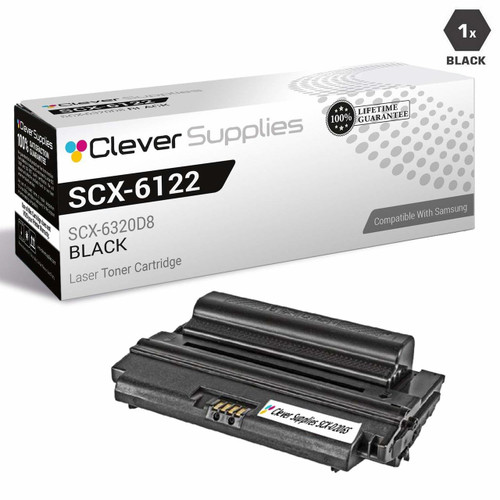
Compatible Samsung SCX-5935 High Yield Laser Toner Cartridge Black

Amazon Price:

- Page Yield:
- 10,000 Pages
- Availability:
- In Stock
- Shipping:
- Free Shipping
- Compatible Printers
- SCX-5935FNi>
- SCX-5935
- SCX-5935FN
- SCX-5935NX
- Samsung-MLTD206
- Specifications
- SKU:
- SCX 5935
- Printer Brand:
- Samsung
- OEM Number:
- MLT-D206L
- Ink Color:
- High Yield Black
- Page Yield:
- 10,000 Pages
- Printer Type:
- Laser Cartridge
- Condition:
- New Compatible
- Description
- Yields up to 10000 pages
- Trust compatible Samsung SCX-5935 Toner Cartridge to provide outstanding print quality for all your important photos and documents
- Unlike bargain replacement inks Samsung Toner Cartridge are designed specifically to work with Samsung printers for exceptional reliability and performance
- Ink/Toner Color: Black
- Ink/Toner Pack Size: 1/Pack
- Supply Type: Toner
- Compatible with: Samsung SCX 5935FN and SCX 5935NX laser printers
- Cartridge Yield Type: High Yield
- Ink/Toner Cartridge Type: Compatible
- Reviews

/> 

Compatible Samsung SCX-5935 High Yield Laser Toner Cartridge Black color with yielding capacity of up to 10000 pages renders consistent convenience and better value.
Samsung Toner cartridge in black color with yielding capacity of up to 10000 pages offers an exceptional performance with Samsung printers. Cartridge is designed to provide great print quality for all your important photos and documents.
Features:
Frequently Asked Questions
How many pages should I realistically see from one cartridge in our SCX-5935?
The MLT-D206L is rated at 10,000 pages, measured at around 5% toner coverage — the density of an ordinary letter or invoice. An SCX-5935 printing standard office documents should finish somewhere near that figure. Pages carrying charts, logos or shaded tables spend toner faster and will bring the total down; that is the coverage talking, not a fault in the cartridge.
What does one page cost on this cartridge?
Priced at $63.28 against the rated 10,000 pages, the toner works out at roughly 0.63 cents per page. For a machine that prints all day, that fraction of a cent is the number that matters across a year — it is far more informative than the shelf price on its own.
Which other machines share this cartridge?
Alongside the SCX-5935 at the center of this listing, the MLT-D206L is the listed supply for the Samsung SCX-5935FN and SCX-5935NX. Offices running two models from that group can hold one spare between them, confident it will fit whichever machine asks first.
Is there a second consumable I need to change on this machine?
No. On this platform the imaging components are built into the cartridge itself, so there is no separate unit to track, order or replace. When the MLT-D206L comes out and a fresh one goes in, the whole supply side of the machine is renewed in the same single swap.
Does scanning use any of this toner?
None at all. A scan turns the page into a file and lays nothing onto paper. Printing and copying are the jobs that spend the cartridge — every page that leaves the SCX-5935 on paper has drawn its toner from the MLT-D206L inside it.
What warranty and returns come with it?
The cartridge is covered by a one-year warranty against defects, and it can be returned free of charge at any point within the first year — the full terms are on our shipping and returns page. Questions are answered by our support team Monday to Friday, 9 AM to 5 PM CST.
Should we keep a spare MLT-D206L on the shelf for the SCX-5935?
It is a reasonable precaution for a machine the office depends on. Changes on this platform are rare — the rating is 10,000 pages — but when the cartridge does finish, a shelf spare turns the swap into a ten-minute job instead of a delivery wait. Store it boxed and sealed, flat rather than on end, somewhere cool and dry; and remember the swap renews the imaging components too, since on this platform they are built into the cartridge itself.
What should the first pages look like after fitting a fresh cartridge?
Solid, even blacks from the first sheet or two, with no pale band down one side and no gray wash in the margins. Give a new MLT-D206L a couple of ordinary pages to settle before judging it; if patchiness persists beyond that, lift the cartridge out and seat it again firmly — incomplete seating is the commonest cause. Output still wrong after a refit is what the one-year warranty and free returns are there for.
How do two-sided jobs count against the 10,000-page rating?
By the side, not the sheet. Every face that receives toner is a page against the MLT-D206L's rating, so a duplex report of fifty sheets spends one hundred pages of the cartridge's life. An SCX-5935 doing mostly two-sided work will therefore exhaust the cartridge after roughly 5,000 sheets — which looks like half the rating until the sides are counted, when it is the rating delivered in full.
How do we make sure the replacement we order is the high-yield unit?
Match the full part number from the cartridge coming out: MLT-D206L, letter for letter. The final L is what carries the 10,000-page rating and the roughly 0.63-cents-a-page economics this listing is built on, so a code taken from a similar-looking listing or from memory is a risk not worth taking. Reading the code off the spent unit takes seconds and guarantees the incoming cartridge is the same high-yield supply the machine has been running.
About This SCX-5935 (MLT-D206L) Cartridge
The compatible MLT-D206L for the SCX-5935: a single high-yield cartridge rated at 10,000 pages, priced at $63.28 and costing about 0.63 cents a page, with toner and imaging components combined in one unit for a straightforward swap. It also fits the SCX-5935FN and SCX-5935NX. Deliveries leave from our warehouses in Illinois, Pennsylvania, Georgia and California, and the remaining listings for this platform are gathered under Samsung toner cartridges.
Related Items

Samsung
Compatible Samsung SCX-5935 High Yield Laser Toner Cartridges Black 5 Pack
/>


Samsung
Compatible Samsung SCX-4728 High Yield Laser Toner Cartridge Black
/>

Samsung
Compatible Samsung SCX-4729 High Yield Laser Toner Cartridge Black
/>

Samsung
Compatible Samsung SCX-4701ND High Yield Laser Toner Cartridge Black
/>