






 See Compatible Printers
 Read more about our ink!
Okidata
Compatible Okidata B720N Laser Toner Cartridge Black
- Page Yield:
- 15,000 Pages
- Availability:
- In Stock
- Shipping:
- Free Shipping

Amazon Price:

- Page Yield:
- 15,000 Pages
- Availability:
- In Stock
- Shipping:
- Free Shipping
- Compatible Printers
- Specifications
- SKU:
- Oki-B720N
- Printer Brand:
- Okidata
- OEM Number:
- 52123601
- Ink Color:
- Black
- Page Yield:
- 15,000 Pages
- Printer Type:
- Laser Cartridge
- Condition:
- New Compatible
- Description
- Yield up to: 15000 Pages
- Ink/Toner Color: Black
- Ink/Toner Pack Size: 1/Pack
- Supply Type: Toner
- Compatible with: Okidata B710 B720 B730 B730dn series printers
- Cartridge Yield Type: Standard
- Ink/Toner Cartridge Type: Compatible
- Reviews

/> 

Compatible Okidata B720N Laser Toner Cartridge Black fade-resistant pigment for professional laser documents with lasting impact.
Okidata B720N Toner cartridge in black color yields approximately 15000 pages print. Toner cartridge produces high quality reliable printing in your home or office.
Features:
Frequently Asked Questions
What does one page cost me with this B720N cartridge?
The cartridge lists at $93.04 and is rated at 15,000 pages, which works out to about 0.62 cents per page at the rated coverage. Real life varies with how dense your documents are, but as a planning number for a black-only workgroup printer, that is a low running cost.
Which cartridge number should I match when I reorder?
Match the number 52123601. It is the cartridge behind this B720N listing, and the same cartridge also covers the B710dn, B710n, B720dn and B730dn — so if your office runs more than one of these models, one cartridge type covers them all.
How long will a single cartridge last in a shared office?
At 15,000 rated pages, a team printing 1,000 pages a month would get well over a year from one cartridge; a team printing 3,000 a month would be changing it roughly every five months. Your coverage per page moves those numbers, but the rating gives you a solid budgeting anchor.
Is this an original Okidata cartridge?
No — it is a compatible cartridge built to the 52123601 specification and sold under our own brand. It installs the same way and is backed by a 1-year warranty and 1-year free returns, with the full terms on the shipping & returns page.
My prints have started looking light — is it the cartridge?
Often, yes: fading output toward the end of a cartridge's life is the classic sign the toner is nearly gone. If a fresh cartridge does not restore solid blacks, the issue is in the printer rather than the toner, and our support team (Monday–Friday, 9 AM–5 PM CST) can help you sort out which.
When should I order the replacement?
Order when the printer's low-toner warning appears rather than when pages come out blank — that leaves a comfortable margin. Orders ship from warehouses in IL, PA, GA and CA, so delivery is quick, but a warning-stage order means zero downtime.
Why might this cartridge finish well before its 15,000-page rating?
The rating assumes standard text coverage, and real documents often run denser. Bold headings, shaded tables, logos and full-page graphics all lay down more toner per page than plain correspondence, so a B720N that prints a lot of presentation material or dense reports will empty its 52123601 sooner than the headline figure suggests. The rating is a comparison benchmark, not a promise — your page mix decides where you land.
Should I rock a brand-new cartridge before installing it?
A gentle rock is a good habit. A cartridge that has sat in a warehouse or on your shelf can have toner settled unevenly inside, and rocking it side to side a few times before it goes in levels the fill out. That helps the first pages come out with even density from the start. Keep it gentle — this is redistribution, not shaking a paint can — and do it while the cartridge is still sealed and level.
Is it worth keeping a spare on the shelf for a single-printer office?
For most offices, yes. The B720N is a networked machine that other people depend on, and a sealed spare 52123601 stored flat in a dry spot away from sunlight simply waits without deteriorating. The day the installed cartridge fades out mid-week, the spare turns a toner emergency into a two-minute swap, and you can reorder at leisure instead of against a deadline.
What is the most common installation mistake to avoid?
Forgetting the protective seal. Before the cartridge goes in, check it over and remove any shipping seal or protective strip fitted for transit — a cartridge installed with its seal still in place cannot deliver toner properly, and the printer will produce blank or near-blank pages that look like a serious fault. A ten-second inspection on every swap saves a support call and a lot of head-scratching.
About This B720N Cartridge
This single compatible Okidata 52123601 black cartridge for the B720N is rated at 15,000 pages and priced at $93.04 — about 0.62 cents per rated page. It is the straightforward one-at-a-time option for a networked mono printer with steady but not extreme volume. The wider Okidata range is listed on the Okidata brand page.
Related Items

Okidata
Compatible Okidata B720N Laser Toner Cartridges Black 5 Pack
/>

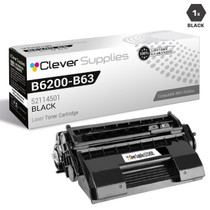
Okidata
Compatible Okidata B6300 Laser Toner Cartridge Black
/>
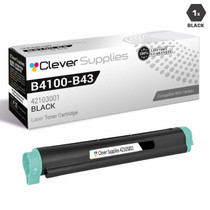
Okidata
Compatible Okidata B4300N Laser Toner Cartridge Black
/>
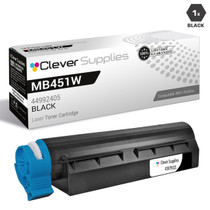
Okidata
Compatible Okidata MB451W Laser Toner Cartridge Black
/>