




BizHub C284E
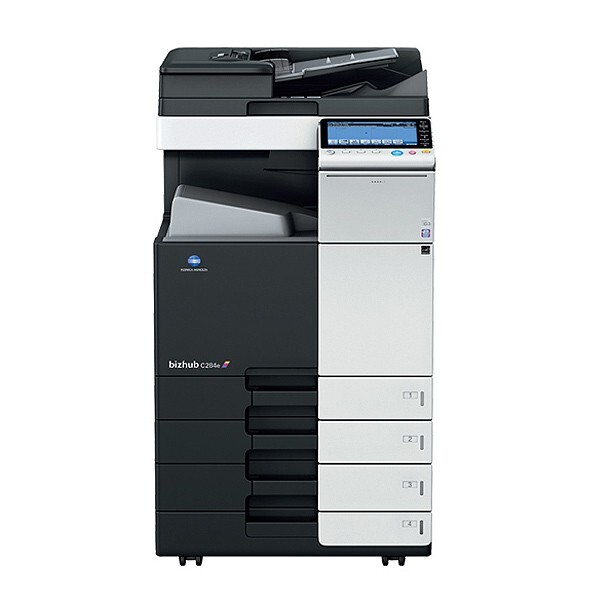
The BizHub C284E is the enhanced edition of the C284 — a refreshed color departmental MFP whose toner drawer is deliberately unchanged. It runs the TN-321 family (short form TN321): black A33K130, also TN-321K and TN321K; cyan A33K430, also TN-321C and TN321C; magenta A33K330, also TN-321M and TN321M; yellow A33K230, also TN-321Y and TN321Y. Because every color position keeps its own number, a supplies order for this machine can name exactly one color instead of a full set.
The E-models exist so an office can buy current hardware without requalifying its consumables — the purchasing routine survives the upgrade intact. That matters most in departments where the C284E joins an existing fleet: the same shelf stock that feeds a BizHub C284 feeds its enhanced successor, and nobody has to learn a new cartridge line. What the refresh does change is the management around the machine — its network features can be configured to send low-toner alerts, so supplies get reordered on the machine's warning rather than on a user's complaint at the worst possible moment.
Toner Cartridges for BizHub C284E
Which cartridge should you buy?
Order this machine's toner by the color, not by the set. Each TN-321 position carries its own code, so the natural routine is to replace whichever cartridge the panel reports and leave the other three alone. Budget on printed sides rather than sheets while you are at it: heavy duplex work still lays toner on both faces of the page, so a duplex-heavy department consumes cartridges at the rate its page count — not its paper count — suggests. Keep the set purchase for two moments: the first fill of a new installation, and the reserve shelf. The multi-packs make their sense in fleets that have standardized on this family across several machines and reorder on a fixed cycle.
Chip, toner and everyday use
Treat the first minutes after a swap as part of the installation. The C284E reads each cartridge's chip as it powers back up, and a unit that is not fully latched can read as missing even though it is physically sitting in the bay — press it home until it clicks before troubleshooting anything else. Pull the shipping seal in one steady motion and check that none of it stayed behind inside. For color work, let the automatic calibration run to completion after any cartridge change; interrupting it is a common reason the first batch after a swap drifts. Spares keep best sealed, flat, and away from windows and heat vents.
Frequently Asked Questions
What is different about toner on the C284E versus the C284?
Nothing at all. The enhanced model uses the same TN-321 black, cyan, magenta and yellow cartridges as the C284, so stocking, ordering and replacement procedures carry across unchanged — which is precisely the point of the E refresh.
Can the C284E warn us before a cartridge runs out?
Yes — its network management features can send low-toner alerts once an administrator has configured them. An emailed warning beats discovering an empty cartridge in the middle of a deadline, and it gives the supplies order a few days of slack to arrive.
Does heavy duplex printing reduce TN-321 consumption on the C284E?
No. Duplexing saves paper, not toner: both sides of every sheet still receive a full image. Budget replacements against printed sides, and expect a duplex-heavy C284E to cycle its cartridges just as fast as a single-sided machine producing the same page count.
One color reads empty but the others are fine — do I replace the set?
Only the empty one. The four positions are independent, each with its own cartridge and its own level reading, so a finished yellow is a one-cartridge job. Replacing healthy cartridges alongside it only discards the toner still remaining in them.
More printers that use the same cartridges
The same four cartridges also serve the BizHub C224, BizHub C224E, BizHub C284, BizHub C364 and BizHub C364E, so a mixed fleet can standardize on a single toner line.