






 See Compatible Printers
 Read more about our ink!
Konica-Minolta
Compatible Konica Minolta A33K230 (TN-321Y) Laser Toner Cartridge Yellow

Amazon Price:

- Page Yield:
- 25,000 Pages
- Availability:
- In Stock
- Shipping:
- Free Shipping
- Compatible Printers
- Specifications
- SKU:
- TN-321Y
- Printer Brand:
- Konica-Minolta
- OEM Number:
- A33K230
- Ink Color:
- Yellow
- Page Yield:
- 25,000 Pages
- Printer Type:
- Laser Cartridge
- Condition:
- New Compatible
- Description
- Yields up to 25000 pages
- Trust compatible Konica Minolta A33K230 Toner Cartridge to provide outstanding print quality for all your important photos and documents
- Unlike bargain replacement inks Konica Minolta TN-321Y Toner Cartridges are designed specifically to work with Konica Minolta printers for exceptional reliability and performance
- Packaging: Each
- Compatible with: Konica Minolta BizHub: C224 C224E C284 C284E C364 and C364E printers
- Supply Type: Toner
- Cartridge Yield Type: Standard
- Ink/Toner Pack Size: 1/Pack
- Ink/Toner Color: Yellow
- Ink/Toner Cartridge Type: Compatible
- Reviews

/> 

Compatible Konica Minolta A33K230 (TN-321Y) Laser Toner Cartridge Yellow offers vibrant print quality exceptional reliability and performance for your photos and documents.
Konica Minolta TN-321Y Yellow toner cartridge is designed to work with printers for exceptional reliability and performance. Toner cartridge provides outstanding print quality for photos/documents and yields up to 25000 pages.
Features:
Frequently Asked Questions
How do I know the yellow is empty when yellow barely shows on the page?
Yellow is the color you notice by its effects, not by itself. When the A33K230 runs dry, greens slide toward blue, warm highlights lose their glow and color pages look quietly cold. The machine's test pattern settles it: an empty or streaked yellow band means this station — the A33K230, also designated TN-321Y — is the one to change.
Is it harmful to keep printing color work with the yellow gone?
The machine will keep running, but every color page printed in that state is subtly wrong, and the waste shows up later as reprints. Text-only work is unaffected. The honest economy is to fit the replacement when the test page confirms the yellow band has failed, rather than after a client notices the shift.
Which code identifies this cartridge?
A33K230 is the part number; TN-321Y is the family designation, Y for yellow. In this family the codes run A33K130 black, A33K430 cyan, A33K330 magenta and A33K230 yellow — matching the one on your old unit's label removes any doubt before you order.
What is the rated life?
25,000 pages — the full TN-321Y capacity, level with the cyan and magenta of the family and a step below the black's 27,000, which reflects how text-heavy a Bizhub C224 workload usually is. Yellow tends to be the station offices replace least often, precisely because its absence hides so well.
Does changing it disturb the other cartridges?
No. The yellow station slides out and in on its own; the black, cyan and magenta units stay seated and undisturbed. Rock the new cartridge gently first to level the toner, remove the seal completely, and run one color test page to confirm the balance is back.
What cover does it carry?
A 1-year warranty and 1-year free returns — if it arrives damaged or gives out far short of its rating, it is replaced or refunded. Support runs Monday through Friday, 9 AM to 5 PM CST, and delivery terms are set out on the shipping & returns page.
Why is yellow the one color worth stocking ahead?
Because yellow fails silently. A low black stops the machine and a low magenta is visible in every red, but a dying A33K230 announces itself only in other colors — greens cooling toward blue, highlights losing warmth — often after wrong pages have already been handed over. One sealed TN-321Y on the shelf removes that discovery risk entirely, and since the same cartridge serves the C224, C224e, C284, C284e and C364, a single spare protects every machine in the group.
What kind of work uses yellow faster than the rating assumes?
The 25,000-page figure rests on standard coverage, and yellow hides inside more page types than people expect: greens in charts and diagrams are half yellow, warm-toned photographs draw on it continuously, and presentation backgrounds with cream or warm tints consume it on every slide. A machine running that material will finish the TN-321Y well ahead of the benchmark, while a text-led machine may barely touch it for very long stretches.
How often should we check the yellow level if nobody notices it fading?
Build the check into a routine instead of relying on eyesight. A monthly look at the machine's supply levels, or one color test pattern printed on a fixed schedule, shows the yellow band's condition directly and catches the decline while there is still toner in reserve. Note the date each A33K230 is fitted alongside that check and you also gain a realistic interval for your own workload, which makes the next order a calendar entry rather than a surprise.
What do I do with the old yellow cartridge?
Seal it into the packaging the replacement arrived in and send it out through your local route for spent toner cartridges. Keep it until the new unit has printed a test pattern with a solid yellow band and a page of greens has come back to its proper color; if the fresh cartridge disappoints early, the spent A33K230 supports its individual 1-year warranty and 1-year free returns claim.
About This A33K230 (TN-321Y) Yellow Cartridge
At $116.83, this A33K230 yellow is the quiet member of the TN-321 set — rarely suspected, but responsible for the warmth in every color page and the green in every chart. Orders ship from our warehouses in IL, PA, GA and CA, and the remainder of the family is stocked under Konica Minolta.
The same unit fits the Bizhub C224, Bizhub C224e, Bizhub C284, Bizhub C284e and Bizhub C364, so one shelf spare covers the whole group. Companion listings in the same family: the A33K130 black cartridge, the A33K430 cyan cartridge, the A33K330 magenta cartridge and the 4-color set.
Related Items
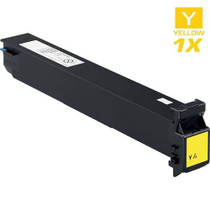
Konica-Minolta
Compatible Konica Minolta A0TM230 (TN-613Y) Laser Toner Cartridge Yellow
/>


Konica-Minolta
Compatible Konica Minolta A0D7231 (TN-314Y) Laser Toner Cartridge Yellow
/>
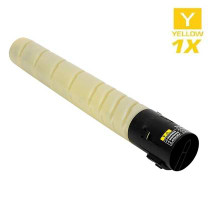
Konica-Minolta
Compatible Konica Minolta A8DA230 (TN-324Y) Laser Toner Cartridge Yellow
/>

Konica-Minolta
Compatible Konica Minolta A11G231 (TN-216Y) Laser Toner Cartridge Yellow
/>