Frequently Asked Questions
How far does this standard cartridge go in a 5000T?
It is rated at 9,000 pages under the usual 5% coverage standard. A LaserJet 5000T fed mostly letter-size text will land near that figure. Ledger pages and dense graphics use more toner per sheet, so big-format work shortens the run in proportion.
Who should pick this over the high-yield fill?
Anyone whose 5000T prints steadily but not relentlessly. The standard fill costs the same sensible money, avoids a large cartridge sitting half-used for years, and still covers months of ordinary departmental work between changes. High-yield makes sense when the machine never seems to rest.
Pages are coming out light. Is it empty or is something else wrong?
Check the driver first: EconoMode prints pale on purpose. Turn it off and print a test page. Still light? Rock the cartridge gently to redistribute the toner. If the test page stays washed out after that, the cartridge is genuinely near the end.
Is a spare worth keeping for a machine this size?
Yes. A 5000T usually serves several people, so an empty cartridge is a shared problem, not a private one. A sealed spare on the shelf turns a mid-run stoppage into a two-minute swap. Store it flat, in its bag, away from heat and sun.
What happens if I receive a defective unit?
Send it back under the 1-year warranty; 1-year free returns are included as well. The shipping and returns page covers the process start to finish.
How does shipping work, and when is support staffed?
Your order leaves from the nearest of our warehouses in Illinois, Pennsylvania, Georgia, and California. Support is staffed Monday through Friday, 9 AM to 5 PM CST.
How many cartridges will a department use in a year?
Divide the machine's monthly page count by the 9,000-page rating and multiply by twelve. A 5000T printing 3,000 pages a month lands near four cartridges a year; at 6,000 a month, nearer eight. That arithmetic gives a sensible annual toner budget for the 29A (C4129A) and a reorder rhythm the office can set on a calendar instead of reacting to pale pages.
When is the right moment to swap on a shared machine?
Between jobs, not inside one. A change takes about a minute, but a job interrupted mid-run comes out half on a fading cartridge and half on a fresh one, and the two halves rarely match. Watch for genuine fading at the end of a run, fit the spare before the next one is released, and output stays consistent.
Which page proves a new cartridge on a 5000T?
A ledger-size drawing or a dense report page your department prints regularly — something with fine lines and solid blacks across the full width. Compare it with the same page printed before the change. On a machine bought for big paper, a letter-size test hides edge problems; the full-width sheet shows seating or density faults immediately.
What should happen to the spent cartridge?
Box it in the packaging the new unit came in and route it through your organization's normal toner recycling. On a shared machine, label the box 'spent' with the date: unlabeled empties have a way of being fitted again by the next person who finds the printer pale, which wastes a quarter hour proving the cartridge, not the printer, is done.
About This LaserJet 5000T Cartridge
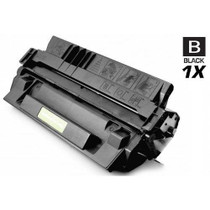
The 5000T configuration is the one departments choose when paper capacity matters as much as print size, and it still handles ledger work most office printers cannot attempt. This standard compatible cartridge gives it a 9,000-page fill with clean, dense blacks for reports and drawings, at $95.77. It is part of our HP compatible range and drops straight into the cartridge bay with no adjustments. For a shared machine, the maintenance routine is refreshingly dull: watch for real fading rather than the first warning, swap in the spare, reorder, and repeat.
Every model in the run — LaserJet 5100dtn, LaserJet 5000, LaserJet 5000dn, LaserJet 5000gn, LaserJet 5000n and LaserJet 5100 — feeds from the 29A (C4129A). Also listed for this platform: the high-yield 29X (C4129X) single cartridge and the high-yield 29X (C4129X) two-pack.







 See Compatible Printers
 Read more about our ink!