




LaserJet M26w
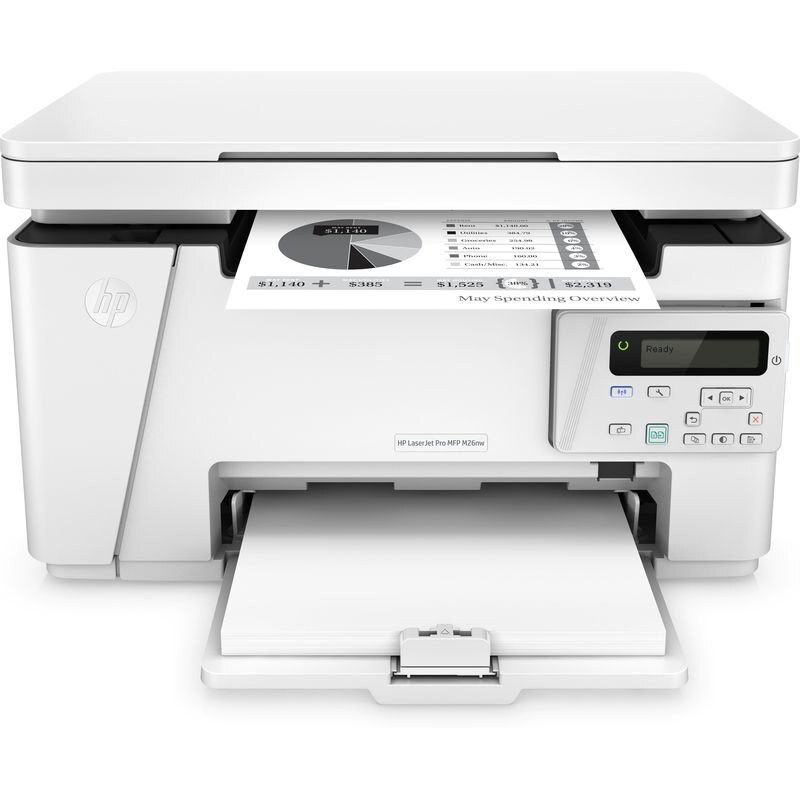
The LaserJet M26w is the wireless member of the compact M26 mono multifunction line — print, scan and copy, with Wi-Fi so phones and laptops can print without a cable in sight. Its supply list could not be shorter: one black cartridge, HP's 79A (CF279A). Below you will find that cartridge as a single, in 2, 3, 5 and 10 packs, and in listings named for the M12 and M26 models that share the same cartridge bay.
Cable-free printing changes how a small home office uses an MFP: the machine can live on a shelf or in a closet corner instead of next to the main computer, and a second person can print while the first is scanning. The M26w suits homes and micro-offices where several devices — a work laptop, a family tablet, a phone — all need the same printer. It keeps the M26 formula of one mono cartridge, so sharing the machine never means juggling a set of color supplies.
Toner Cartridges for LaserJet M26w
| Cartridge | Color | Page Yield |
|---|---|---|
| CF279A single cartridge | Black | See product page |
| CF279A 2 Pack | Black | See product page |
| CF279A 3 Pack | Black | See product page |
| CF279A 5 Pack | Black | See product page |
| CF279A 10 Pack | Black | See product page |
| CF279A — M12a listing | Black | See product page |
| CF279A — M12w listing | Black | See product page |
| CF279A — M26a listing | Black | See product page |
| CF279A — M26w listing | Black | See product page |
| CF279A — M26nw listing | Black | See product page |
Which cartridge should you buy?
There is exactly one cartridge to choose — the CF279A — so the question is how many to keep around. A shared wireless printer gets used more than its owners expect, and it always seems to run dry mid-job; a 2 pack means the replacement is already in the cupboard. Lighter users can buy singles and reorder at the low-toner warning. Offices running several machines from this family should look at the 5 and 10 packs, since a single stock feeds the M12 printers in this group as well. Model-named listings are the same cartridge under a sibling's name and can be bought with confidence.
Chip, toner and everyday use
A toner-low alert on this printer means the cartridge is nearly — not completely — empty, and you can usually keep printing for a while after it appears. Use that window to order, not to panic. When the new cartridge goes in, check that every protective seal and pull tab came off; a forgotten tab is a classic cause of blank pages. If the printer still does not recognize the cartridge after a firm reseat, switch the machine off and back on so it re-detects the chip. Yield figures assume about 5% coverage per page, so photo-heavy or dense documents will shorten real-world life.
Frequently Asked Questions
What toner cartridge does the LaserJet M26w use?
One black cartridge: the CF279A. It is shared with the whole M12 and M26 family, which is why this page also carries listings named for those models — the cartridge inside each of them fits your M26w.
Why doesn't my M26w recognize the new cartridge?
Start with the basics: reseat the CF279A firmly and confirm every seal and pull tab was removed before it went in. If the message stays, power the printer off and on again so it re-reads the cartridge chip.
What should I do when the toner-low warning appears?
Keep printing — the warning arrives with usable toner still in the cartridge — but treat it as the moment to order a replacement. A spare that arrives before the old cartridge fades saves the shared printer from sitting idle.
Can several people print to the M26w at once?
That is the point of this model: once it is on your Wi-Fi network, phones and laptops around the home can all send jobs to it without cables. Print and copy jobs queue up on the same single cartridge.
More printers that use the same cartridges
Every model below takes the same cartridge as the M26w: