




LaserJet M12w
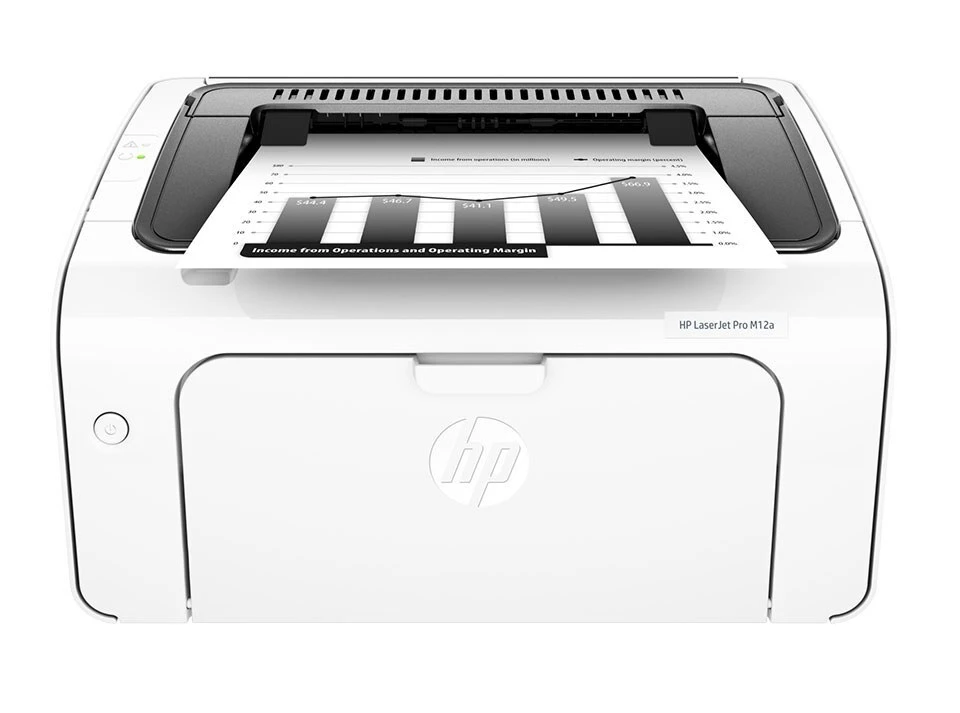
The LaserJet M12w arrived in 2017 as a tiny wireless mono laser for home offices — barely bigger than a ream of paper, and quick to set up from a phone or laptop. It takes a single black cartridge, HP's 79A (CF279A), and nothing else: no color set, no second slot. Everything sold on this page is that one cartridge, offered as singles, multi-packs and listings named after the sibling models it also fits.
The M12w's whole pitch is freedom from the desk it sits on: join it to Wi-Fi once and everyone in the home can print to it from wherever they are working — kitchen table, sofa, spare room. That makes it a natural fit for households where the printer serves schoolwork, invoices and the odd contract in the same week. Because it uses a laser cartridge rather than ink, it can also sit idle for weeks without the dried-out nozzles that plague inkjets left unused.
Toner Cartridges for LaserJet M12w
| Cartridge | Color | Page Yield |
|---|---|---|
| CF279A single cartridge | Black | See product page |
| CF279A 2 Pack | Black | See product page |
| CF279A 3 Pack | Black | See product page |
| CF279A 5 Pack | Black | See product page |
| CF279A 10 Pack | Black | See product page |
| CF279A — M12a listing | Black | See product page |
| CF279A — M12w listing | Black | See product page |
| CF279A — M26a listing | Black | See product page |
| CF279A — M26w listing | Black | See product page |
| CF279A — M26nw listing | Black | See product page |
Which cartridge should you buy?
Choice here is about quantity, not capacity: the CF279A comes in one size only. Light users — a few pages a week — are fine with a single cartridge and a spare kept sealed. Busy home offices usually do better with the 2 pack, since a wireless printer shared by the whole house tends to run dry at the least convenient moment. The 3, 5 and 10 packs suit anyone stocking for several M12 or M26 machines at once. Listings named for the M12a, M26a and other siblings hold the identical cartridge; pick them by price and pack size, not by the name on the label.
Chip, toner and everyday use
The cartridge's chip reports toner level to the printer, which is where the on-screen low warnings come from. Treat the first warning as a shopping reminder rather than a stop sign — there is normally a useful amount of printing left. A gentle side-to-side rock of the cartridge can even out the toner and carry you through the last pages evenly. Yields are rated at roughly 5% coverage, so full-page documents use toner faster than the estimate suggests. When you install a replacement, remove every seal and tab, slide it in squarely, and let the printer finish its calibration before judging the first page.
Frequently Asked Questions
What toner cartridge does the LaserJet M12w use?
The M12w takes the black CF279A cartridge and no other. It is the same cartridge across the M12 and M26 families, so listings under those model names fit this printer too.
Why is my M12w leaving vertical lines on every page?
Lines that repeat down the page usually trace back to a damaged or nearly empty cartridge. Swap in a fresh CF279A first — that cures the great majority of cases. If lines survive a new cartridge, the printer itself may need a cleaning cycle or a service visit.
How do I get the M12w onto my Wi-Fi network?
Run the wireless setup from the printer's control panel to join your network, then install HP's printer software on each computer that will use it. If the connection drops later, printing a network configuration page shows the current status and helps you rejoin.
How long can I keep printing after the low-toner warning?
Quite a while at light coverage — the warning starts early on purpose. Keep printing until pages actually fade, but order the replacement when the warning appears so the spare is already home when the cartridge gives out.
More printers that use the same cartridges
The same cartridge also feeds the rest of the M12 and M26 family:
LaserJet Pro MFP M26a, LaserJet Pro M12a, LaserJet M26w, LaserJet M26nw, LaserJet M26a MFP, LaserJet M12w MFP, LaserJet M12a.