




LaserJet M26nw
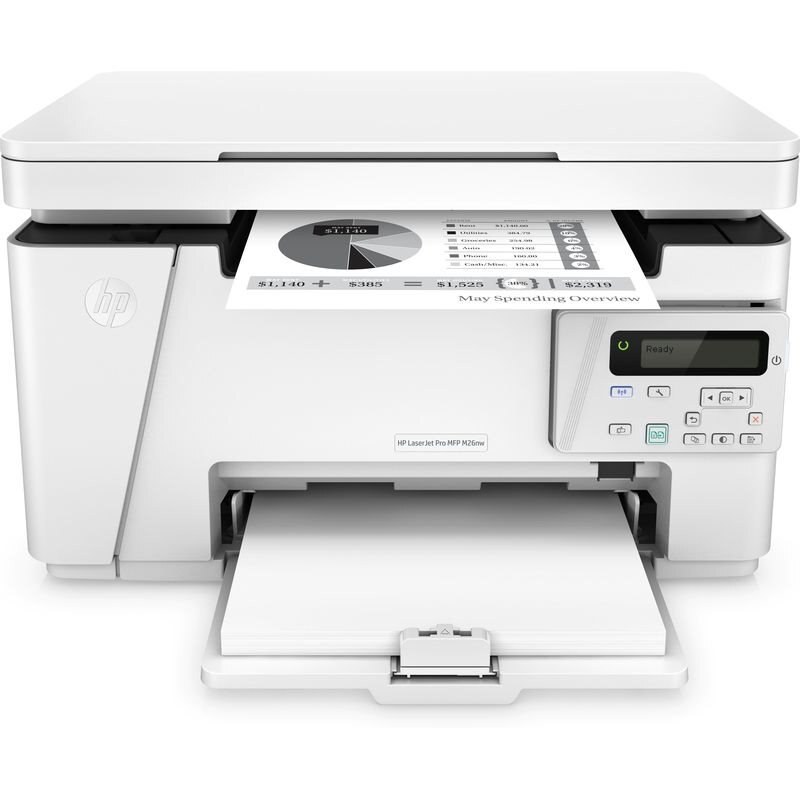
Networked as well as wireless, the LaserJet M26nw is the connected configuration of the M26 mono MFP line, built for homes where several devices print to one machine. Its cartridge bay holds a single black cartridge — HP's 79A, the CF279A — and this page gathers every way that cartridge is sold here: singles, multi-packs up to ten, an alternate 4 pack listing, and listings named for the M12 and M26 siblings.
Adding a wired network connection to the wireless M26 formula makes this the version for a fixed spot in the house — plugged into the router, always on, always reachable. In a household with a couple of computers, a tablet or two and phones all printing homework, labels and paperwork, the M26nw acts as the shared utility printer nobody has to think about. Its mono laser engine keeps that role cheap to run: one cartridge type to stock, no ink to dry out between busy weeks.
Toner Cartridges for LaserJet M26nw
| Cartridge | Color | Page Yield |
|---|---|---|
| CF279A — M12a listing | Black | See product page |
| CF279A — M12w listing | Black | See product page |
| CF279A — M26a listing | Black | See product page |
| CF279A — M26w listing | Black | See product page |
| CF279A — M26nw listing | Black | See product page |
| CF279A single cartridge | Black | See product page |
| CF279A 2 Pack | Black | See product page |
| CF279A 3 Pack | Black | See product page |
| CF279A 4 Pack (alternate listing) | Black | See product page |
| CF279A 5 Pack | Black | See product page |
| CF279A 10 Pack | Black | See product page |
Which cartridge should you buy?
The CF279A is the only cartridge this family uses, in a single capacity — so buying well means buying the right quantity. A shared household printer argues for depth: the 3 pack or the alternate 4 pack listing keeps spares on hand through a school term of printing. Homes that also run an M12 printer can consolidate on the 5 or 10 packs and feed both machines from one box. The listings named M12a, M12w, M26a and so on are not different cartridges — each holds the same CF279A yours does, labeled for owners who search by model name.
Chip, toner and everyday use
Before a new cartridge goes in, give it a gentle side-to-side rock so the toner inside is evenly distributed, keep it level, and avoid touching the roller — fingerprints there can print through onto page after page. Remove the sealing tape in one pull, seat the cartridge, and let the printer recognize the chip before sending a job. Paper handling matters as much as toner: reload the tray with fresh, fanned paper, since damp or curled sheets are the usual cause of jams on a shared machine. Spares keep best sealed, flat and out of direct sunlight.
Frequently Asked Questions
What toner cartridge does the LaserJet M26nw use?
The black CF279A — one cartridge runs the whole machine, for printing and copying alike. Any listing on this page, whatever model name it carries, contains that same cartridge.
How do I clear a paper jam in the M26nw?
Switch the printer off, open the paper-path covers, and pull the jammed sheet out slowly in the direction the paper travels so it does not tear. Reload with fresh, fanned paper before you resume printing.
Should I shake a new cartridge before installing it?
A gentle rock, yes — side to side a few times to level the toner, never a hard shake. Keep the CF279A level as you carry it to the printer and slide it straight in.
Which pack size suits a shared household printer?
Shared machines burn through cartridges less predictably, so spares matter: the 3 pack or the alternate 4 pack listing covers most homes, while the 5 and 10 packs make sense when an M12 model in the house draws on the same stock.
More printers that use the same cartridges
The M26nw shares its cartridge with the rest of the M12 and M26 group:
LaserJet M26a MFP, LaserJet M26w, LaserJet Pro M12a, LaserJet Pro MFP M26a, LaserJet M12a, LaserJet M12w, LaserJet M12w MFP.